Quick Answer
To keep your Force FX lightsaber in top condition, handle the blade with care, clean it with a soft microfiber cloth, store it away from direct sunlight, and replace batteries as soon as performance dips.
Why Blade Care Matters
The blade is the most visible and most fragile part of a Force FX lightsaber. Scratches, scuffs, and UV damage can permanently dull the translucent polycarbonate, reducing the glow effect. Even a premium replica like the Star Wars The Black Series Force FX Elite Ahsoka Tano Lightsaber benefits from simple preventive habits.
Avoid swinging the lightsaber against hard surfaces. It is a display piece and role-play item, not a combat prop. If you do handle it, hold it by the hilt and keep the blade away from sharp objects.
Sound and Electronics: Keep Them Working
Force FX lightsabers use motion sensors and speakers to produce ignition and swing sounds. These can be affected by loose connections, low batteries, or dust inside the hilt. Most sound issues are not permanent if you address them early.
If sound becomes faint or crackly, first check the battery level. Many electronic lightsabers behave erratically when power is low. If the problem persists after fresh batteries, inspect the battery compartment for corrosion or a loose contact.
Battery Life: Expect and Manage It
Force FX lightsabers are battery-powered, and the LED blade and sound effects drain batteries faster than you might expect. Continuous use can deplete a set of batteries in a few hours, so keep spares on hand.
When storing the lightsaber for more than a few weeks, remove the batteries to prevent leakage and corrosion. This is especially important if you display the saber on a shelf, where a leaking battery could damage the hilt beyond repair.
Step-by-Step Care Routine
- Clean the blade regularly: Wipe the blade with a soft, dry microfiber cloth to remove dust and fingerprints. Avoid using water, alcohol, or abrasive cleaners, which can cloud the polycarbonate. Check for smudges after each handling session.
- Handle with care: Always grip the hilt, not the blade, when moving the lightsaber. Never swing it against hard objects or use it for mock combat, as this can crack or scratch the blade. If you must transport it, wrap the blade in a soft cloth or bubble wrap.
- Store away from sunlight: Keep the lightsaber out of direct sunlight and away from heat sources. Prolonged UV exposure can yellow the blade and fade the hilt's paint. A display case with UV protection is ideal for long-term display.
- Replace batteries when performance drops: If the blade seems dimmer or sound becomes weak, replace all batteries with fresh ones. Do not mix old and new batteries or different brands. Keep a spare set of batteries nearby for uninterrupted use.
- Remove batteries for long-term storage: If you won't use the lightsaber for several weeks or more, take out the batteries and store them separately. This prevents leakage and corrosion inside the hilt. Mark your calendar to check batteries every few months if the saber is on display.
Featured Product
-
Star Wars The Black Series Ahsoka Tano Force FX Elite Electronic Lightsaber: The Star Wars The Black Series Force FX Elite Ahsoka Tano Lightsaber is a premium electronic replica inspired by Star Wars: Ahsoka on Disney+, featuring a white-bladed design. Its detailed hilt and electronics deserve the same careful handling and battery maintenance described here to preserve its collectible value and performance.
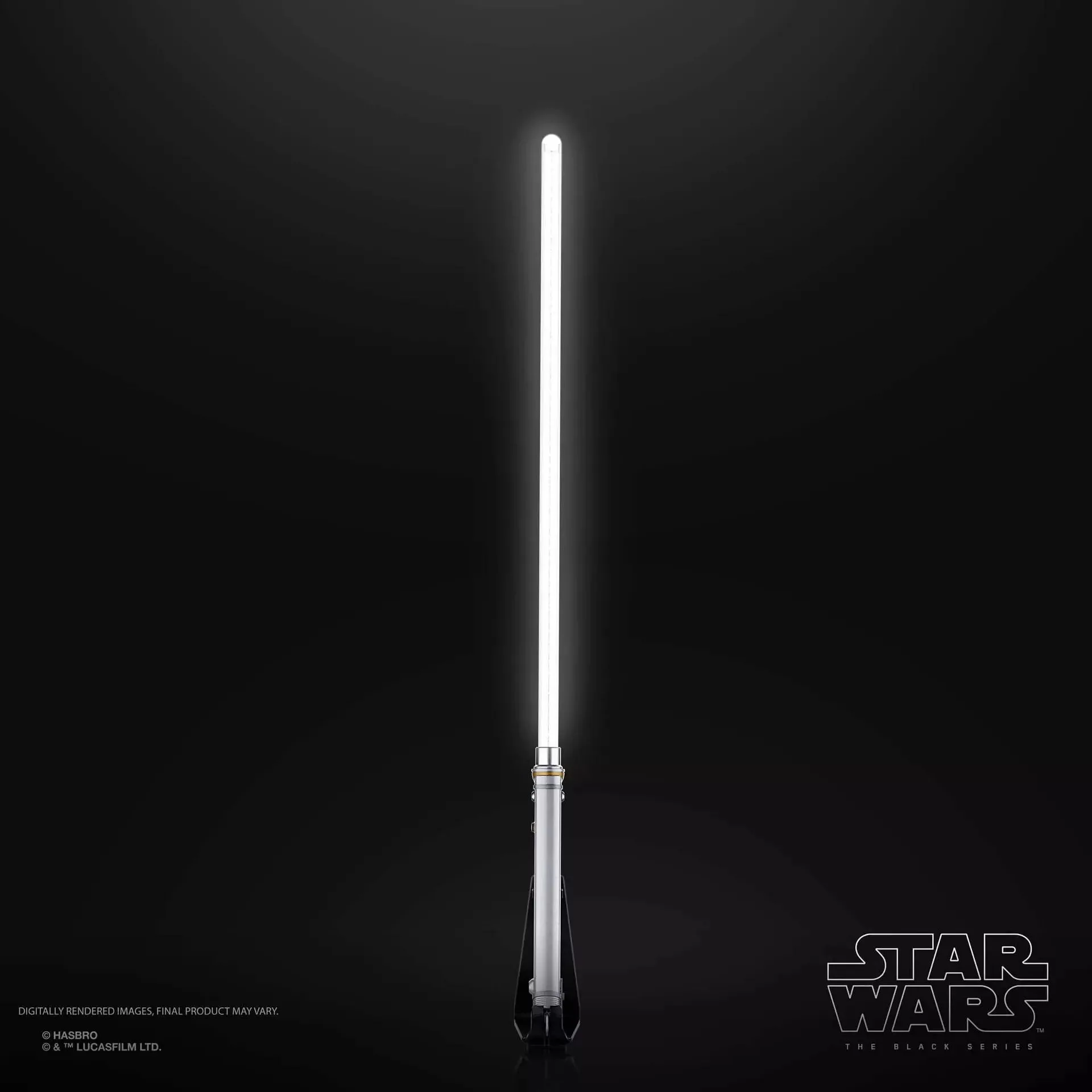
Star Wars The Black Series Ahsoka Tano Force FX Elite Electronic Lightsaber