Quick answer
Use a soft microfiber cloth and gentle circular motions to clean the screen. Avoid harsh chemicals and store the device in a protective case when not in use.
Why screen care matters for your retro handheld
The GALAGA Pixel Pocket Pro features a compact LCD screen that brings the classic arcade shooter to life. Keeping it clean and scratch-free ensures the colorful alien sprites and starfield backgrounds look sharp every time you play.
Dust, fingerprints, and pocket debris can accumulate quickly on a portable gaming device. Without proper care, minor smudges can turn into scratches that permanently affect your view of the action.
Step-by-step screen care routine
- Power off and disconnect: Turn off the device and remove any connected accessories or charging cable. This prevents accidental inputs and lets you see the screen clearly. Working on a powered-off screen avoids triggering in-game actions and reduces static dust attraction.
- Wipe with a dry microfiber cloth: Gently wipe the screen in a circular motion using a clean, dry microfiber cloth. Do not apply heavy pressure—let the cloth lift oils and dust. Common mistake: using paper towels or rough fabrics can scratch the display. Stick to microfiber only.
- Use distilled water for stubborn smudges: Lightly dampen a corner of the cloth with distilled water (not tap water) and wipe the smudge. Immediately follow with the dry section of the cloth. Never spray liquid directly onto the screen. Excess moisture can seep into the edges and damage internal components.
- Store in a protective case: When you are done playing, place the GALAGA Pixel Pocket Pro in a padded case or sleeve. This shields the screen from keys, coins, and other pocket items. A hard-shell case offers the best protection against drops and compression in a bag.
- Avoid direct sunlight and heat: Keep the device out of direct sunlight and away from radiators or car dashboards. Prolonged heat exposure can discolor or damage the LCD panel over time. Even indirect sunlight through a window can cause gradual screen degradation if left for hours.
Product spotlight
-
GALAGA Pixel Pocket Pro: GALAGA is a classic arcade game that is still popular today, featuring a colorful and charming art style. A clean screen ensures the vibrant pixel art and alien waves stay crisp, making each session more immersive.
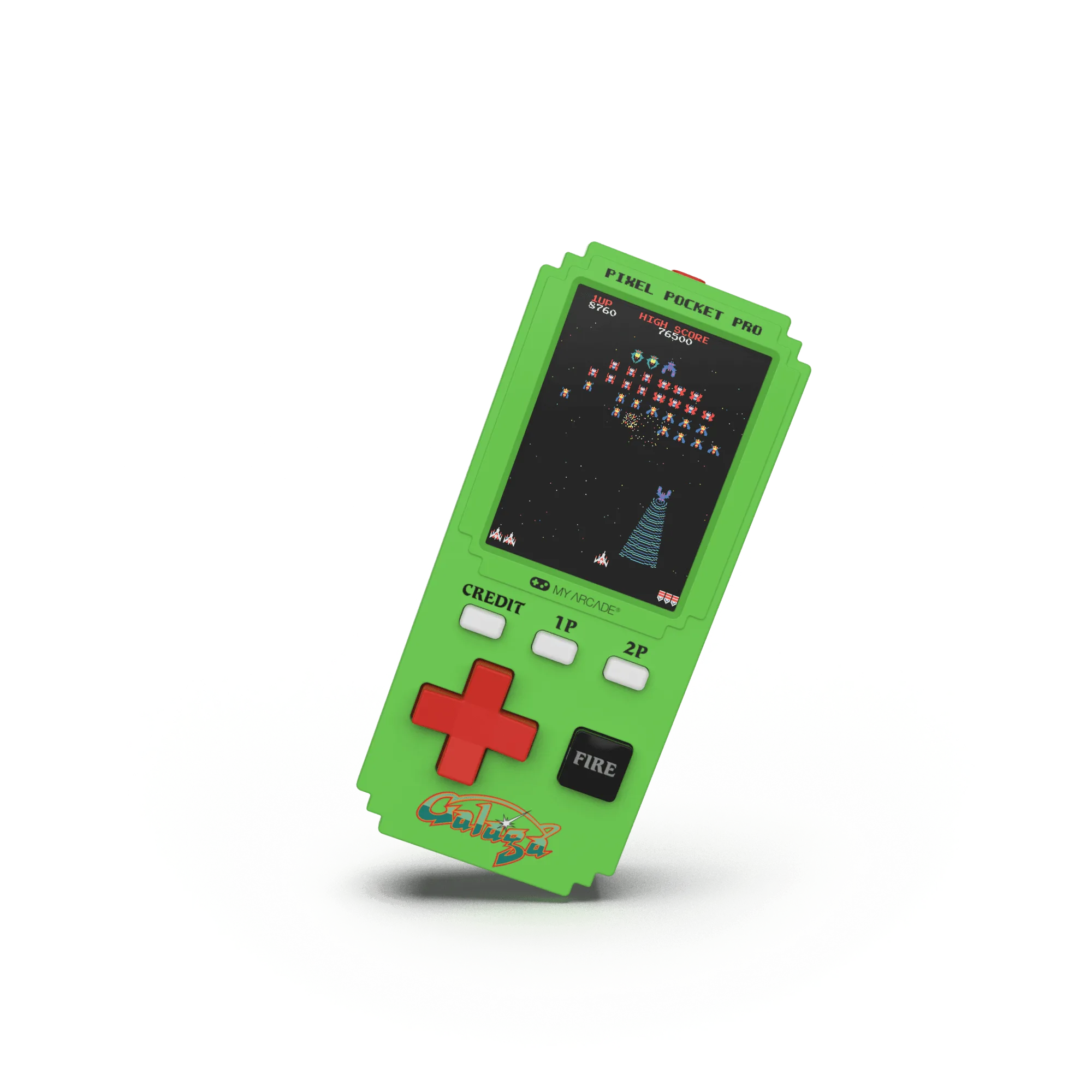
GALAGA Pixel Pocket Pro