Quick answer
Choose a Wi-Fi baby monitor if you want remote viewing from your phone and smart features like pan/tilt control. Choose a non-Wi-Fi monitor if you prefer a dedicated, private connection with no app dependency and no internet security concerns.
Why the choice matters
Baby monitors are not one-size-fits-all. Wi-Fi models let you check in from anywhere using your smartphone, while non-Wi-Fi monitors use a closed radio frequency (usually 2.4 GHz or 5 GHz) between the camera and parent unit. Each has distinct strengths and trade-offs in privacy, range, ease of use, and long-term cost.
Your decision should hinge on where you plan to use the monitor (home only or also while traveling), your comfort with internet-connected devices, and whether you want extra features like pan/tilt, zoom, or built-in lullabies.
Key trade-offs at a glance
Wi-Fi monitors offer convenience but rely on your home network and smartphone battery. Non-Wi-Fi monitors provide a dedicated, always-on parent unit that works even during internet outages, but you typically cannot view the feed remotely without additional hardware.
Video quality and range vary by model. Some Wi-Fi monitors, like the VTech RM4761, offer 1080p Full HD video and 360° pan/tilt control from the parent unit or app. Non-Wi-Fi monitors may have lower resolution but often deliver a more stable, low-latency feed within a typical home range of 800–1000 feet.
How to decide: Wi-Fi vs Non-Wi-Fi
- Remote access needed?: If you want to check the monitor from work, while traveling, or from another room without carrying a parent unit, choose a Wi-Fi monitor. Non-Wi-Fi monitors only work within range of the dedicated parent unit.
- Privacy and security priority?: Non-Wi-Fi monitors use a closed radio signal that is not accessible over the internet, making them inherently more private. Wi-Fi monitors require a secure home network and strong passwords to minimize hacking risks. If you are uncomfortable with any internet-connected device in the nursery, a non-Wi-Fi model is the safer choice.
- Screen size and viewing preference?: Wi-Fi monitors often have smaller parent unit screens (e.g., 3.5 inches) because you can use your phone for a larger view. Non-Wi-Fi monitors typically have larger built-in screens (e.g., 5 inches) for a dedicated viewing experience.
- Extra features matter?: Both types can offer pan/tilt, zoom, night vision, temperature sensors, and lullabies. Check the specific model features: the VTech RM4761 offers 360° pan/tilt from the parent unit or app, while the LeapFrog LF815 includes an adaptive night light and soothing sounds. List the features you truly need before comparing models.
- Budget and long-term cost?: Wi-Fi monitors often have a higher upfront cost but no recurring fees. Non-Wi-Fi monitors are generally less expensive and have no ongoing costs. Both types are available at various price points.
Featured monitors
-
VTech RM4761 3.5 Inch Smart Wi-Fi Pan & Tilt Monitor - White: The VTech RM4761 offers 1080p Full HD video, a 3.5-inch colour LCD parent unit, and remote pan (360°) and tilt (86°) control from the parent unit or MyVTech Baby Plus app. You can check on your baby from anywhere using your smartphone, and the high-resolution display shows fine details even in low light with automatic infrared night vision.
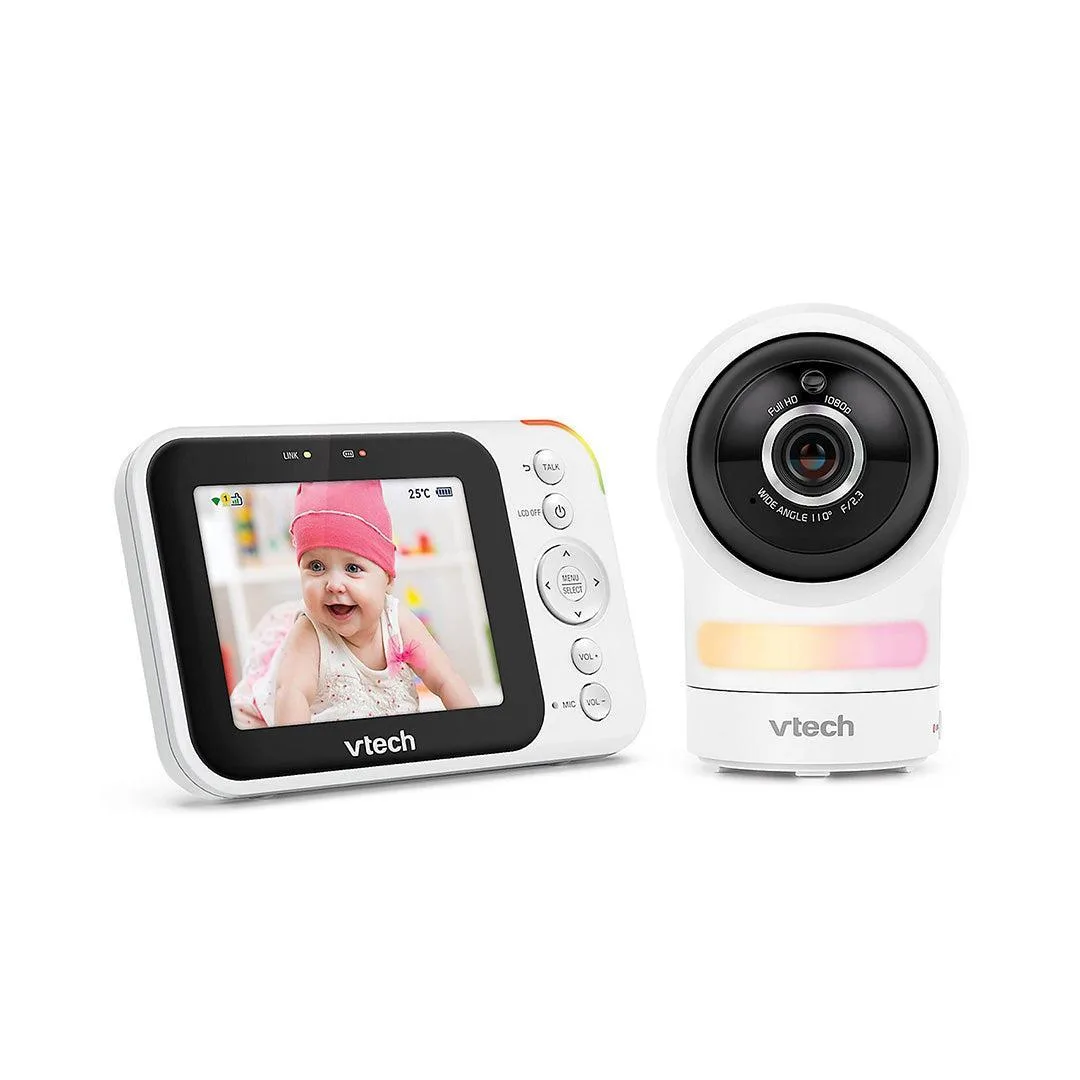
VTech RM4761 3.5 Inch Smart Wi-Fi Pan & Tilt Monitor - White
-
LeapFrog LF815 HD Smart Wifi Video Monitor: The LeapFrog LF815 features a 5-inch 720p HD parent viewer, adaptive colour night light, soothing sounds and melodies, and allows remote viewing via the LeapFrog Baby Care App. The larger screen makes it easy to see your baby at a glance, and the built-in night light and sounds can help create a calming sleep environment without needing extra devices.
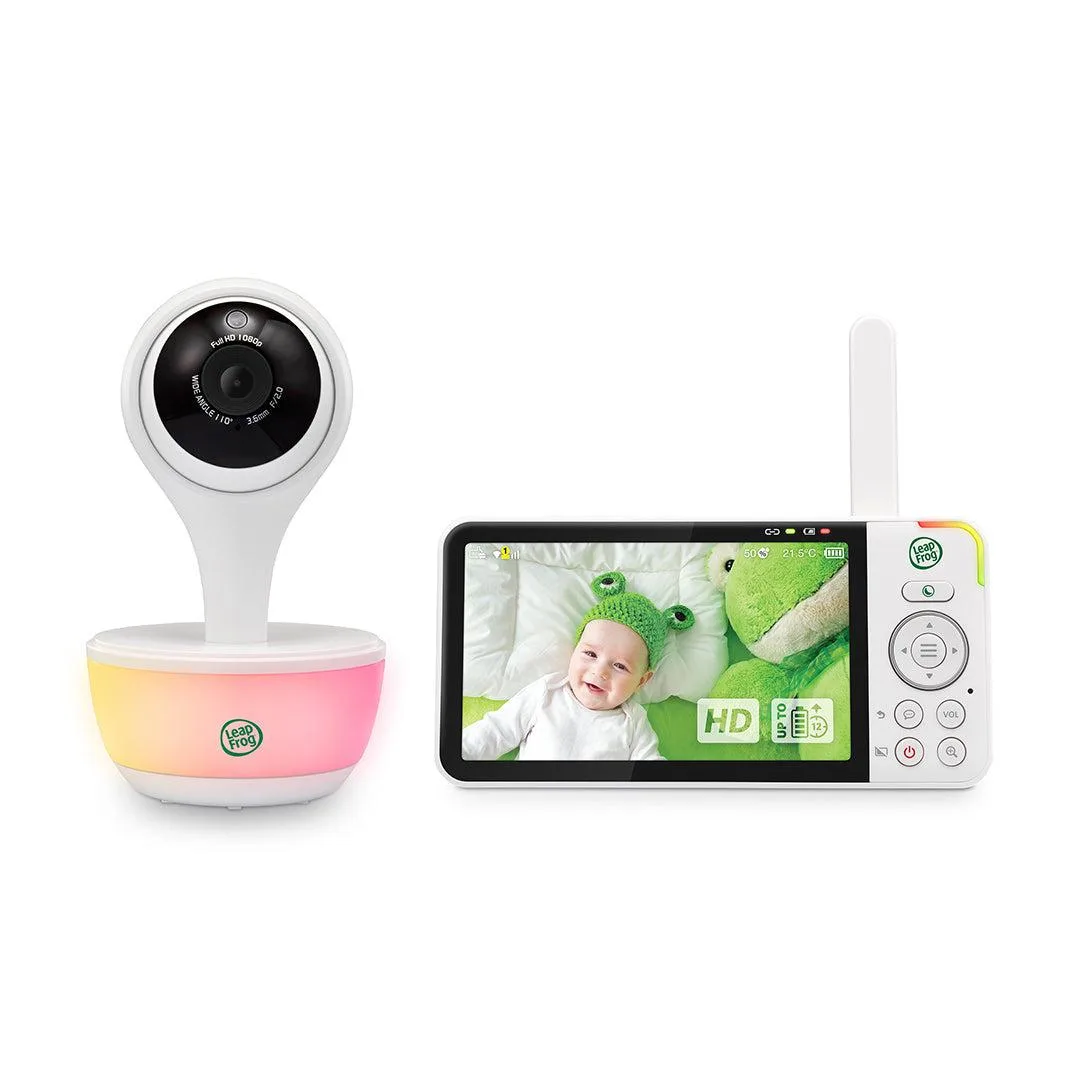
LeapFrog LF815 HD Smart Wifi Video Monitor
Which type fits you?
Best for
- Parents who want to check the baby from anywhere using their smartphone
- Families who travel frequently and need remote monitoring
- Tech-savvy users comfortable with app-based controls and network security
Not for
- Parents who prefer a dedicated, always-on screen without app dependency
- Users concerned about internet security or who want a completely closed system
- Those on a tight budget who want a simple, reliable monitor with no recurring costs