Quick answer
To choose a laptop sleeve for your 14-inch device, focus on precise fit, adequate padding, and the carrying style that matches your daily routine. A snug sleeve with a strap or handle offers the best balance of protection and portability.
Fit matters more than you think
A laptop sleeve that is too loose lets the device slide inside, reducing impact protection. One that is too tight can strain zippers or compress padding. Measure your laptop's exact dimensions (width, depth, and thickness) and compare them to the sleeve's internal specs. Many sleeves labeled for 14-inch laptops actually fit devices up to 13.5 inches, so always check the product description for compatibility.
Padding and protection levels
Sleeves range from slim neoprene pouches to padded cases with reinforced corners. If you toss your laptop into a backpack, look for a sleeve with at least 5mm of foam padding and a raised lip around the zipper to prevent scratches. For maximum protection, consider a hard-shell sleeve or a padded case with a strap that keeps the laptop secure during transit.
Carrying style and convenience
A simple sleeve is lightweight and slides into a bag, but it offers no carry option on its own. If you frequently move between meetings or work from coffee shops, a laptop case with a shoulder strap or handle lets you grab and go without a second bag. The Belkin Always-On Laptop Case with Strap, for example, combines a snug fit for 14-inch devices with a shoulder strap for hands-free carrying, making it ideal for commuters.
Decision rules for choosing a 14-inch laptop sleeve
- Measure your laptop first: Write down your laptop's width, depth, and thickness. Compare these to the sleeve's internal dimensions, not the screen size label. A 14-inch laptop can vary by several millimeters between models.
- Choose padding based on your bag: If the sleeve will go inside a padded backpack, a thin neoprene sleeve is enough. If it's the only protection, pick a sleeve with at least 5mm of foam and a padded bottom.
- Decide on a carry method: Do you want to carry the sleeve in another bag, or carry it alone? For the latter, choose a case with a strap or handle. For the former, a simple sleeve saves weight and bulk.
- Check the closure type: Zippers are secure but can scratch the laptop if not covered. Velcro or magnetic flaps are quieter and gentler on the device but may not be as secure. Pick based on your need for quick access versus full protection.
Product spotlight
-
Always-On Laptop Case with Strap for 14" devices: Designed for 14-inch devices, includes a shoulder strap, and features an Always-On design for quick access. This case eliminates the need for a separate bag when you're on the move, while still providing durable everyday protection.
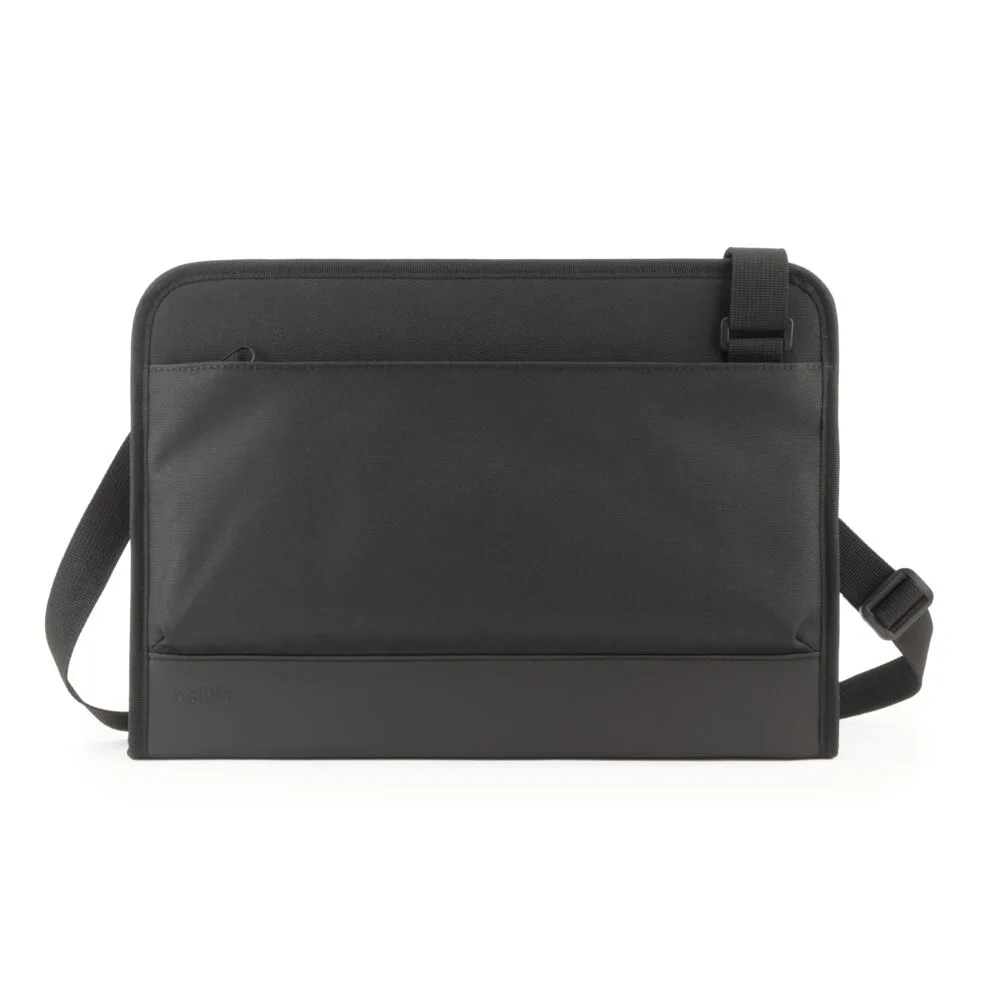
Always-On Laptop Case with Strap for 14" devices
Who should choose what?
Best for
- Commuters who want to carry their laptop without a backpack: choose a case with a shoulder strap like the Belkin Always-On Laptop Case with Strap.
- Students or remote workers who slide their laptop into a larger bag: choose a slim padded sleeve that fits snugly.
Not for
- Users who need extra storage for accessories like chargers and cables: a sleeve alone won't hold them; look for a laptop messenger bag or backpack instead.