Quick answer
Choose a memory card wallet that fits your most-used card types (SD, CF, or MS), holds enough cards for a full shoot, and includes a secure clip or strap to keep it attached to your bag or camera case.
Capacity vs. portability
A wallet that holds 12 cards gives you room for multiple backups and different card speeds, but it is bulkier than a slim 4-slot sleeve. If you shoot tethered or offload cards frequently, a smaller case may be enough. For event or travel photographers who keep every card until the shoot ends, a 12-slot case reduces the risk of losing or misplacing a card.
Clip and attachment options
A carabiner or strap lets you fasten the wallet to a camera bag strap, belt loop, or tripod leg. This keeps the case accessible without digging through a bag. If you often switch bodies or lenses, a clipped wallet stays within arm’s reach. For studio work where everything stays on a table, a simple sleeve without a clip may be more compact.
Build quality and protection
Look for a rigid or padded exterior that prevents cards from bending when the wallet is in a packed bag. Soft fabric sleeves offer less impact protection but are lighter. Zippered closures keep dust out, while open-top slots are faster to access. Consider your typical environment: dusty locations favor zippered designs, while quick-access needs favor open slots.
Decision rules for choosing a memory card wallet
- 1. Count your daily card load: Estimate how many cards you use during a typical shoot. If you rarely need more than four, a slim 4-slot case is lighter. If you shoot all day without offloading, choose a 12-slot wallet like the Xit Memory Card Wallet.
- 2. Match card formats: Verify the wallet supports your card types. Some cases are SD-only, while others have adjustable slots for CF and MS cards. A universal case that fits all three formats gives you flexibility if you switch gear. Check the slot dimensions if you use CFast or XQD cards — they often require dedicated cases.
- 3. Decide on attachment method: If you move between locations frequently, a wallet with a carabiner or belt loop keeps cards accessible. For stationary studio work, a simple zippered pouch that stays in your bag may be enough.
- 4. Evaluate closure and protection: Zippered cases keep dust and moisture out but take a second longer to open. Open-top slots are faster but leave cards exposed. Choose based on your shooting environment.
Product spotlight
-
Xit Memory Card Wallet - media storage bi-fold case for twelve memory cards: Media storage bi-fold case for 12 memory cards, fits SD, CF, and MS cards, includes a carabiner clip. You can carry a full shoot’s worth of cards in one compact wallet and clip it to your camera bag strap for quick access.
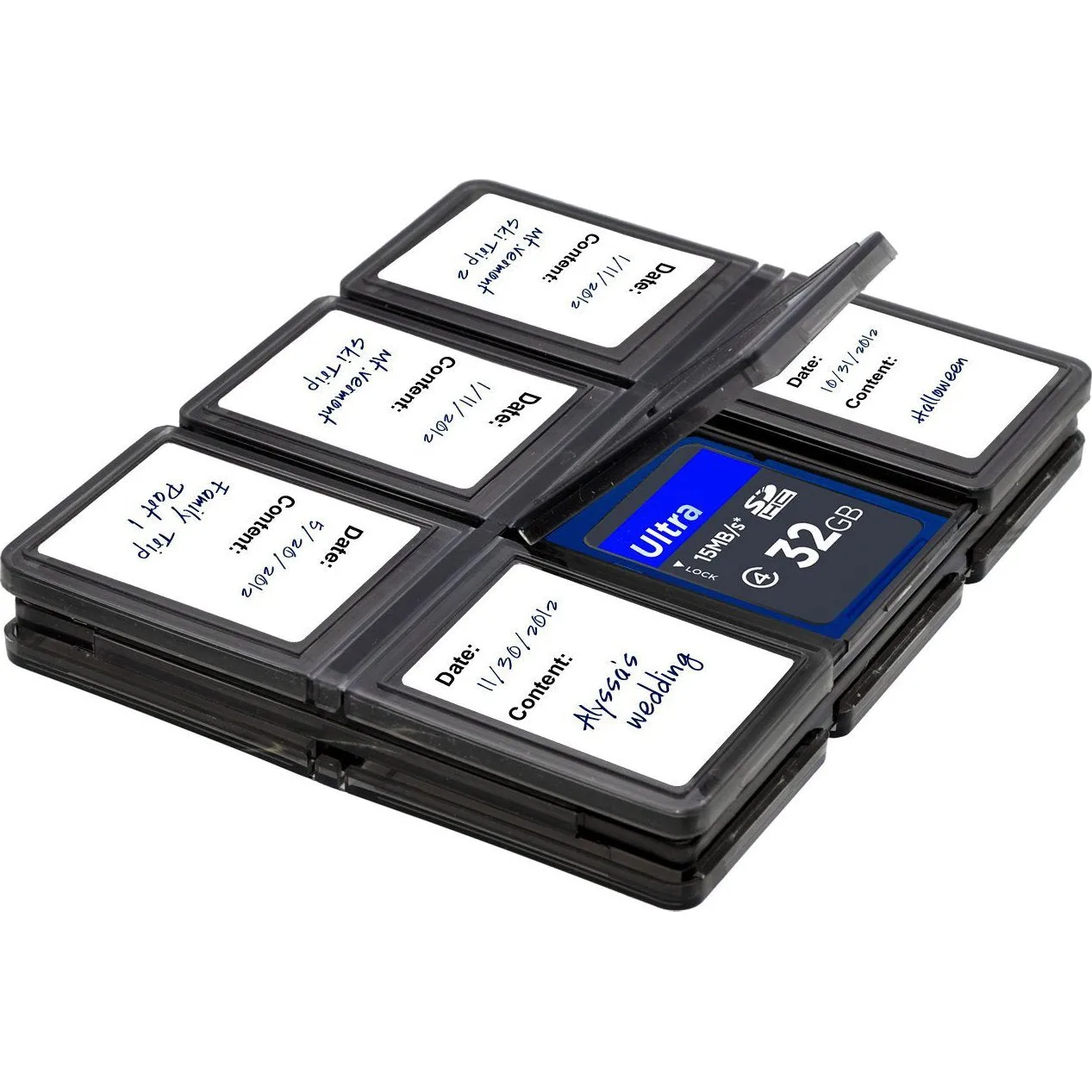
Xit Memory Card Wallet - media storage bi-fold case for twelve memory cards
Who this is for
Best for
- Event and travel photographers who carry 8–12 cards per shoot
- Hybrid shooters using SD, CF, and MS cards who want one universal case
Not for
- Photographers who only use one or two cards and prefer a slim sleeve
- Users of CFast or XQD cards — those need a dedicated case with larger slots


