Quick answer
To choose a USB-C wall charger for fast charging, first check your device's maximum charging wattage. Then pick a charger that matches or exceeds that wattage. GaN chargers offer higher power in a compact size. For laptops, aim for 60W or more. For phones and tablets, 20W to 30W is usually enough.
Understanding Wattage and Your Devices
Wattage determines how fast a charger can deliver power. A 20W charger can fast-charge most modern smartphones, but a 100W charger is needed for a laptop. Check your device's specifications for its maximum charging wattage. Using a charger with higher wattage than your device needs is safe; the device will only draw what it can handle. However, using a charger with lower wattage will result in slower charging.
For example, a USB-C GaN Wall Charger 100W can power a laptop at full speed and also charge a phone quickly. A lower-wattage charger like a 24W car charger is fine for topping off a phone but won't fast-charge a laptop. If you plan to charge multiple devices at once, consider a multi-port charger that can split its total wattage across ports.
GaN Technology: Compact and Efficient
Gallium Nitride (GaN) chargers use a newer semiconductor material that allows them to be smaller and run cooler than traditional silicon chargers, while delivering the same or higher power. This makes them ideal for travel or for use in tight spaces. GaN chargers are also more energy-efficient, generating less heat. The trade-off is that GaN chargers can be more expensive than their silicon counterparts, but the price gap is narrowing.
The Belkin 3-Port GaN Charger (100 W) plus travel adapter set is a good example. It packs 100W of total power into a compact unit and includes interchangeable plugs for international travel. If you value portability and multi-device charging, a GaN charger is a smart choice.
Port Count and Cable Considerations
Consider how many devices you need to charge at once. A single-port charger is simple and often the most affordable, but a multi-port charger can reduce cable clutter. If you frequently charge a phone and a laptop together, look for a charger with at least two ports. Some chargers, like the Dual USB-A Car Charger 24W, include a cable, which can be convenient for the car. For wall charging, you may need to buy a separate USB-C cable that supports the power level you need.
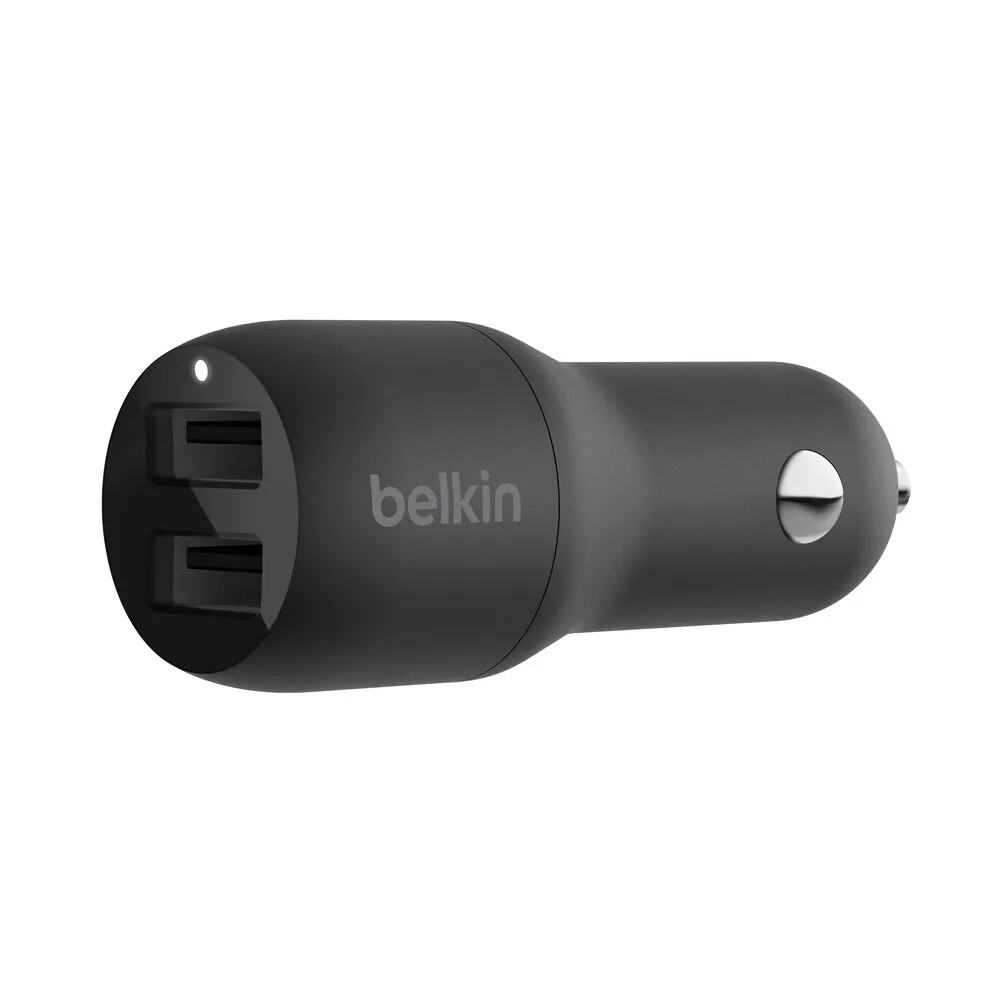
Dual USB-A Car Charger 24W
Check that the cable is rated for the wattage you plan to use. A standard USB-C cable may only handle 60W, while a 100W charger requires a cable that supports 5A current. The USB-C GaN Wall Charger 100W includes a 1.5-meter USB-C to USB-C cable that supports 5A, so you're ready to go out of the box.
Decision rules for choosing a USB-C wall charger
- Match wattage to your device: Check the maximum charging wattage of your phone, tablet, or laptop. Choose a charger that meets or exceeds that number. For laptops, 60W to 100W is typical. For phones, 20W to 30W is enough. A 100W charger works for all devices; a 20W charger only works for phones and small tablets.
- Decide between GaN and silicon: GaN chargers are smaller, cooler, and more efficient but cost more. Silicon chargers are cheaper and larger. If you travel often or have limited desk space, GaN is worth the extra cost. Choose GaN for portability; choose silicon for budget.
- Count your ports and cables: Single-port chargers are simple. Multi-port chargers let you charge several devices at once. Make sure your USB-C cable supports the wattage you need. Some chargers include a cable, which saves a step. If you charge a laptop and phone together, get a multi-port charger. Verify cable wattage rating.
Product facts
- USB-C GaN Wall Charger 100W + USB-C Cable: This USB-C GaN Wall Charger delivers up to 100W of power through a single USB-C port. It comes with a 1.5-meter USB-C to USB-C cable that supports 5A current. The charger's GaN technology allows for a compact design without compromising on performance. If you need a single, powerful charger for a laptop and phone, this is a clean solution. The included cable means you don't have to buy one separately, and the compact GaN design is travel-friendly.
- Dual USB-A Car Charger 24W + USB-A to USB-C Cable: The Belkin Dual USB-A Car Charger 24W includes a USB-A to USB-C cable. Dual USB-A ports allow you to charge two devices at once. 24W total output provides fast charging for compatible smartphones and tablets. This is a practical choice for car charging. The 24W total is enough to fast-charge two phones simultaneously, but it won't power a laptop. The included cable adds convenience for USB-C devices.
Which charger is right for you?
Best for
- Users who need a single, powerful charger for a laptop and phone and want a compact, travel-friendly design
- Users who want a simple, all-in-one solution with a cable included
Not for
- Users who need to charge more than one device at a time from a single wall outlet
- Users on a tight budget who don't need high wattage