Quick answer
For a keyboard that handles both gaming and typing well, choose a mechanical model with linear or tactile switches and a layout that fits your desk space and key needs.
Why switch type matters for both gaming and typing
The switch type is the biggest factor in how a keyboard feels. Linear switches like Cherry MX2A Red are smooth and quiet, making them great for fast gaming actions and less disruptive for shared spaces. Tactile switches give a bump when you press down, which can help you feel when a key registers—useful for typing accuracy.
There is no single perfect switch. If you type a lot and game occasionally, tactile switches might feel better. If you game more and type less, linear switches are often preferred. Consider your dominant use case and test a few if you can.
Layout: full-size vs. compact keyboards
Keyboard layout affects both ergonomics and desk space. Full-size keyboards include a number pad, which is handy for data entry but takes up more room. Compact layouts like 75% or tenkeyless omit the number pad to save space and bring the mouse closer, which some gamers prefer.
For typing, a full-size layout can be more comfortable if you use the number pad often. For gaming, a compact layout can free up desk space for mouse movement. Think about your desk size and whether you rely on the number pad.
How to choose your keyboard in 5 steps
- Assess your primary use: Decide whether you game more, type more, or do both equally. This will guide your switch choice and layout preference. If you're 50/50, choose a versatile linear switch like Cherry MX2A Red.
- Choose a switch type: Pick linear switches for smooth, quiet presses ideal for gaming. Pick tactile switches if you want a bump for typing feedback. Avoid clicky switches if you share a room or record audio. Test a switch sampler if possible before committing.
- Pick a layout: Decide between full-size (with number pad) and compact (75% or tenkeyless). Full-size is better for data entry; compact saves desk space and brings the mouse closer. Measure your desk and consider how much mouse room you need.
- Check build quality and features: Look for a sturdy frame, quality keycaps, and features like hot-swappable switches or RGB lighting if you want customization. These affect durability and long-term satisfaction. Hot-swappable switches let you change feel without buying a new keyboard.
- Set a budget and compare: Decide how much you want to spend. Mechanical keyboards range from budget to premium. Compare models within your range and prioritize switch type and layout over extra features. A mid-range keyboard with good switches often beats a cheap one with gimmicks.
A keyboard worth considering
-
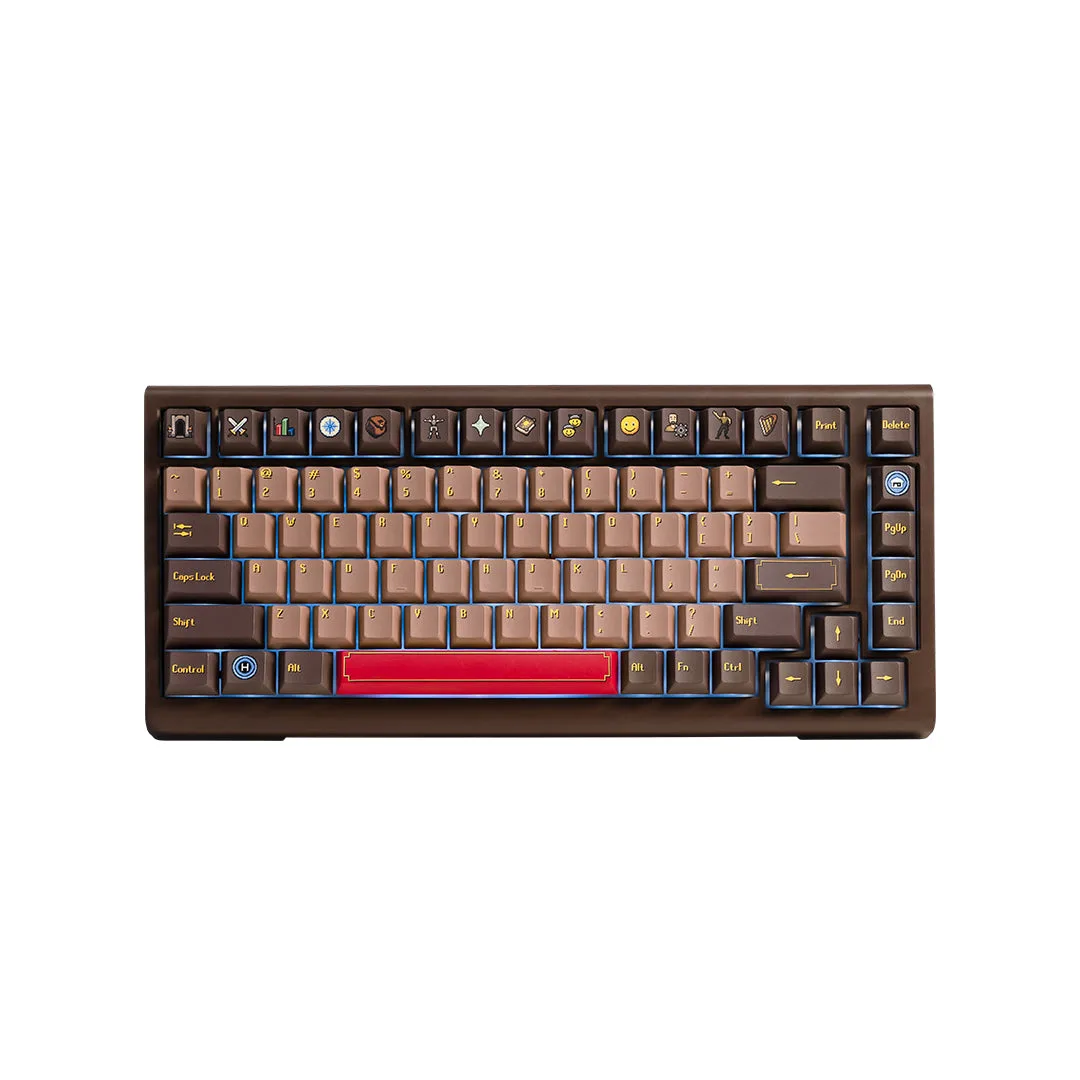
Starforge x OSRS Ducky Tinker 75 Keyboard: The Starforge x OSRS Ducky Tinker 75 Keyboard features Cherry MX2A Red Linear switches for a smooth and silent feel. These linear switches are a solid choice for both gaming and typing if you prefer a smooth, quiet keypress without a tactile bump.
Starforge x OSRS Ducky Tinker 75 Keyboard