Quick answer
Measure your laptop's width, depth, and thickness, then compare those numbers to the backpack's stated compartment dimensions, not the bag's overall liter size. A padded laptop compartment that matches your device within about half an inch gives you drop protection without a loose, sliding fit. If you carry a 14-inch laptop, look for a sleeve or backpack rated for that size; for a 16-inch laptop, confirm the compartment depth before buying.
Most laptop backpack fit problems start with a single mistake: trusting the bag's advertised laptop size instead of checking the compartment's actual dimensions. A backpack labeled "fits most 15-inch laptops" may have a compartment that is too shallow for a thick gaming rig or too wide for a slim ultrabook, and that mismatch shows up as a sliding device, a strained zipper, or a corner that never feels protected.
This guide gives you the decision rules to get laptop backpack fit right the first time. You will learn how to measure your device, what a padded laptop compartment should actually cover, and when a dedicated sleeve beats a backpack pocket. We will also look at real SWISSGEAR options so you can see how those rules play out in specific bags.
Measure your laptop before you shop
Use a tape measure or a ruler on the laptop itself, closed. Record three numbers: width (left to right), depth (front to back), and thickness at the thickest point, which is usually the hinge or the rear vent area. Do not use the screen size alone. A 14-inch laptop and a 16-inch laptop can share a similar footprint, but their thickness and depth often differ enough to change which compartment works.
Write those three numbers down and keep them with you when you shop. If a product page lists compartment dimensions, compare your numbers directly. If it only lists a screen size range, treat that as a starting point, not a guarantee. When in doubt, size up on the compartment, not down, because a slightly loose fit is easier to manage than a compartment that will not close.
- Measure thickness at the hinge, not the middle of the lid.
- Add about half an inch of clearance for a padded compartment to work as intended.
- If your laptop has a permanent case or shell, measure it with the case on.
What a padded laptop compartment should actually do
A padded laptop compartment has one job: keep the device from contacting the ground, the bag's contents, and the zipper hardware. Look for padding on the bottom and along the back panel at minimum. A compartment that is padded only on one side offers limited drop protection, especially if you set the bag down hard.
The Wenger Ibex ScanSmart Laptop Backpack uses a Triple Protect padded laptop compartment and a dedicated tablet pocket, which separates two devices instead of stacking them against each other. That separation matters because a tablet pressing into a laptop screen is a common source of pressure damage. The SWISSGEAR Ballistic 13" Padded Laptop Sleeve takes a different approach: a ballistic fabric exterior resists punctures and abrasions, and the interior is finished with ultra-soft fleece to prevent scratches and scuffs. Either approach works, but they solve fit differently, so match the one to how you carry.
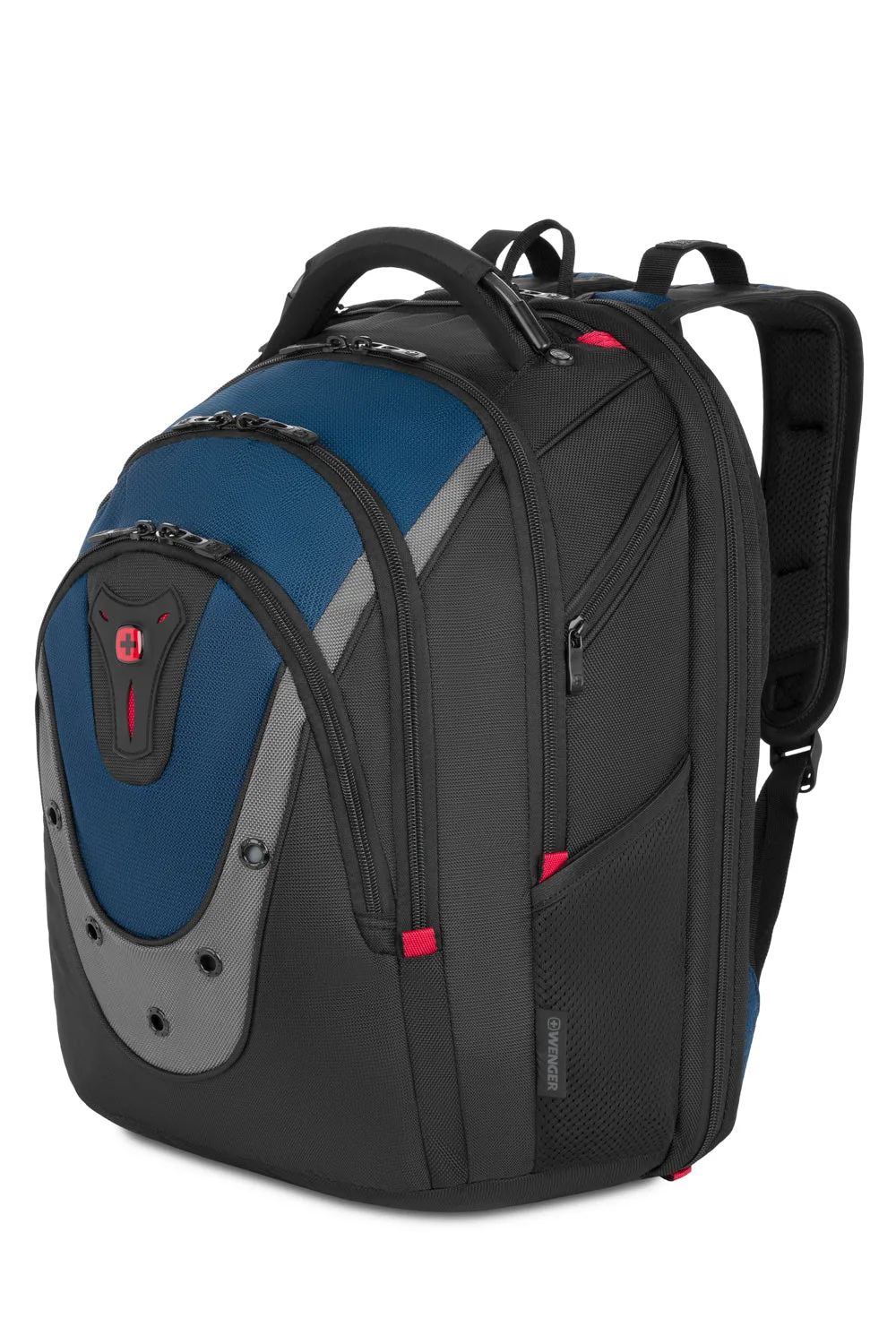
Wenger Ibex ScanSmart Laptop Backpack
- Check for bottom padding, not just back padding.
- A dedicated tablet pocket prevents device-on-device pressure.
- Fleece lining protects the finish; ballistic fabric protects against punctures.
Match compartment size to laptop size, not bag size
Bag capacity in liters tells you how much gear the backpack holds, not how large the laptop compartment is. A 30-liter backpack can have a smaller laptop compartment than a 20-liter bag if the larger bag prioritizes clothing space. Read the laptop-specific specification first, then use the liter size to judge whether the rest of your gear fits.
For a 14-inch laptop backpack, look for a compartment rated at 14 inches or a sleeve like the SWISSGEAR Ballistic 13" Padded Laptop Sleeve, which is sized for 13-inch devices and can also hold a tablet. For a 16-inch laptop, confirm the compartment's depth and thickness rating before buying, because 16-inch machines vary widely in thickness. If the listing does not state a thickness range, that is a decision limitation: ask the seller or choose a bag with a clearly stated compartment size.
- Liters measure total volume, not laptop fit.
- A 13-inch sleeve can serve a 13-inch laptop or a tablet.
- For 16-inch laptops, thickness is the spec most often left out.
Consider how you commute and travel
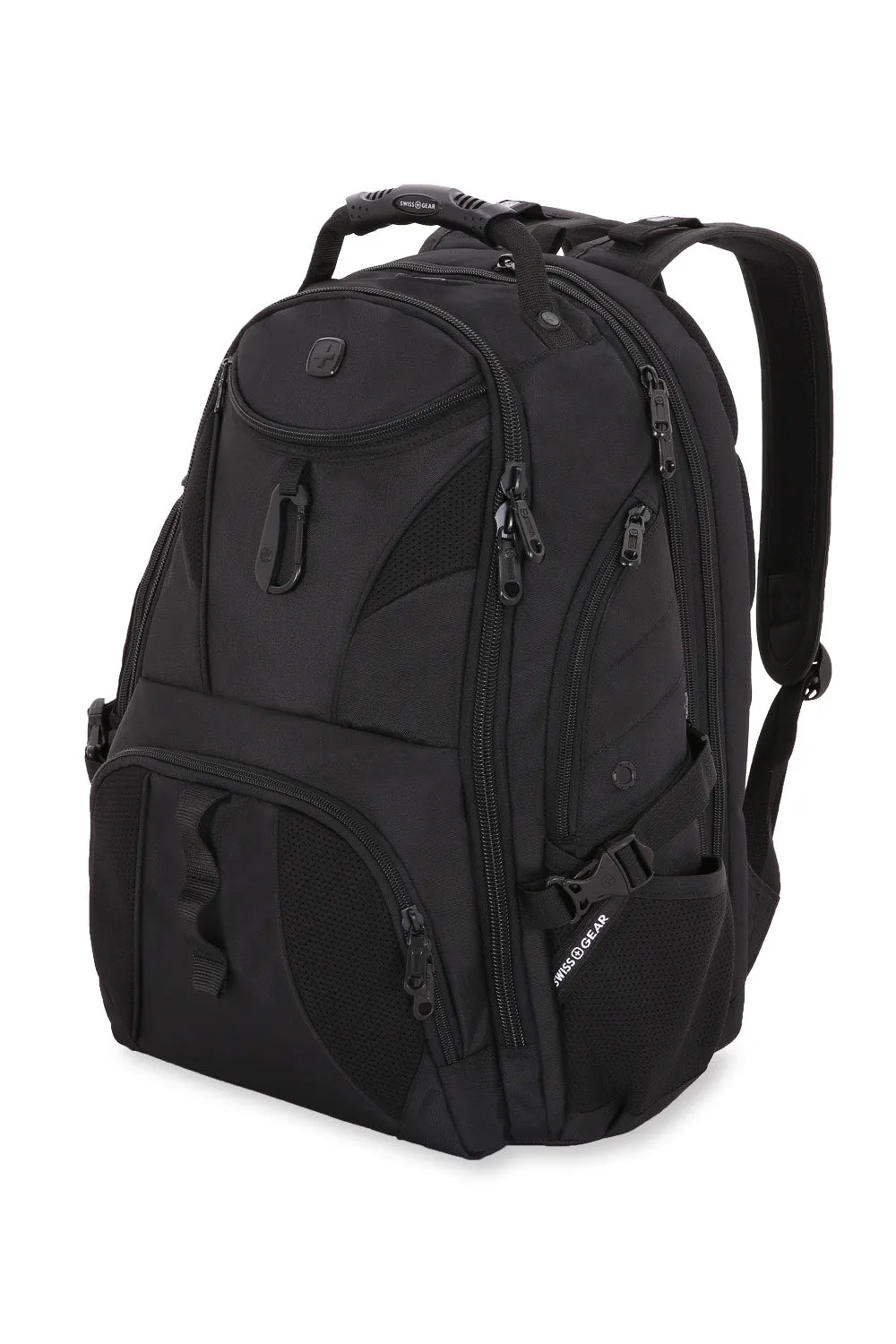
Your commute decides whether you need a ScanSmart-style lay-flat compartment or a standard padded pocket. If you fly often and want to clear TSA without removing your laptop, a ScanSmart compartment that fully unzips and lays flat saves time and handling. The SWISSGEAR Mini 1900 ScanSmart Laptop Backpack is the compact version of the 1900 ScanSmart, and its back ScanSmart compartment lays flat for exactly that purpose. It also includes an RFID-protected organizer pocket, which is useful if you carry a transit card or passport.
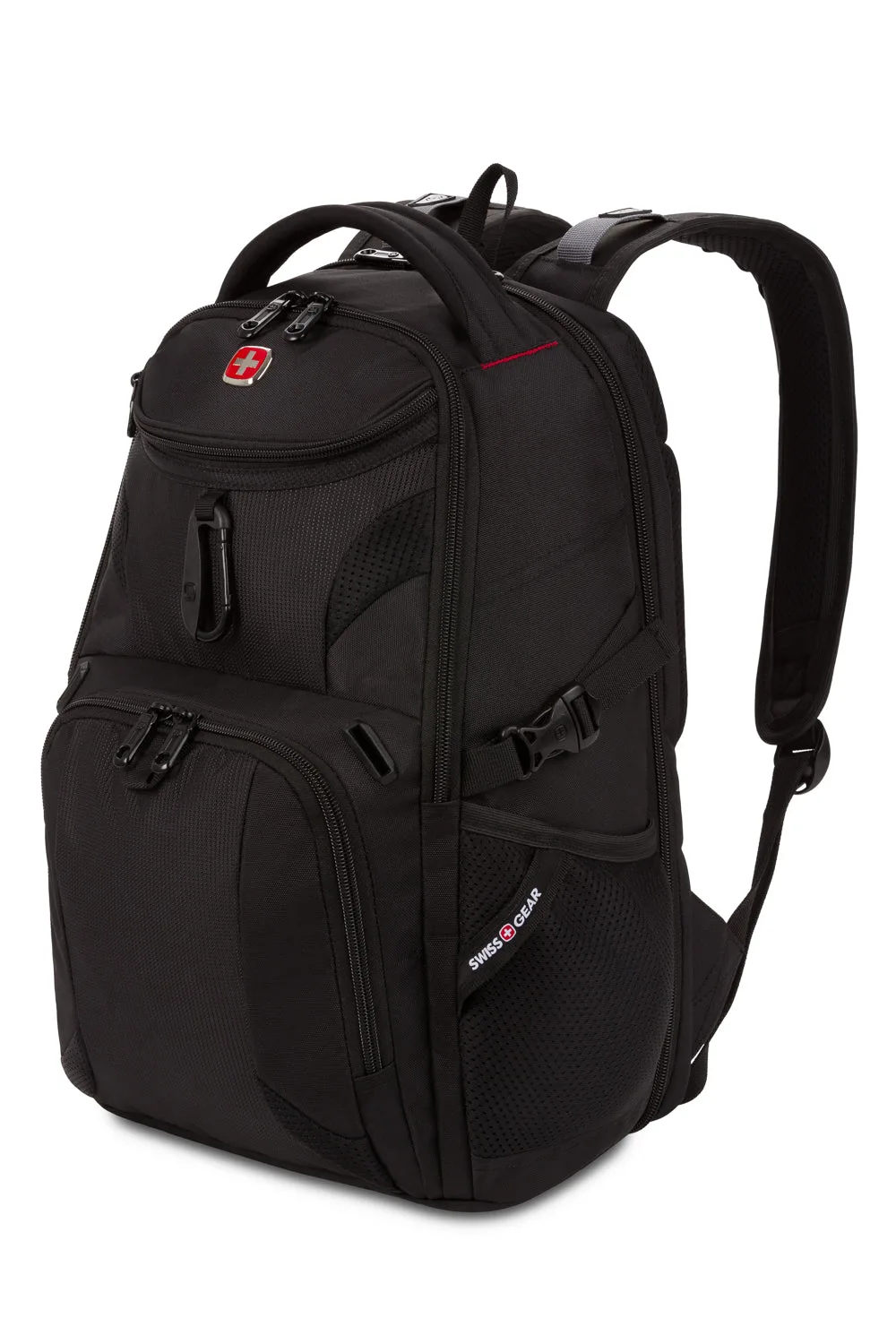
SWISSGEAR Mini 1900 ScanSmart Laptop Backpack
If your day involves a mix of office and trail, a bag with a stabilizing base and a heavily padded back panel may matter more than airport speed. The SWISSGEAR 1900 ScanSmart Laptop Backpack uses 1200D ballistic polyester, a large opening main compartment with oversize zippers, and a padded back panel with Airflow ventilation. Those features help with load stability and airflow, but they add bulk, so a slimmer commuter may prefer a simpler laptop backpack.
- Frequent flyers: prioritize a lay-flat ScanSmart compartment.
- Mixed office and outdoor use: prioritize back padding and a stable base.
- Slim commuters: a simpler padded pocket may be enough.
Check the details that decide long-term fit
Shoulder strap shape and back panel padding affect how the bag carries weight, which in turn affects how the laptop sits against your back. Contour-shaped shoulder straps and a ventilated back panel distribute load better than flat straps, especially on a heavier bag. The SWISSGEAR 1900 ScanSmart Laptop Backpack includes padded contour-shaped shoulder straps and Airflow ventilation technology, which are worth having if you carry a laptop plus books or gear.
Also check the opening. A large main compartment with oversize zippers makes it easier to slide a laptop in and out without forcing it. A tight opening can abrade the laptop's edges over time. If you use a separate sleeve, confirm the backpack's main compartment is wide enough to hold the sleeve without bending it, since a bent sleeve loses its protective shape.
- Contour straps and a ventilated back panel reduce fatigue on heavy loads.
- Oversize zippers make loading easier and reduce edge wear.
- A sleeve only protects if it stays flat inside the bag.
Decision rules for laptop backpack fit
- Rule 1: Match the compartment to your measured laptop, not the screen size: Compare your laptop's width, depth, and thickness to the compartment dimensions. If only a screen-size range is listed, treat it as approximate and confirm the depth before buying. If the compartment depth is unlisted, that is a decision limitation; ask or choose a bag with stated dimensions.
- Rule 2: Choose padding that covers the bottom and back: Bottom padding protects against drops; back padding protects against contents pressing in. A compartment padded on only one side is a compromise. For daily carry with expensive devices, prioritize full-wrap padding or add a sleeve.
- Rule 3: Decide between a built-in compartment and a separate sleeve: A built-in padded compartment is convenient and keeps the laptop centered. A separate sleeve like the SWISSGEAR Ballistic 13" Padded Laptop Sleeve adds a fleece-lined layer and can move between bags. If you switch bags often, a sleeve gives you consistent protection; if you want one-bag simplicity, choose a backpack with a dedicated compartment.
- Rule 4: Let your commute pick the opening style: Frequent flyers benefit from a ScanSmart lay-flat compartment; commuters who load and unload quickly benefit from a large opening with oversize zippers. Match the opening to your most common loading situation, not the one you imagine.
SWISSGEAR options that show these fit rules in practice
- Wenger Ibex ScanSmart Laptop Backpack: Features a Triple Protect padded laptop compartment and a dedicated tablet pocket, plus an essentials organizer, all in a ballistic polyester body with a stabilizing base. The separate tablet pocket keeps two devices from pressing together, and the padded compartment addresses drop protection directly.
- SWISSGEAR Ballistic 13" Padded Laptop Sleeve: Made with a ballistic fabric exterior that resists punctures and abrasions, a generously padded interior with ultra-soft fleece, and a reinforced wrap-around interior edge. A good choice when you want a dedicated 13-inch sleeve for a laptop or tablet, or when you want extra protection inside a larger backpack.
- SWISSGEAR 1900 ScanSmart Laptop Backpack: Built from 1200D ballistic polyester with a large opening main compartment, oversize zippers, adjustable side compression straps, a heavily padded back panel with Airflow ventilation, and padded contour-shaped shoulder straps. The large opening and oversize zippers make laptop loading easier, while the back panel and straps support heavier loads on longer commutes.
- SWISSGEAR Mini 1900 ScanSmart Laptop Backpack: The compact version of the 1900 ScanSmart, with a back ScanSmart compartment that fully unzips and lays flat for TSA, a main compartment with a file pocket, and an RFID-protected organizer pocket. Suits travelers who want a smaller bag and a lay-flat laptop compartment, and the RFID pocket adds a practical security detail.
Who this guidance fits
Best for
- Anyone buying a laptop backpack who wants the laptop compartment to match their device on the first try
- Travelers who want a lay-flat ScanSmart compartment for airport security
- Students and commuters carrying a laptop plus books, cables, or a tablet
Not for
- Shoppers who only want a fashion bag and do not care about device protection
- People carrying a laptop larger than 16 inches, who should confirm a specialty compartment before buying
- Anyone who needs a hard-shell case rather than a padded soft compartment
Getting laptop backpack fit right comes down to three numbers and one habit: measure your laptop, compare it to the compartment, and confirm the padding covers the bottom and back. Use the decision rules above, and pick the SWISSGEAR bag or sleeve that matches how you actually carry.