Quick answer
Choose an M.2 capture card by matching its input type and resolution to your sources, checking your PC's available M.2 slot, and verifying software compatibility. The Magewell Eco Capture series offers reliable single- or dual-channel options for compact builds.
Why M.2 capture cards make sense for compact PCs
M.2 capture cards plug directly into a motherboard slot, saving space compared to PCIe cards. They are ideal for small-form-factor PCs, laptops with M.2 slots, or any build where internal expansion is tight. The trade-off is that you must have an available M.2 key (typically M-key or B+M-key) and ensure your BIOS supports the card as a capture device, not just storage.
Single vs. dual input: what to consider
If you only capture one camera or console at a time, a single-channel card like the Magewell Eco Capture AIO M.2 keeps things simple and costs less. If you need to switch between two HDMI sources without unplugging cables, a dual-channel card such as the Magewell Eco Capture Dual HDMI M.2 saves time and reduces wear on ports. Note that dual-channel cards require a PCIe 2.0 x4 or faster slot to handle both streams simultaneously.
How to choose your M.2 capture card in 5 steps
- Check your available M.2 slot and key type: Open your PC case and locate the M.2 slot. Most capture cards use an M-key or B+M-key slot. Refer to your motherboard manual to confirm the slot supports PCIe devices, not just NVMe storage. Common mistake: assuming any M.2 slot works — some slots are wired only for SATA or NVMe and won't recognize a capture card. If your slot is occupied or incompatible, consider a PCIe-to-M.2 adapter or an external USB capture card instead.
- Match the input type to your sources: List the devices you plan to capture: cameras, game consoles, or computers. If all sources use HDMI, a card with HDMI inputs is sufficient. If you need SDI (common in professional video), look for a combo card like the Magewell Eco Capture AIO M.2 that supports both HDMI and SDI. Common mistake: buying an HDMI-only card when your main camera outputs SDI.
- Confirm the resolution and frame rate you need: Decide your target capture resolution and frame rate. For 1080p60, most M.2 cards handle it easily. For 4K or high frame rates, check the card's maximum supported resolution. The Magewell Eco Capture Dual HDMI M.2 supports up to 2048x2160 per channel. Common mistake: assuming a card supports 4K60 just because it says '4K' — always verify the exact resolution and frame rate in the specs. If you need 4K60, confirm the card explicitly lists that mode. Many M.2 cards max out at 1080p60 or 1440p.
- Verify software compatibility: Check that the card works with your preferred capture software. Most Magewell cards use a standard DirectShow driver, making them compatible with OBS, VLC, XSplit, Wirecast, and VirtualDub. Common mistake: assuming all capture cards work with macOS or Linux — many M.2 cards are Windows-only unless the manufacturer provides specific drivers. If you use macOS or Linux, confirm driver support before purchasing, or stick with a USB-based capture device.
- Consider future expansion: If you might add a second camera or console later, a dual-input card like the Magewell Eco Capture Dual HDMI M.2 gives you room to grow without using another slot. Single-input cards are cheaper now but may require a second purchase later. Common mistake: buying a single-input card and later needing to buy a separate switcher or second card.
Product facts
-
Magewell Eco Capture AIO M.2: The Magewell Eco Capture AIO M.2 is a single-channel PCIe card that captures video up to 2048x1080p60 via HDMI or SDI. This makes it a straightforward choice if you need one reliable input for a camera or gaming console and want to keep your setup simple.
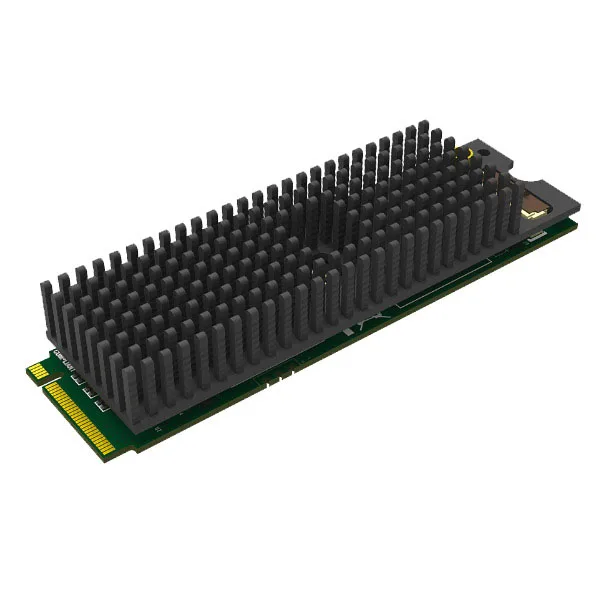
Magewell Eco Capture AIO M.2
-
Magewell Eco Capture Dual HDMI M.2 (2x FPC 20-Pin socket): The Magewell Eco Capture Dual HDMI M.2 supports two simultaneous HDMI inputs up to 2048x2160 with embedded audio. If you frequently switch between two sources or capture multiple angles, this card eliminates the need for an external switcher or manual cable swaps.
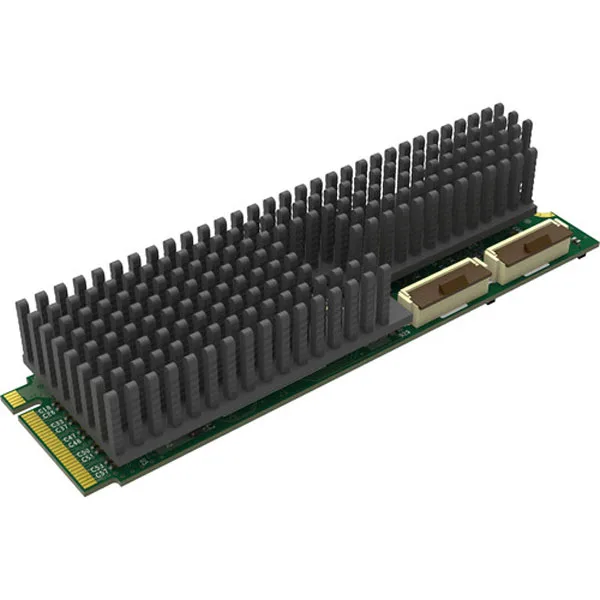
Magewell Eco Capture Dual HDMI M.2 (2x FPC 20-Pin socket)


