Quick answer
For most commuters, the best messenger bag for work balances a padded laptop sleeve, secure closure, and a strap wide enough to distribute weight across your body. Prioritize a bag that fits your laptop and daily carry, then choose security features like magnetic locks or RFID protection based on your route. If you carry a 15-inch laptop and want a dedicated work bag, the Architecture Urban2 Messenger is a strong starting point.
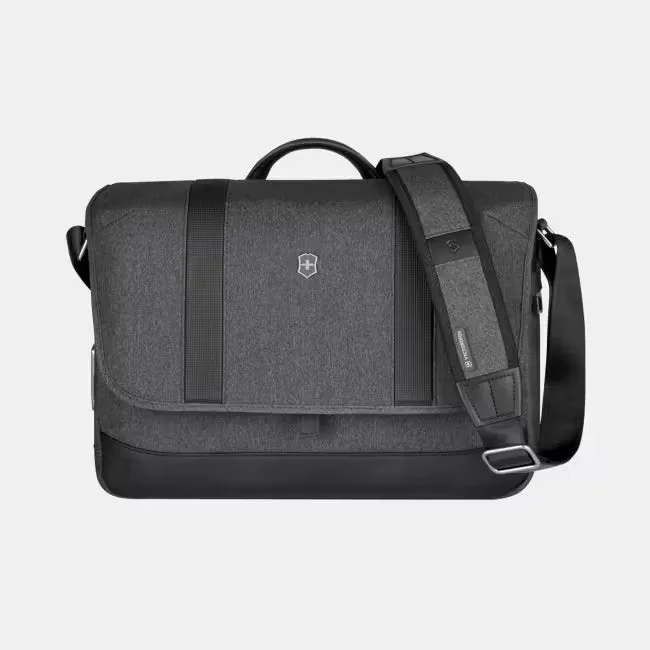
Architecture Urban2 Messenger
A messenger bag can be the most efficient way to carry a laptop, documents, and everyday essentials without the bulk of a backpack. But the wrong one will swing, dig into your shoulder, or leave your electronics vulnerable. This messenger bag buying guide walks you through the decisions that actually matter for work and commuting.
You will learn how to match bag size to your laptop, choose between crossbody and shoulder carry, evaluate security closures, and spot comfort features that make a difference on a long commute. We will also look at a few real options to show how these choices play out.
Start with laptop fit, not style
The most common mistake is buying a messenger bag that looks right but does not properly fit your laptop. A laptop that slides around inside a too-large compartment is more likely to get knocked around. One that barely squeezes into a too-small sleeve puts pressure on the screen and corners. Measure your laptop's dimensions and check the bag's stated maximum size before you buy.
Look for a dedicated, padded laptop compartment rather than a generic sleeve. The padding should be at least a few millimeters thick on the bottom and sides. If the bag lists a specific laptop size, such as 'fits up to 15 inches,' treat that as the maximum, not the ideal. A 15-inch laptop in a bag rated for 15 inches will fit, but a 14-inch laptop in the same bag will have a bit more breathing room.
- Measure your laptop's width, depth, and height, then compare to the bag's internal dimensions if listed.
- Check whether the laptop compartment is padded on the bottom, not just the sides.
- If you carry a tablet as well, look for a separate padded tablet pocket to avoid scratches.
Choose the right carry style for your commute
A crossbody messenger bag distributes weight across your torso, which can be more comfortable than a single-shoulder bag on a long walk. The strap should be wide and adjustable, ideally with a pad where it meets your shoulder. If you cycle or take crowded public transit, a crossbody messenger bag keeps your hands free and stays close to your body.
Shoulder carry works for short trips or when you need to access the bag frequently. But if you load it heavily, a single shoulder strap will dig in and force you to compensate with your posture. Some messenger bags include a removable shoulder pad or a stabilizer strap that connects the main strap to your side, which reduces swing. If you plan to carry more than 10 pounds regularly, consider a backpack instead.
- Look for a strap at least 1.5 inches wide for better weight distribution.
- A stabilizer strap or crossbody design reduces bag swing when you walk or bike.
- Test the bag with your typical load before committing to a long commute.
Security features that actually matter
A security messenger bag uses closures and materials that make it harder for someone to open your bag without you noticing. Magnetic locks, like FIDLOCK systems, snap shut automatically and require a deliberate motion to open. That is a meaningful upgrade over a simple flap with a buckle or velcro, which can be flipped open quickly in a crowd.
RFID-blocking pockets are another feature to consider if you carry a contactless card or passport. They prevent unauthorized scans, though the risk is low for most commuters. More important is whether the bag has a secure place for your phone and wallet, ideally an interior zippered pocket that sits against your body. Anti-theft designs often include locking zippers or slash-resistant straps, but these add weight and cost.
- Magnetic locks offer quick access for you but are slow for a pickpocket to defeat.
- An interior zippered pocket for your wallet and phone is more useful than multiple exterior pockets.
- If you carry a passport or contactless cards, RFID-blocking lining is a nice extra.
Comfort and organization for daily use
A commuter messenger bag should have enough organization to keep your essentials from becoming a jumble. Look for a main compartment that fits a folder or small binder, plus at least one zippered pocket for keys and cables. Exterior pockets are convenient for a water bottle or umbrella, but they should not be your primary storage for valuables.
Weight matters more than you think. Ballistic nylon and recycled fabrics can be durable but heavier than lightweight nylon. If you walk long distances, a lighter bag will reduce fatigue. Also consider the bag's profile: a slim messenger bag that hugs your back is less likely to bump into people on a crowded train, while a boxy bag offers more space but can feel bulky.
- Choose a bag with a dedicated water bottle pocket if you carry one daily.
- A luggage handle sleeve lets you slide the bag over a rolling suitcase for travel days.
- Check the bag's weight empty; a heavy bag gets heavier with every item you add.
Materials and weather resistance
Messenger bags come in nylon, polyester, canvas, and leather. Nylon and polyester are lightweight and often water-resistant, making them good for commuting in unpredictable weather. Canvas is durable but can absorb water unless treated. Leather looks professional but requires more care and is heavier.
Look for water-resistant coatings or treated fabrics if you commute in a rainy city. A bag with a flap that covers the main compartment adds protection, but zippers can let water in over time. If you carry electronics, a bag with a water-resistant exterior and a padded laptop sleeve is a sensible combination. No bag is fully waterproof unless it is sealed, so consider a rain cover for heavy downpours.
- Water-resistant nylon or polyester is a practical choice for most commuters.
- A flap closure sheds rain better than an exposed zipper.
- If you carry a laptop, avoid bags with thin, unpadded bottoms.
How to evaluate a messenger bag in person or online
When shopping online, read the product description for specific measurements and laptop compatibility. Check the return policy in case the fit is wrong. If you can try the bag in a store, load it with your laptop and walk around for a few minutes. Pay attention to where the strap sits on your shoulder and whether the bag stays in place when you bend down.
Look at the stitching and hardware. Metal zippers and reinforced stitching at stress points, like where the strap attaches, are signs of better construction. A bag with a warranty is a plus, but the warranty length is not always a reliable indicator of quality. Focus on the features that match your daily routine.
- Read the return policy before buying online; fit is the most common reason for returns.
- Check that the strap attachment points are reinforced with stitching or rivets.
- If you carry a water bottle, confirm the exterior pocket is deep enough to hold it securely.
Decision rules for choosing your messenger bag
- If you carry a 15-inch laptop daily: Prioritize a bag with a dedicated padded laptop compartment rated for at least 15 inches. Check the internal dimensions if available. The Architecture Urban2 Messenger offers 360° protection for electronics and a secure magnetic lock. Do not size down; a snug fit risks screen pressure.
- If you commute on crowded transit or bike: Choose a crossbody messenger with a stabilizer strap or a wide, padded strap. Magnetic locks or locking zippers add security. The Architecture Urban2 Messenger's FIDLOCK magnetic lock is designed for quick, secure access. Test the bag's swing by walking quickly; a bag that stays put is safer.
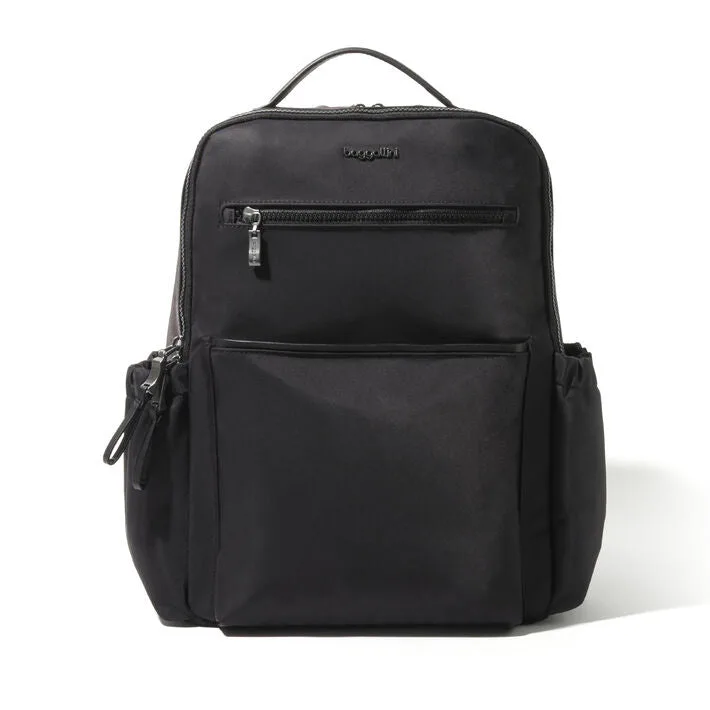
- If you need to carry a laptop plus gym clothes or lunch: Look for an expandable messenger or consider a backpack. The Tribeca Expandable Laptop Backpack has a padded laptop compartment and luggage sleeve, but it is a backpack. A messenger bag with a gusseted main compartment can expand, but it may become bulky. If your load exceeds 10 pounds regularly, a backpack will be more comfortable.
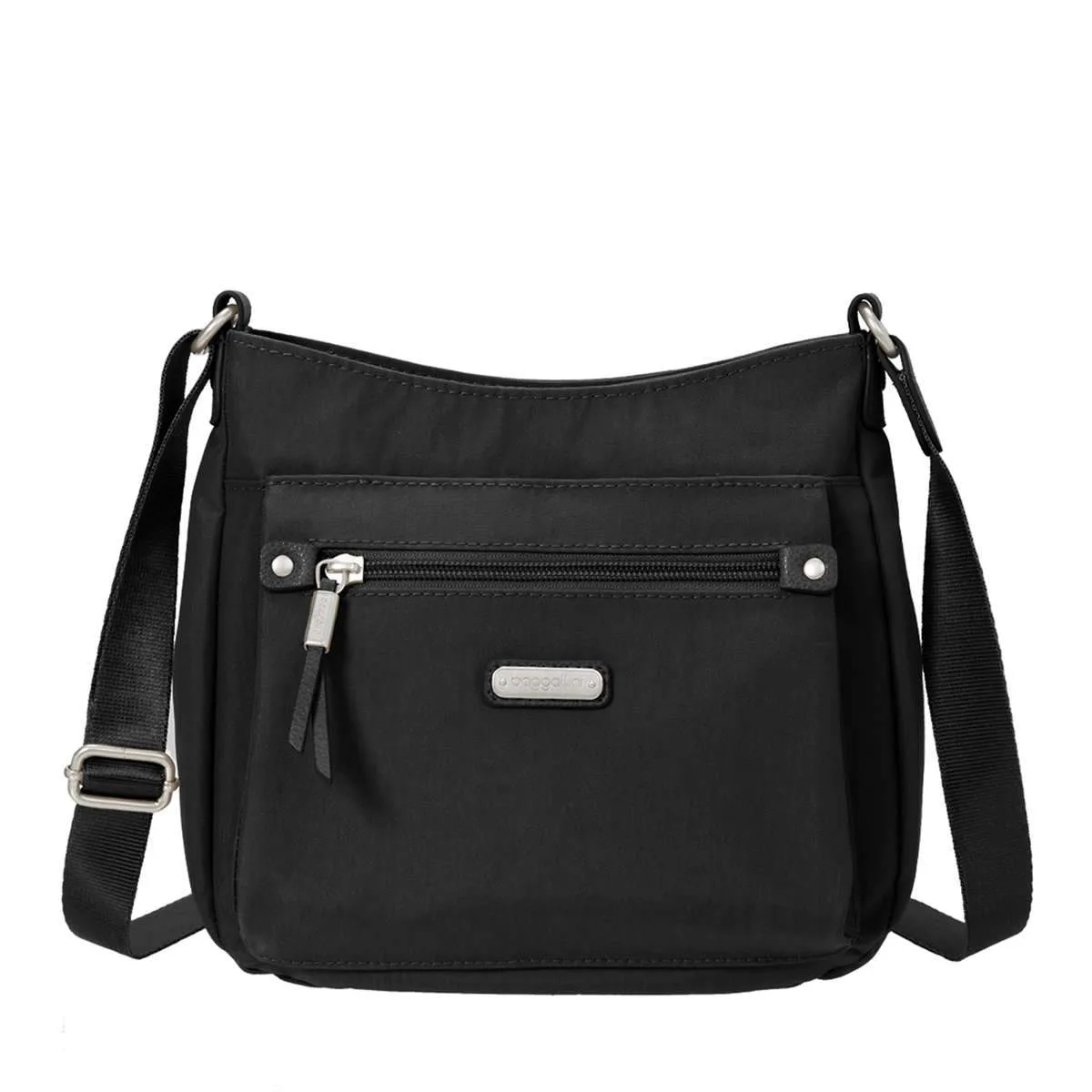
- If you only carry essentials and want a light option: A small crossbody messenger like the Uptown Bagg With RFID Phone Wristlet works for phone, wallet, and keys. It is water-resistant and has RFID protection. It will not fit a laptop. Use it as a secondary bag for days you do not need a computer.
- If you travel frequently and want one bag: Look for a messenger with a luggage handle sleeve so it slides over a rolling suitcase. The Tribeca Expandable Laptop Backpack has this feature, but again, it is a backpack. For a messenger, check descriptions for a trolley strap. A luggage sleeve is a small feature that makes airport days much easier.
A few messenger bags that illustrate the choices
- Architecture Urban2 Messenger: Messenger Bag with FIDLOCK Magnetic Lock. Constructed to deliver fail-safe functionality, the Architecture Urban2 Messenger maximizes packing space and offers 360° protection for all your electronic devices. Its special magnetic lock ensures absolute security, while the innovative antimicrobial lining adds to the... The magnetic lock is a genuine security feature for crowded commutes, and the 360° protection claim suggests padded laptop storage. The antimicrobial lining is a bonus for daily use, though not essential.
- Tribeca Expandable Laptop Backpack: A perfect campus companion and travel go-to alike, the Tribeca Backpack was made with you and your routine in mind. A luggage handle sleeve and padded, flat-open laptop compartment make traversing terminals and TSA a breeze, while the exterior water bottle pockets offer added convenience during long days of classes. If you need more capacity than a messenger bag, this backpack offers a padded laptop compartment and a luggage sleeve for travel. The water bottle pockets add convenience, but it is a backpack, not a messenger, so the carry style is different.
- Uptown Bagg With RFID Phone Wristlet: Whether your day takes you uptown, downtown, or anywhere in-between, the Uptown Crossbody bag with RFID wristlet will help you stay organized and ready for anything. Made with durable, lightweight nylon, this water-resistant bag features an adjustable strap, so you can wear it as a shoulder bag or crossbody bag. A removable RFID wristlet helps keep your information safe. This is a smaller crossbody messenger option for light carry days. The RFID wristlet adds security for cards, and the water-resistant nylon is practical. It is not designed for a laptop, so consider it for days you travel light.
Is a messenger bag right for you?
Best for
- Commuters who carry a laptop and documents and want quick access without removing a backpack
- Cyclists or walkers who prefer weight distributed across the body with a crossbody strap
- Travelers who want a bag that can slide over a rolling suitcase and double as a day bag
Not for
- People who regularly carry more than 10–15 pounds; a backpack will be more comfortable
- Those who need to carry bulky gym gear or a change of clothes alongside a laptop
- Anyone who prefers the even weight distribution of two shoulder straps
Choosing a messenger bag for work comes down to fit, security, and comfort. Measure your laptop, decide how you will carry the bag, and pick the security features that match your route. A bag like the Architecture Urban2 Messenger covers the essentials for many commuters, while a smaller crossbody like the Uptown Bagg works for light days. If your load is heavy, a backpack such as the Tribeca Expandable Laptop Backpack may serve you better. Match the bag to your daily routine, and you will carry it comfortably for years.