Quick answer
Buy the battery whose voltage matches your original exactly and whose part number or model list includes your laptop. Capacity in mAh or Wh tells you runtime, not compatibility, so never use a bigger number to justify a different voltage. If the listing names your exact model and the voltage matches, that is your safest purchase.
Start with the part number, not the capacity
The single most reliable identifier is the part number printed on your old battery, such as 1584-7100 or 810-006368. Search that number first. A listing that explicitly names your laptop model and that part number has already done the compatibility work for you, which matters more than any headline capacity figure.
Voltage must match; capacity is a range
Voltage is a hard requirement. An 11.1V pack and a 10.8V pack are not interchangeable even if they look similar, because the laptop's charging circuit expects a specific nominal voltage. Capacity is softer: a higher mAh or Wh figure generally means longer runtime, but only within the same voltage and chemistry.
mAh vs Wh: which number should you compare?
mAh alone is misleading across different voltages because it measures charge, not energy. Wh is the honest cross-comparison figure: it is roughly voltage multiplied by amp-hours. When two batteries share the same voltage, comparing mAh is fine. When voltages differ, compare Wh, and remember that a different voltage is usually a sign the battery is not for your machine at all.
Check physical fit before you order
Two batteries can share a part number prefix and still differ in shape, latch position or connector pin count. Look at your old pack: is it internal or external, how many cells, does it slide in from the side or sit under a cover? Product listings that show the connector and dimensions are worth more than ones that only list capacity.
Decision rules for buying a laptop battery
- Voltage rule: Match the nominal voltage on your old label exactly. 10.8V and 11.1V are different packs, not interchangeable options. If the voltage differs, stop and keep looking.
- Part number rule: Search the printed part number or the exact model list. A listing that names your model has done the fit check for you. No model match means no purchase.
- Capacity rule: Compare mAh only at the same voltage. Across voltages, compare Wh. Higher capacity means longer runtime, not broader compatibility. Never trade voltage accuracy for a bigger number.
- Fit rule: Confirm internal or external mounting, connector type and cell count against your old battery before ordering. A battery that does not physically seat cannot be made to work.
Examples from the subtel range
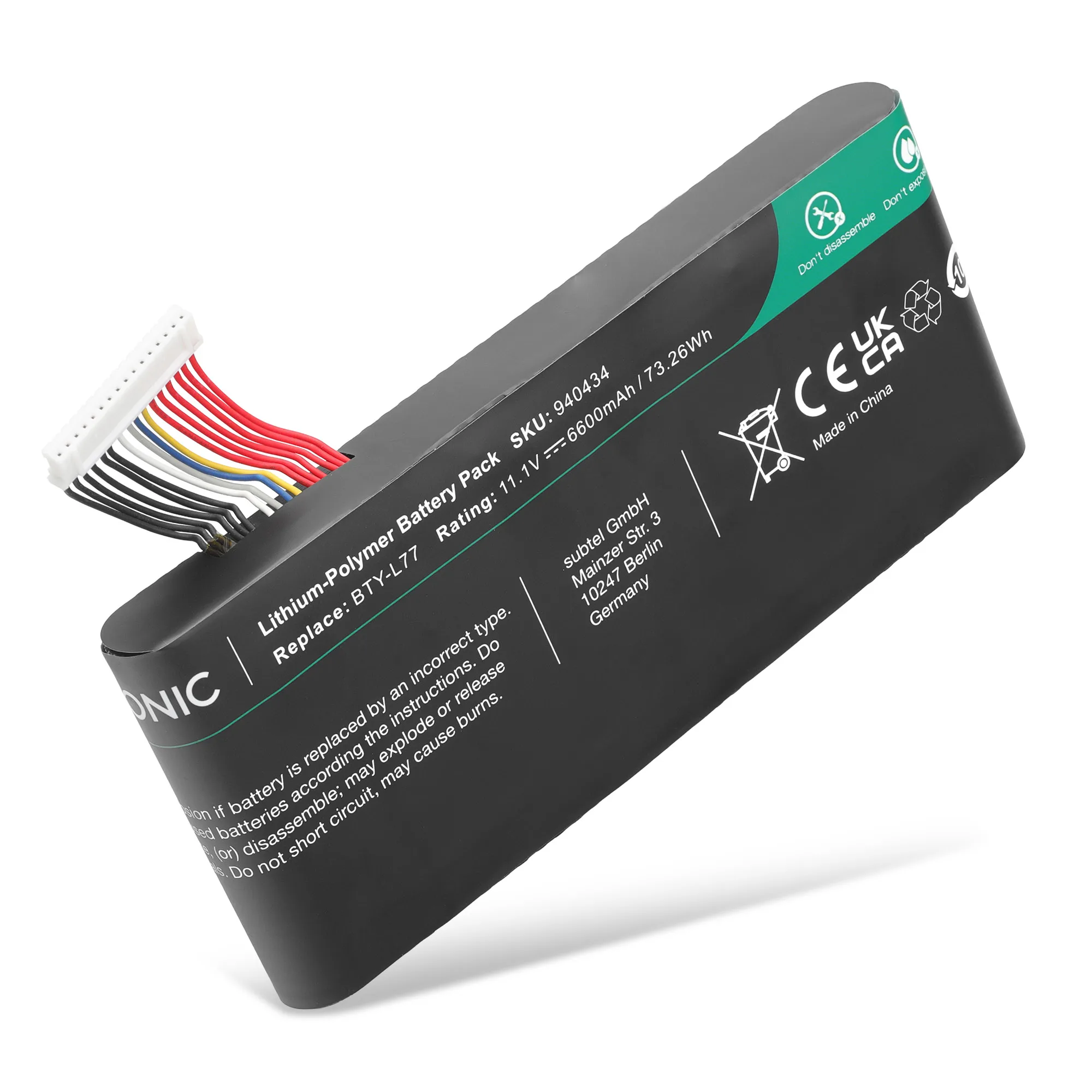
- Batterij voor MSI GT72 2QE, GT72S 6QE, GT72 6QD, GT72VR 6RD, GT72 2QD, GT72VR 7RE, GT72VR 6RE Laptop - 6600mAh 11.1V: 11.1V 6600mAh battery for MSI GT72 2QE, GT72S 6QE, GT72 6QD, GT72VR 6RD, GT72 2QD, GT72VR 7RE and GT72VR 6RE laptops, with a 3-year guarantee. The model list is long but explicit, so GT72 owners can confirm compatibility by matching their exact model rather than guessing from a generic 'MSI battery' search.
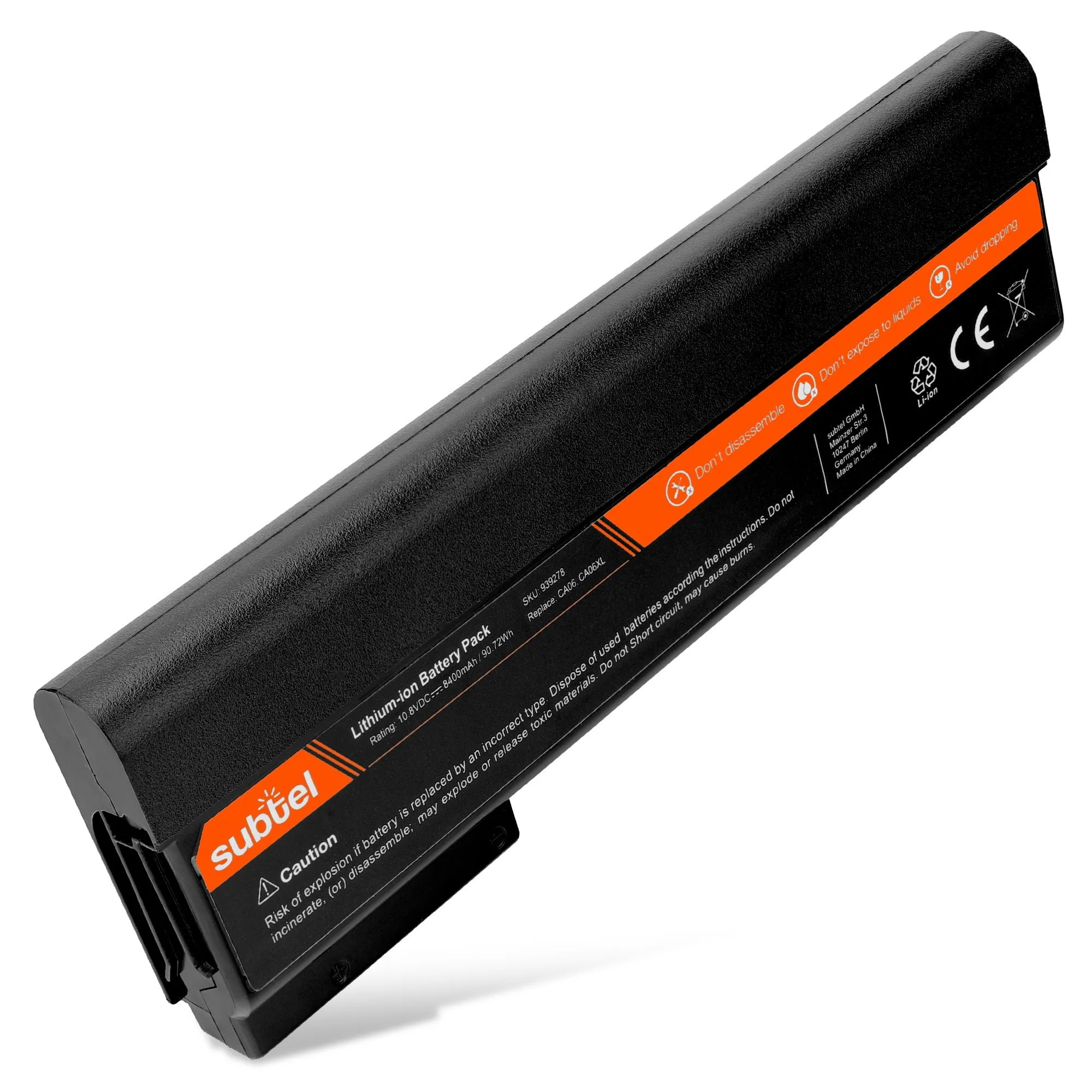
- Batterij voor HP ProBook 640 G1 / ProBook 650 G1 Laptop - 8400mAh 10.8v: 10.8V 8400mAh battery for HP ProBook 640 G1 and ProBook 650 G1 laptops, with a 3-year guarantee. This is a 10.8V pack, not 11.1V. ProBook 640/650 G1 owners should not substitute an 11.1V battery even if the connector looks the same.
Is this the right battery for you?
Best for
- Owners who can read the voltage and part number from their old battery
- Laptops with a clearly listed compatible model in the product description
- Buyers replacing a worn pack with the same voltage and similar capacity
Not for
- Laptops where the original voltage is unknown or you cannot access the old label
- Anyone hoping a higher-capacity battery will fit a different model
- Devices with swollen or damaged batteries that need professional inspection first