Quick answer
For most laptop-and-phone setups, a 65W to 100W GaN charger with at least two USB-C ports is the sweet spot. If you carry a power-hungry 16-inch laptop, step up to a 140W model. Match the charger's wattage to your laptop's power needs, then count the ports for your phone and accessories.
GaN (gallium nitride) chargers have become the default for anyone who wants to charge a laptop and phone without hauling two bricks. They run cooler and pack more power into a smaller body than traditional silicon chargers, which is why they dominate travel bags and desk setups alike.
chargers
But choosing one isn't just about grabbing the highest wattage. Your laptop's charging requirements, the number of devices you plug in simultaneously, and how you plan to carry the charger all change the right answer. This guide walks you through the decision rules so you can buy once and buy right.
Start with your laptop's wattage needs
Your laptop is the hungriest device in your bag, so it sets the floor for how much power your charger must deliver. Check the wattage printed on your laptop's original adapter or in its specs. A 13-inch ultrabook might only need 30W, while a 16-inch workstation can demand 100W or more. If you buy a charger that's too weak, it will either charge slowly or not at all while the laptop is under load.
A good rule: pick a charger that can deliver at least the same wattage as your laptop's original adapter. If you want to charge while gaming or rendering, add a 20W buffer. For most people, a 65W charger handles a 13-inch or 14-inch laptop comfortably, while a 100W model covers most 15-inch and 16-inch machines. Only the most demanding laptops need 140W.
- Check your laptop's original adapter for its wattage rating.
- If you often use your laptop at full load, add 20W of headroom.
- For a 13-inch laptop, 65W is usually enough; for a 16-inch, aim for 100W or more.
Count your ports and think about sharing power
A GaN charger with multiple ports lets you charge your laptop, phone, earbuds, and maybe a tablet from one outlet. But the total wattage is shared across all ports, so plugging in a second device reduces the power available to the first. For example, a 100W charger might deliver 65W to your laptop and 30W to your phone when both are connected—plenty for most people.
Look at how the charger distributes power. Some models split wattage into fixed profiles, while others use smart allocation to give priority to the first device plugged in. If you regularly charge a laptop and a phone at the same time, ensure the charger can still deliver enough to the laptop. A 140W charger gives you more breathing room for multiple high-power devices simultaneously.
- Two USB-C ports are the minimum for a laptop-plus-phone setup.
- Check the port configuration: a 100W charger may only deliver 65W to the laptop when a second device is connected.
- For charging a laptop, phone, and earbuds at once, consider a 140W model.
Match size and portability to your routine
GaN chargers are smaller than their silicon predecessors, but there's still a range. A compact 65W charger can slip into a pocket, while a 140W multi-port model is bigger and heavier. Think about where you'll use it: a desk charger can be larger, but a travel charger should be as light as possible.
If you're always on the move, a single compact charger that handles both laptop and phone is ideal. If the charger stays on your desk, you might prioritize port count and raw power over size. Also consider whether you need foldable prongs for easy packing—a small detail that makes a big difference in a bag.
- For travel, choose a charger that's under 200g if possible.
- For a desk setup, extra ports and higher wattage matter more than size.
- Foldable prongs make a charger easier to pack.
Decision rules for picking your GaN charger
- Laptop wattage: Check your laptop's original adapter wattage. Choose a charger that matches or exceeds it, adding 20W if you often use your laptop at full load. If your laptop needs 65W, a 100W charger gives you headroom for simultaneous phone charging.
- Port count and sharing: Decide how many devices you'll charge at once. Remember that total wattage is shared across ports, so a 100W charger may only deliver 65W to your laptop when a second device is connected. For laptop plus phone, two USB-C ports are enough; for more devices, consider a 140W model.
- Portability: Think about where you'll use the charger. Travelers should prioritize a compact, lightweight design; desk users can opt for more ports and power. If you're always on the go, a compact 65W or 100W charger is ideal.
Anker GaN chargers to consider
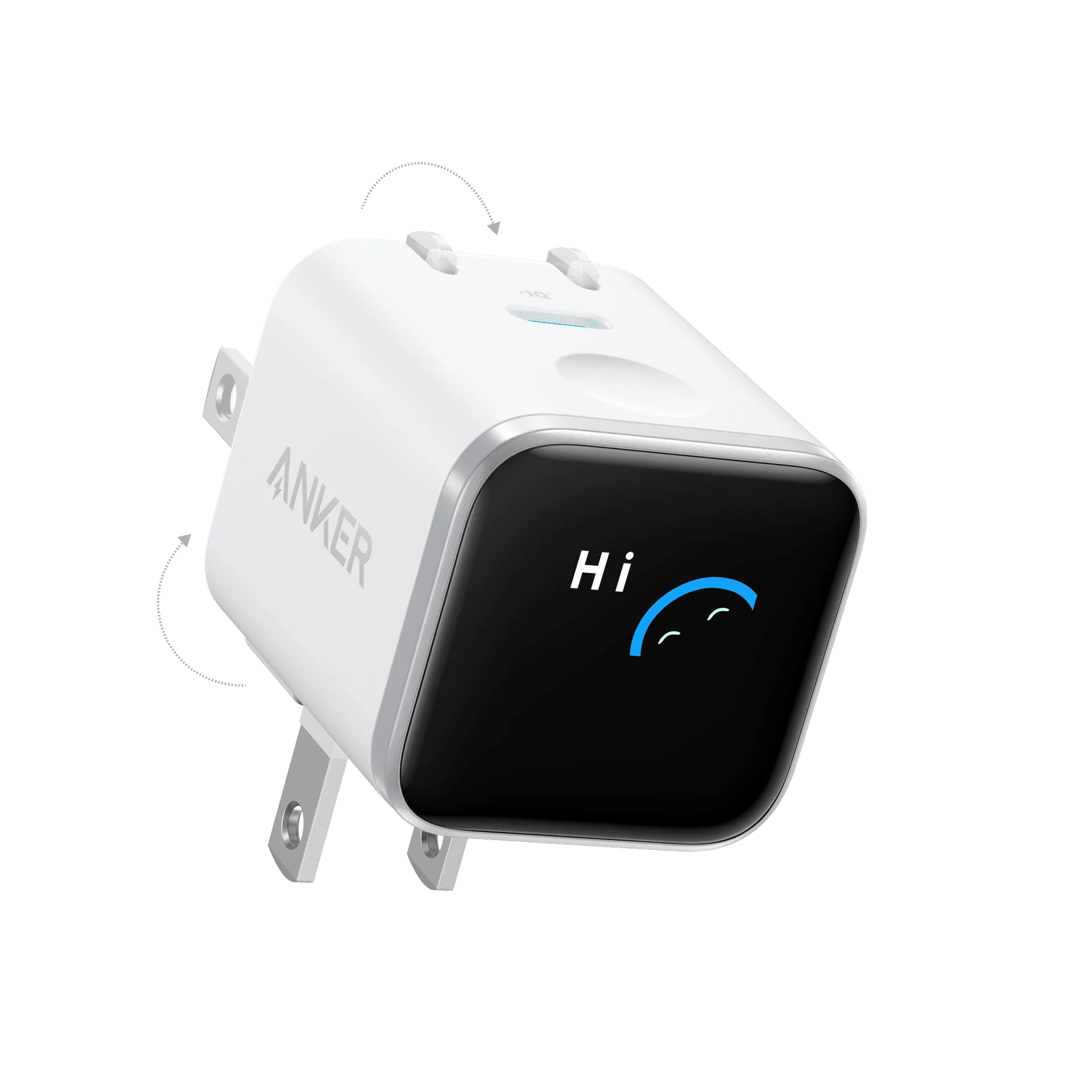
- 736 Charger (Nano II 100W): The Anker 736 Charger (Nano II 100W) delivers fast, efficient power in a compact design. 100W maximum output for rapid charging of compatible devices. Compact Nano II design for easy portability. This is a strong choice for most 15-inch laptops and phones. Its 100W output covers a wide range of laptops, and the compact Nano II design makes it easy to pack for travel.
- https://ankermn.com/products/charger-140w-4-port-pd-3-1-with-usb-c-cable-2-pack-292045Charger (140W, 4-Port, PD 3.1) with USB-C Cable (2-Pack): Delivers up to 140W of total power across 4 ports, supporting fast charging for compatible laptops, tablets, and phones. Features Power Delivery 3.1 technology for efficient, high-speed charging. Includes two USB-C cables. If you have a 16-inch laptop or charge multiple devices at once, this 140W charger provides the headroom you need. The included two-pack of cables means you can keep one at home and one in your bag.
- Zolo Charger (50W, 4 Ports): The Zolo Charger (50W, 4 Ports) from Anker is a versatile charging solution designed to power multiple devices simultaneously. With a total output of 50W and four ports, it offers a convenient way to keep your smartphones, tablets, and other USB-powered gadgets ready to go. This is a budget-friendly option for charging phones and tablets, but it's not suitable for most laptops. Use it as a secondary charger for your nightstand or travel when you don't need laptop charging.
Who should buy which charger?
Best for
- Travelers with a 13-14 inch laptop and a phone: a compact 65W or 100W GaN charger like the 736 Charger (Nano II 100W).
- Professionals with a 16-inch laptop or multiple high-power devices: a 140W charger like the Charger (140W, 4-Port, PD 3.1) for reliable multi-device charging.
Not for
- If you only need to charge phones and tablets, a 50W charger like the Zolo Charger is more affordable and sufficient.
- If you have a laptop that requires more than 140W (rare, but some gaming laptops do), you'll need a dedicated adapter.
Choosing the right GaN charger comes down to your laptop's wattage, how many devices you charge at once, and how you carry it. Start with your laptop's needs, then match port count and portability. With these rules, you can pick a charger that keeps your gear powered without overpaying or underpowering.