What a Live Streaming Camera Needs to Do
A live streaming camera has one job that a standard video camera doesn't: send a clean, reliable video signal to a computer or encoder in real time. That changes the features you should care about. You need a camera that outputs video over a simple connection—ideally USB—without extra capture cards or converters. You also need audio that matches the video quality, and a lens that covers the framing you want without swapping glass mid-stream.
Two very different cameras from District Camera's catalog show the range of options: the Canon XA60, a compact 4K camcorder with a built-in zoom lens and UVC streaming, and the Nikon ZR, a full-frame 6K cinema camera with interchangeable lenses and RED color science. The right choice depends on how much control and image quality you need versus how simple you want the setup to be.
Canon XA60 vs Nikon ZR: Key Differences for Streaming
The Canon XA60 is built for one-person streaming. Its 20x optical zoom lens (25.5–382mm equivalent) covers wide to telephoto without a lens change, and the camera streams HD video directly to a PC or Mac over a USB-C cable using UVC. The Nikon ZR is a cinema camera that requires more gear: it records 6K internally but does not mention a direct UVC output in the supplied information, so streaming likely requires an HDMI or SDI connection and a capture device. Its advantage is image quality—full-frame sensor, RED color science, and up to 7.5 stops of built-in stabilization.
Audio is another split. The XA60 has two XLR inputs on a detachable handle and 4-channel linear PCM recording, ideal for professional microphones. The ZR has built-in microphones with five directional patterns and supports 32-bit float audio, which virtually eliminates clipping, plus an optional ME-D10 microphone. If you need XLR inputs for existing gear, the XA60 wins. If you want the cleanest built-in audio and post-production flexibility, the ZR pulls ahead.
- Streaming connection: Canon XA60: HD UVC livestreaming via USB-C (cable not included). Nikon ZR: no UVC confirmed; likely needs HDMI/SDI out and capture card.
- Lens flexibility: XA60: built-in 20x optical zoom (25.5–382mm). ZR: interchangeable Z mount, supports Nikkor and third-party lenses.
- Audio inputs: XA60: two XLR terminals on handle, 4-channel PCM. ZR: built-in mics with 5 patterns, 32-bit float, optional ME-D10.
- Image quality: XA60: 4K UHD with 1/2.3" sensor and DIGIC DV6. ZR: 6K full-frame with RED color science and Redcode RAW.
- Stabilization: XA60: Dynamic IS 5-axis. ZR: built-in stabilization up to 7.5 stops with any lens.
Product Facts
-
Canon XA60 Professional UHD 4K Camcorder: The Canon XA60 streams HD video directly from the camera via UVC1 to a PC or Mac computer. This means you can go live without a separate capture card—just a USB-C cable and a computer.
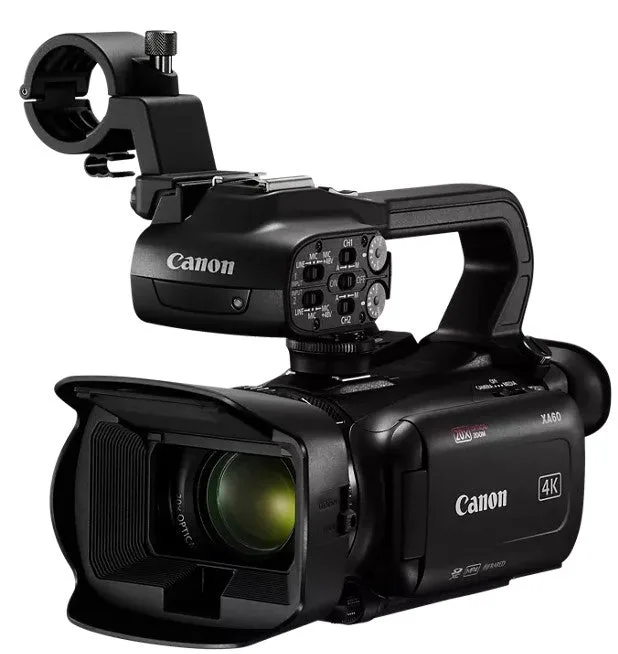
Canon XA60 Professional UHD 4K Camcorder
-
Canon XA60 Professional UHD 4K Camcorder: Two XLR terminals on a detachable handle plus 4-channel linear PCM bring a suite of pro audio options. If you already own XLR microphones, this camera lets you use them directly.
-
Nikon ZR Cinema Camera with 50mm F1.4 Lens Kit: Footage shot in Redcode RAW (R3D NE) unlocks the same color space and log curve as RED cameras. For streamers who also produce on-demand content, the ZR gives you a professional-grade color grade in post.
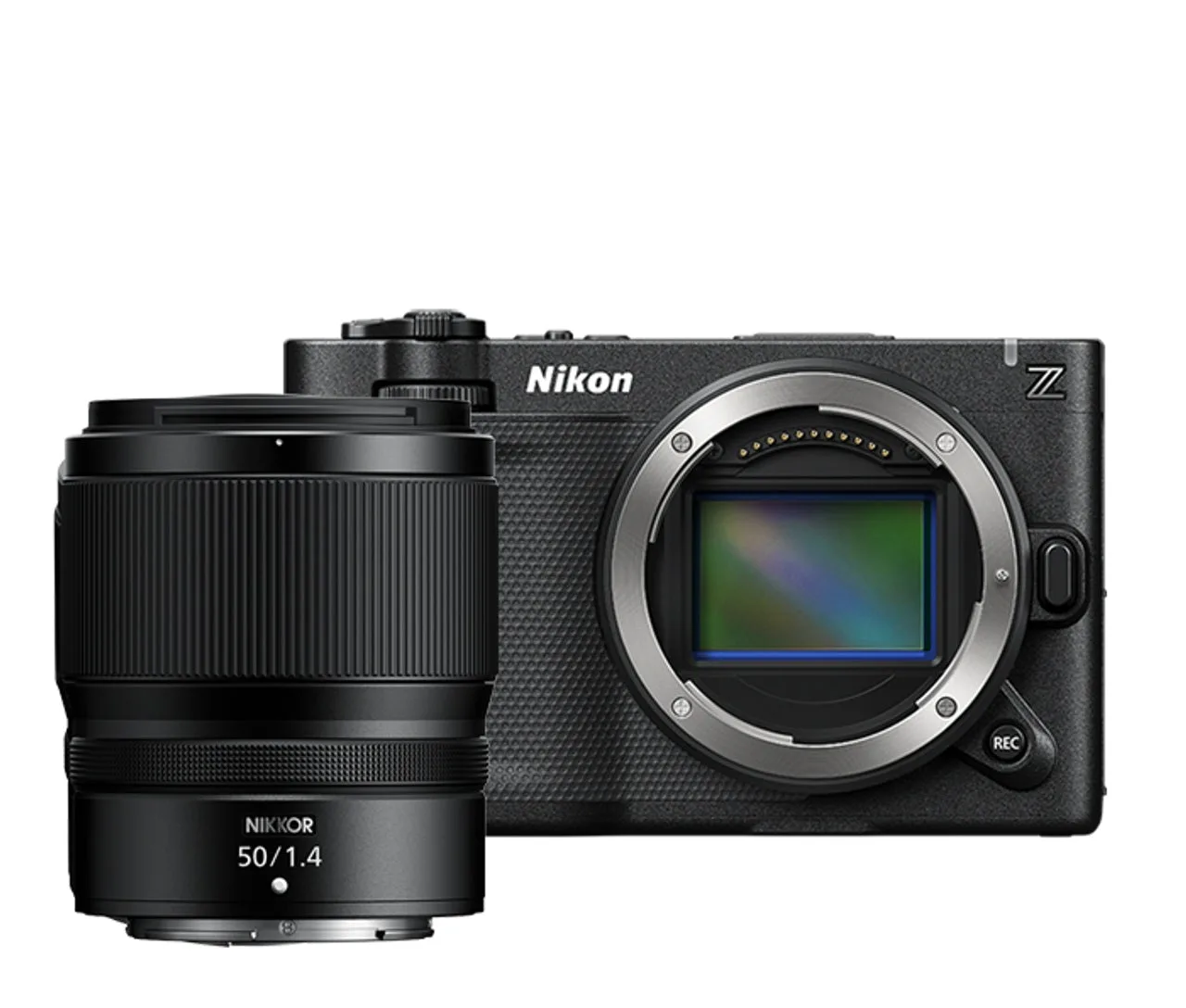
Nikon ZR Cinema Camera with 50mm F1.4 Lens Kit
-
Nikon ZR Cinema Camera with 50mm F1.4 Lens Kit: Built-in stabilization with any lens—up to 7.5 stops. Handheld streaming becomes much smoother without a gimbal, especially with wider lenses.
Trade-Offs at a Glance
The Canon XA60 is the simpler streaming camera. It does not require a capture card, its zoom lens covers most framing needs, and its XLR inputs handle professional audio. The trade-off is a smaller sensor and no interchangeable lenses. If your stream is mostly talking-head, product demos, or event coverage, this is the practical pick.
The Nikon ZR delivers cinema-quality 6K with RED color science and flexible lens choices, but it demands more from your setup. You will likely need an external recorder or capture card for streaming, and you must budget for lenses. It suits streamers who also shoot narrative or commercial content and want one camera for both jobs.
How to Decide
Start with your connection. If you want a single USB-C cable and no extra hardware, the Canon XA60 is the clear choice. If you already have a capture card or plan to use HDMI/SDI, the Nikon ZR gives you more image quality and lens options. Next, consider audio: do you need XLR inputs (XA60) or do you prefer built-in mics with 32-bit float and directional control (ZR)? Finally, think about lens flexibility. The XA60's built-in zoom covers 25.5–382mm, which is enough for most streaming scenarios. The ZR's Z mount lets you use any Nikkor or adapted lens, but you have to buy them separately.
Neither camera is wrong. They serve different workflows. Match the camera to the way you actually stream, not to the specs you wish you needed.