Quick answer
Choose a wired keyboard with a Lightning connector if you want a stable, no-setup typing experience for your iPad. Look for compatibility with your iPad model, a compact build for portability, and a durable design that can handle daily use.
Why choose a wired keyboard over Bluetooth?
A wired keyboard connects directly via the Lightning port, so you never worry about pairing, Bluetooth lag, or battery life. It's ideal for fixed desk setups where you want a reliable, always-ready typing solution.
Compatibility check: Lightning vs. USB-C
Only iPads with a Lightning port can use a Lightning keyboard. If your iPad uses USB-C (most iPad Pro models from 2019 onward), a Lightning keyboard won't connect. Always verify your iPad's port type before purchasing.
Portability and build quality trade-offs
Wired keyboards are generally lighter than Bluetooth keyboards with built-in batteries, but the cable can be a minor hassle when moving between locations. A compact, durable design helps offset this for on-the-go users.
Decision rules for choosing a wired iPad keyboard
- Check iPad compatibility: Confirm your iPad has a Lightning port (not USB-C). Most iPad models before 2019 and some later entry-level iPads still use Lightning.
- Prioritize build durability: Look for a keyboard with a solid, spill-resistant frame and responsive keys. A wired keyboard is often used in fixed positions, so it should withstand prolonged use. A durable keyboard can last through years of daily typing.
- Consider cable management: A short, fixed cable reduces clutter but limits placement distance from the iPad. Ensure the cable length suits your desk layout. Measure your workspace to avoid a cable that is too short or too long.
- Evaluate typing feel: If possible, test key travel and feedback. A wired keyboard should provide a tactile, responsive feel for comfortable long sessions.
Product spotlight
-
Wired Keyboard for iPad with Lightning Connector: The Belkin Wired Keyboard for iPad with Lightning Connector connects directly via Lightning, offering a stable and responsive experience without Bluetooth pairing or charging. This eliminates connectivity issues and battery anxiety, making it a dependable choice for daily typing tasks.
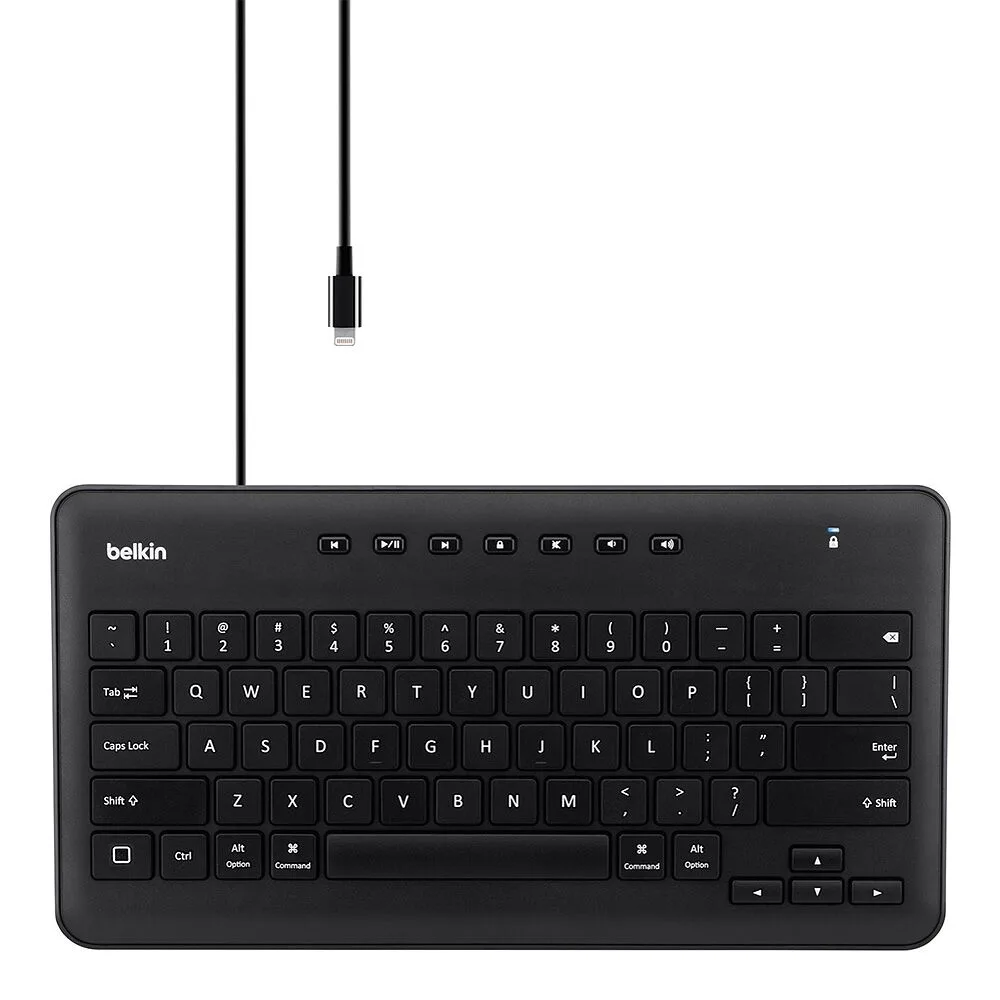
Wired Keyboard for iPad with Lightning Connector
Who should choose a wired Lightning keyboard?
Best for
- iPad users who want a stable, no-setup typing solution for a desk or home office
- Writers, students, or professionals who type for long periods and value reliability over wireless freedom
Not for
- Users with iPad Pro models that have USB-C ports (these need a USB-C or Bluetooth keyboard)
- Anyone who needs to type from across the room or frequently switch positions away from the iPad