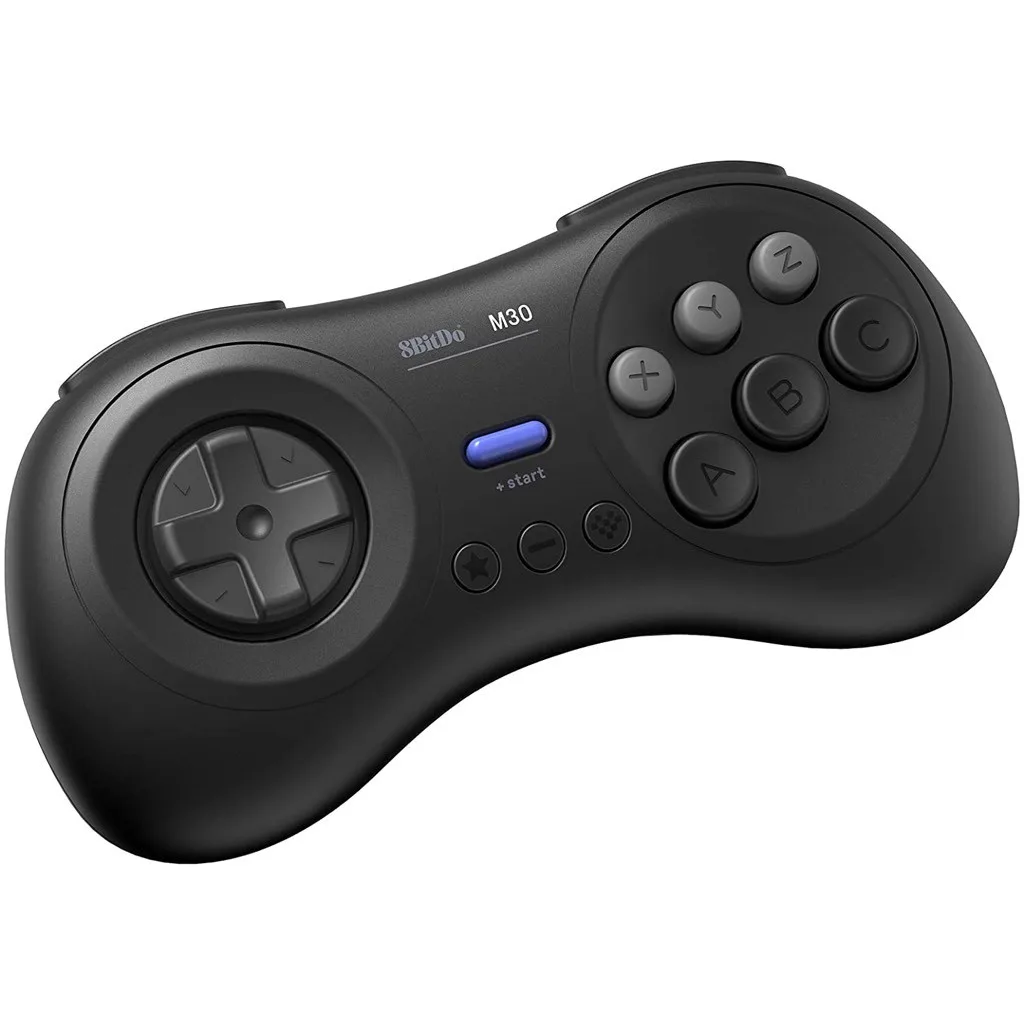
8BitDo has become a household name among retro gaming enthusiasts, offering a wide range of controllers that blend classic aesthetics with modern functionality. Whether you're using the 8BitDo M30 Bluetooth Wireless Pad for Sega Genesis classics or the compact 8BitDo Zero 2 (Turquoise Edition) for on-the-go gaming, these devices are built to last. However, like any piece of tech, they require regular care to perform at their best. In this guide, we'll walk you through the best practices for cleaning and maintaining your 8BitDo controllers to ensure they serve you well for years to come.
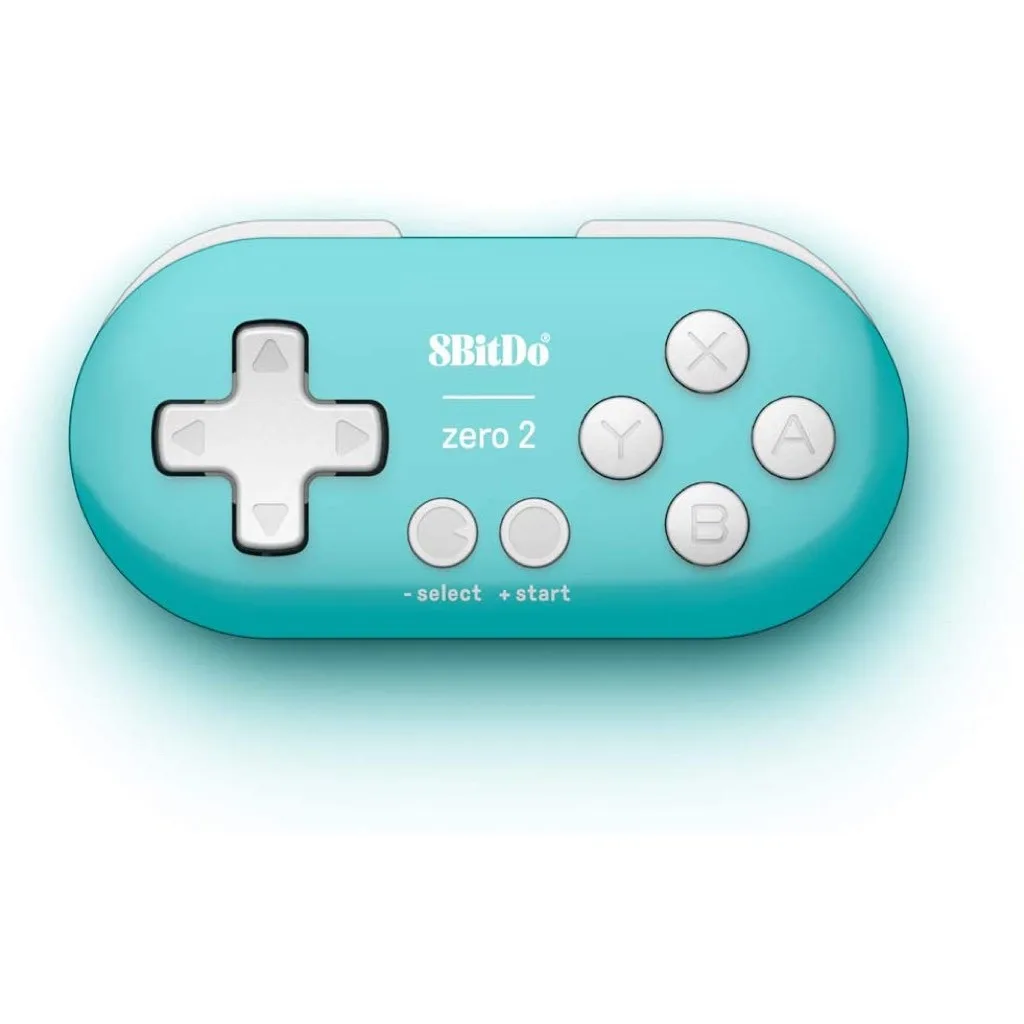
8BitDo Zero 2 (Turquoise Edition)
From dust and grime to sticky buttons and worn thumbsticks, we'll cover everything you need to know. We'll also touch on some general tips for retro controller care that apply to other brands like the Defender PlayStation 1/2 Wireless 2.4G Controller. By the end, you'll have a clear routine to keep your gaming gear in top shape.
Why Regular Cleaning Matters
Controllers are the most touched piece of your gaming setup, and they accumulate oils, dirt, and bacteria over time. This not only affects hygiene but can also lead to performance issues. Sticky buttons, unresponsive triggers, and drift on analog sticks are often caused by debris buildup. Regular cleaning prevents these problems and extends the lifespan of your controller.
For retro gaming enthusiasts, maintaining the feel of a controller is crucial. A clean 8BitDo controller not only looks better but also provides a more authentic and responsive experience. Whether you're playing on original hardware or via emulation, a well-maintained controller makes a noticeable difference.
- Prevents sticky buttons and unresponsive triggers
- Reduces the risk of analog stick drift
- Keeps your controller looking new
- Improves overall hygiene and comfort
Gathering the Right Supplies
Before you start, you'll need a few basic supplies. Most of these are household items, but you can also purchase specialized cleaning kits. Here's what we recommend: a microfiber cloth (lint-free), isopropyl alcohol (70% or higher), cotton swabs, a soft-bristled brush (like a toothbrush), and compressed air. For deeper cleaning, you might want a small screwdriver set to open the controller, but this is optional and not always necessary.
When using isopropyl alcohol, always apply it to the cloth or swab, not directly on the controller. This prevents liquid from seeping into the internals. For stubborn grime, a mixture of mild soap and water can be used, but be extra careful to avoid moisture in openings.
- Microfiber cloth: for wiping surfaces without scratching
- Isopropyl alcohol: disinfects and removes oils
- Cotton swabs: reach tight spots like button crevices
- Compressed air: blows out dust from hard-to-reach areas
- Soft-bristled brush: gently loosens dirt without damage
Step-by-Step Cleaning Process
Start by turning off your controller and removing any batteries or cables. If your controller has a removable battery, take it out to avoid any electrical issues. Use the compressed air to blow out loose dust and debris from the seams, buttons, and thumbsticks. Hold the can upright and use short bursts to prevent moisture from escaping.
Next, dampen a microfiber cloth with isopropyl alcohol and wipe down the entire exterior. For the buttons, use a cotton swab dipped in alcohol to clean around the edges, where grime tends to accumulate. If you have a controller with textured grips, like the 8BitDo M30, pay extra attention to those areas. For stubborn residue, let the alcohol sit for a few seconds before wiping.
If your controller has analog sticks, you can gently rotate them while cleaning to distribute the solution and remove dirt from the base. For the D-pad, use a toothpick or a dry cotton swab to scrape away any caked-on debris. Finally, use a dry cloth to remove any excess moisture and let the controller air dry completely before using it again.
- Always disconnect power before cleaning
- Use compressed air for hard-to-reach areas
- Clean buttons and D-pad with alcohol-dipped swabs
- Dry thoroughly to prevent moisture damage
Deep Cleaning: When and How
Every few months, or if your controller is particularly dirty, a deeper clean is recommended. This involves opening the controller to clean the internal components. While not all controllers are designed to be user-serviceable, many 8BitDo models can be opened with the right tools. However, be aware that opening your controller may void the warranty, so proceed with caution.
If you decide to open your controller, use a screwdriver to remove the screws on the back. Keep them in a safe place. Gently separate the shell halves, being careful not to tear any ribbon cables. Once inside, you can use compressed air to blow out dust from the PCB and buttons. For sticky buttons, you can remove them and clean the contact pads with alcohol. Reassemble carefully, ensuring all clips and screws are secure.
For those who prefer not to open their controller, a deep clean can be achieved by using a soft brush and compressed air to dislodge internal dust through the openings. This method is less thorough but safer for warranty purposes.
- Deep clean every 3-6 months depending on usage
- Use the correct screwdriver size to avoid stripping screws
- Keep track of screws and parts during disassembly
- If unsure, stick to surface cleaning to avoid damage
Maintaining Different 8BitDo Models
Different 8BitDo controllers have unique features that require specific care. For example, the 8BitDo M30 Bluetooth Wireless Pad has a classic Sega Genesis layout with a soft-touch coating that can wear off if not cleaned properly. Use a gentle touch and avoid abrasive cleaners. The 8BitDo Zero 2 (Turquoise Edition) is a mini controller with a glossy finish that shows fingerprints easily; a microfiber cloth is your best friend here.
For controllers with removable faceplates or grips, like the 8BitDo Pro 2, you can remove them for easier cleaning. Always check the user manual for specific instructions. Additionally, if you own other retro controllers like the Defender PlayStation 1/2 Wireless 2.4G Controller, the same cleaning principles apply, but pay attention to any proprietary materials or coatings.
- M30: avoid harsh chemicals on soft-touch coating
- Zero 2: use microfiber to reduce fingerprints
- Pro 2: remove faceplate for thorough cleaning
- Defender controller: follow similar care for wireless controllers
Preventive Care and Storage Tips
Prevention is better than cure. To keep your 8BitDo controllers in pristine condition, store them in a cool, dry place away from direct sunlight. Extreme temperatures can damage batteries and plastics. If you're not using your controller for an extended period, remove the batteries to prevent leakage.
Consider using a carrying case or a dedicated drawer to protect your controllers from dust and accidental drops. When not in use, wrap the cable (if wired) loosely to avoid kinks. For wireless controllers, keep the receiver in a safe place to prevent loss. Regularly inspecting your controller for wear and tear can help you catch issues early.
- Store in a cool, dry place
- Remove batteries if storing for months
- Use a case or drawer to protect from dust
- Inspect cables and connectors for damage
Troubleshooting Common Issues
Even with regular care, you might encounter issues like sticky buttons or unresponsive inputs. Often, these can be fixed with a simple cleaning. If a button feels sticky, apply a small amount of isopropyl alcohol to a cotton swab and gently rub around the button's edges while pressing it repeatedly. This helps dissolve any residue.
If you experience analog stick drift, try recalibrating the controller via your device's settings. If the problem persists, the stick mechanism might be worn and could require replacement. In such cases, it's best to contact 8BitDo support or a professional repair service. For minor issues, a thorough cleaning often resolves the problem.
- Sticky buttons: clean with alcohol and press repeatedly
- Drift: recalibrate first, then consider hardware issues
- Unresponsive inputs: check battery and connection
- If cleaning doesn't help, seek professional repair
Regular cleaning and maintenance are essential to get the most out of your 8BitDo controllers. By following the steps outlined above, you can keep your devices looking and performing like new. Remember to use the right tools, be gentle, and store your controllers properly. For more gaming gear and accessories, explore our collection, including the 8BitDo M30 Bluetooth Wireless Pad and the 8BitDo Zero 2 (Turquoise Edition), to enhance your retro gaming experience.