Why Regular Cleaning Matters for Your Silicone Skin
A silicone controller skin like the GeekShare Catroller Skin protects your DualSense from scratches and adds a non-slip grip. Over time, dust, oils from your hands, and general grime can build up on the surface, reducing the grip's effectiveness and making the skin look dull. Regular cleaning keeps the silicone soft, maintains the small grooves that improve airflow and reduce slipping, and extends the life of the skin.
How to Clean Your GeekShare Silicone Controller Skin
The GeekShare Catroller Silicone Controller Skin is made of high-quality silicone. Cleaning it is straightforward and requires only a few household items.
- Remove the skin from the controller: Gently peel the silicone skin off your DualSense controller. Silicone is flexible, so take care not to pull too hard at the edges. This allows you to clean both the skin and the controller separately.
- Rinse with lukewarm water: Hold the skin under lukewarm running water to remove loose dust and debris. Avoid hot water, as it could affect the silicone's texture over time.
- Use mild soap for deeper cleaning: Apply a small drop of mild dish soap to your fingers or a soft cloth. Gently rub the soap over the entire surface of the skin, focusing on grooves and textured areas where dirt tends to collect. Rinse thoroughly with water to remove all soap residue.
- Air dry completely: Place the skin on a clean towel or drying rack away from direct sunlight and heat sources. Let it air dry completely before reattaching it to the controller. Silicone dries quickly, but ensure no moisture remains in the grooves.
Maintenance Tips to Keep the Skin in Top Shape
To maintain the non-slip grip and precise fit of your GeekShare Catroller Skin, avoid exposing it to harsh chemicals, alcohol wipes, or abrasive cleaners, as these can degrade the silicone. If you notice the skin becoming loose or stretched, it may be time for a replacement. The skin is designed for the PlayStation 5 DualSense Wireless Controller, and its precise cutouts allow easy access to all buttons, so check that the fit remains snug after each cleaning cycle. Store the skin in a cool, dry place when not in use.
Product Details for Your GeekShare Catroller Skin
-
GeekShare Catroller Silicone Controller Skin: Made of high-quality silicone, designed for PlayStation 5 DualSense Wireless Controller. Knowing the material confirms that mild soap and water are safe, and that the skin is tailored specifically for your DualSense.
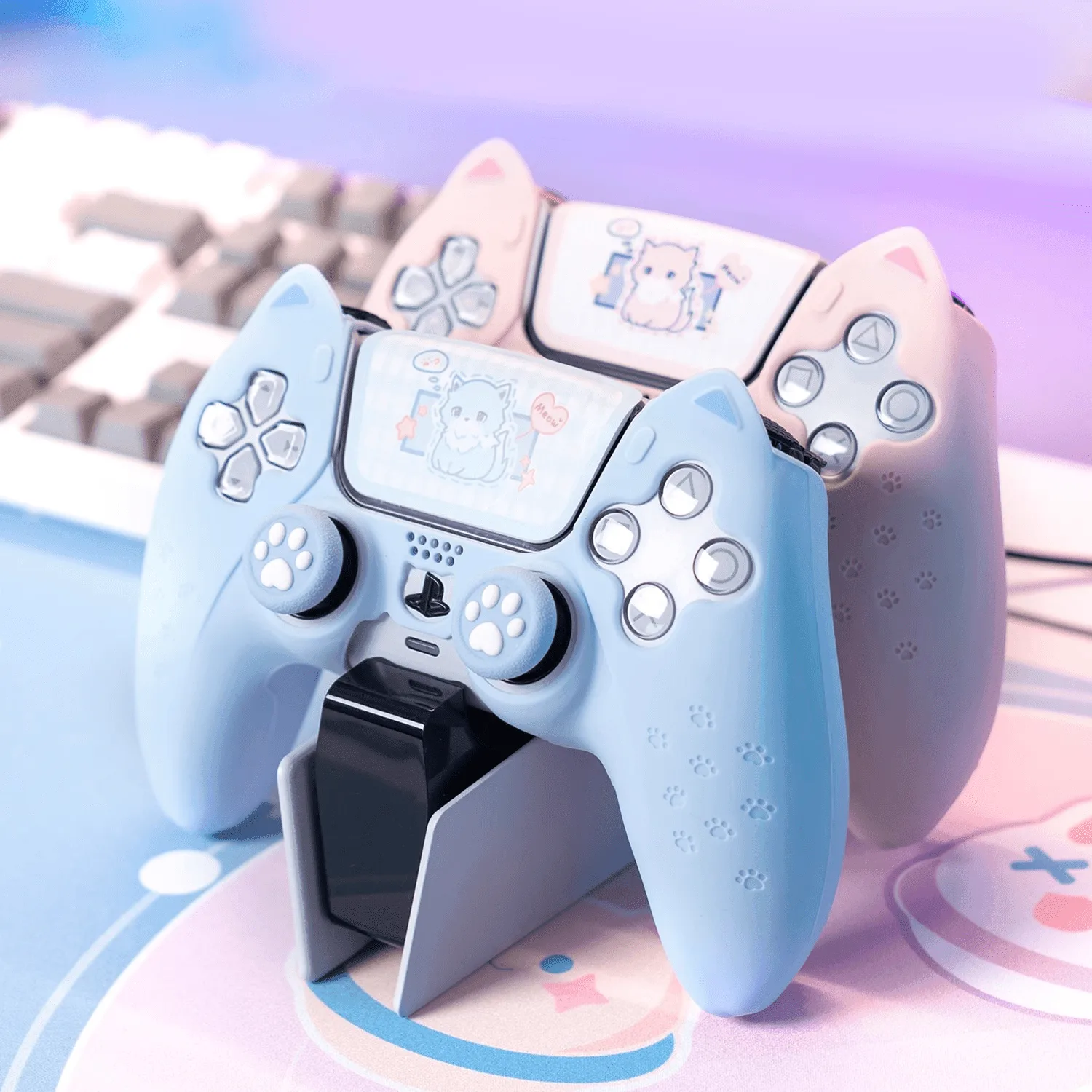
GeekShare Catroller Silicone Controller Skin
-
GeekShare Catroller Silicone Controller Skin: Features small grooves on the silicone surface to improve airflow, help keep hands cool, and reduce slipping. These grooves are the main reason to clean regularly — dirt buildup can clog them and reduce the grip and cooling effect.