Quick Answer
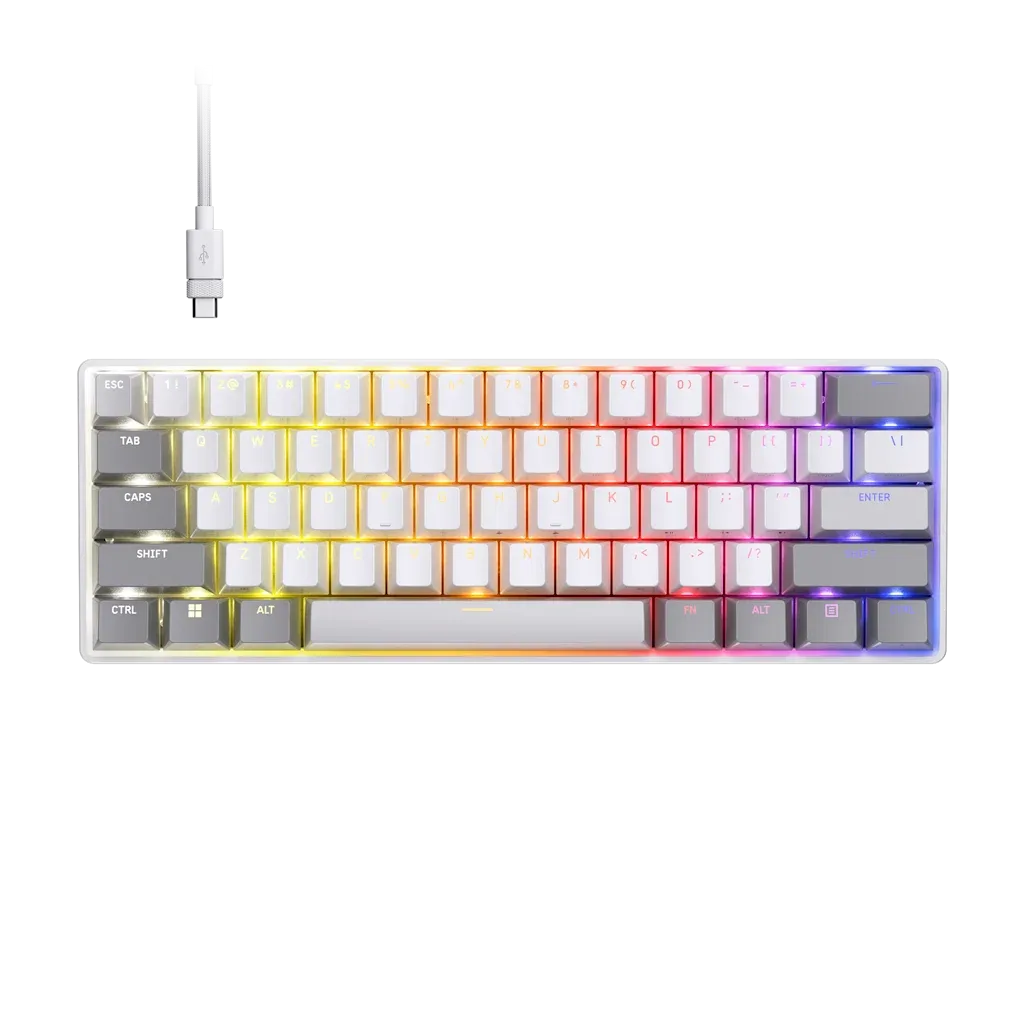
To keep your mechanical gaming keyboard in top condition, clean it regularly with a soft brush, compressed air, and a damp microfiber cloth, and avoid eating or drinking near it. For keyboards like the SKIFF 100 PLUS with IP53 certification, you have extra protection against spills and dust, but still follow proper cleaning steps. For Hall Effect keyboards like the CLIPPER PRO MINI 60, avoid using liquid cleaners directly on the switches.
Your mechanical gaming keyboard is one of the most important parts of your setup. It takes a beating from daily use, and dust, crumbs, and oils can build up over time, affecting performance and feel. Regular cleaning not only keeps it looking great but also extends its lifespan. In this guide, we'll walk you through the best practices for cleaning and maintaining your mechanical keyboard, with specific tips for the SKIFF 100 PLUS and CLIPPER PRO MINI 60.
Whether you're a competitive gamer or a casual typist, a clean keyboard is a reliable keyboard. We'll cover everything from basic dusting to deep cleaning, and share maintenance tips to keep your switches and keycaps in peak condition. Let's get started.
Why Regular Cleaning Matters
Dust and debris can accumulate between keys, causing sticky or unresponsive switches. Over time, oils from your fingers can build up on keycaps, making them feel greasy and look dull. Regular cleaning prevents these issues and keeps your keyboard responsive.
For keyboards with advanced features like Hall Effect switches, maintaining cleanliness is even more important. The CLIPPER PRO MINI 60 uses MGX HYPERDRIVE CORE magnetic switches that rely on precise magnetic fields, and dust can interfere with their accuracy. Similarly, the SKIFF 100 PLUS with its 10-zone RGB and G-keys needs to be kept free of dirt to ensure all features work smoothly.
- Set a cleaning schedule: once a week for light dusting, once a month for a deeper clean.
What You'll Need
Gather the right tools before you start. You'll need a keycap puller (usually included with your keyboard), a soft-bristled brush (like a paintbrush or a dedicated keyboard brush), compressed air, a microfiber cloth, and isopropyl alcohol (70% or less) for disinfecting. Avoid using harsh chemicals or abrasive materials.
If you have a keyboard with a detachable cable, unplug it before cleaning. For wireless keyboards, remove the batteries if possible. Always power off your keyboard before cleaning to avoid accidental inputs.
Step-by-Step Cleaning Process
Start by unplugging your keyboard and turning it upside down to shake out loose debris. Then, use a brush to gently sweep between the keys. Follow with compressed air to blow out any remaining dust from hard-to-reach areas.
If you need to clean the keycaps, carefully remove them with a keycap puller. Soak them in warm soapy water for 15-20 minutes, then rinse and let them dry completely. While the keycaps are off, you can clean the switch area with a slightly damp microfiber cloth. Avoid getting moisture into the switches.
For the keyboard case, wipe it down with a microfiber cloth dampened with a small amount of isopropyl alcohol. Be careful not to let any liquid drip into the openings. Once everything is dry, reattach the keycaps and plug your keyboard back in.
- Never use a vacuum cleaner directly on your keyboard; it can create static and damage components.
- Check your keycaps for wear and replace them if they become too shiny or smooth.
Special Considerations for SKIFF 100 PLUS and CLIPPER PRO MINI 60
The SKIFF 100 PLUS is IP53 certified, meaning it's protected against dust and water splashes. This gives you some peace of mind, but you should still avoid spilling liquids directly on it. For cleaning, you can use a slightly damp cloth, but never submerge the keyboard in water.
The CLIPPER PRO MINI 60 uses Hall Effect switches, which are more sensitive to magnetic interference. Avoid using magnetic tools near the keyboard, and be extra careful not to get dust inside the switches. A soft brush and compressed air are your best friends here.
Step-by-Step Cleaning Routine
- Step 1: Unplug and Shake: Disconnect the keyboard from your PC and turn it upside down. Gently shake it to remove loose crumbs and debris. This quick step removes the majority of loose particles.
- Step 2: Brush Between Keys: Use a soft-bristled brush to sweep between the keys, dislodging any remaining dust or hair. Do this weekly to prevent build-up.
- Step 3: Blow Out Dust: Use compressed air in short bursts to blow out dust from under the keycaps and around the switches. Hold the can upright to avoid propellant spray.
- Step 4: Remove and Clean Keycaps: Carefully pull off the keycaps with a keycap puller. Soak them in warm soapy water for 15-20 minutes, then rinse and dry completely. Ensure keycaps are fully dry before reattaching to avoid moisture damage.
- Step 5: Wipe the Case and Switch Area: Use a microfiber cloth slightly dampened with isopropyl alcohol to wipe the case and the exposed switch area. Avoid getting liquid into the switches. For Hall Effect keyboards like the CLIPPER PRO MINI 60, be extra gentle around the switches.
- Step 6: Reassemble and Test: Once everything is dry, reattach the keycaps, plug the keyboard back in, and test all keys and features. If any keys feel sticky, repeat the cleaning on that area.
Product Facts
- SKIFF 100 PLUS Gaming-Tastatur (ND): IP53 certified, 10-zone RGB, 6 G-keys, rotary dial, removable palm rest, responsive keys. The IP53 rating means it's more resistant to dust and spills, but you still need to clean it properly to keep the RGB and G-keys functioning well.
- CLIPPER PRO MINI 60 Hall Effect Gaming Keyboard - White: MGX HYPERDRIVE CORE magnetic switches, Hall Effect features like Rapid Trigger and Multi Action, 8,000Hz polling. The advanced switches are sensitive to dust and debris, so regular cleaning is essential to maintain their speed and precision.
Regular cleaning and maintenance will keep your mechanical gaming keyboard feeling fresh and performing reliably for years. Whether you choose the SKIFF 100 PLUS for its durability and IP53 protection or the CLIPPER PRO MINI 60 for its cutting-edge Hall Effect switches, a little care goes a long way. Explore the SKIFF 100 PLUS today and give your setup the care it deserves.