Quick answer
Clean your true wireless earbuds weekly by wiping down the exterior with a soft, dry cloth and gently brushing the speaker mesh with a clean, dry toothbrush to remove ear wax and debris. For the charging case, use a dry cotton swab to clean the charging contacts and avoid moisture. This routine keeps audio clear and extends battery life.
true wireless earbuds
Why Regular Cleaning Matters
Ear wax, dust, and moisture naturally build up on earbuds over time. That buildup can block the speaker mesh, reduce volume, muffle sound quality, and even interfere with charging contacts. Regular cleaning prevents these issues and keeps your earbuds hygienic, especially if you share them or use them during workouts.
What You’ll Need
You don’t need a special cleaning kit. A soft, lint-free cloth, a dry cotton swab, and a clean, dry toothbrush with soft bristles are enough. Avoid using water, alcohol, or any liquid near the speaker mesh or charging ports, as moisture can damage the internal components. If you prefer a dedicated solution, a gentle electronics cleaning wipe (not dripping wet) can be used on the outer surfaces only.
Step-by-Step Cleaning Routine
- Step 1: Remove ear tips and rinse (if applicable): If your earbuds have silicone ear tips, gently pull them off. Rinse them with warm water and mild soap, then dry them completely before reattaching. Do not put the earbud body itself in water. Checkpoint: Make sure ear tips are 100% dry before reattaching to avoid moisture damage.
- Step 2: Brush the speaker mesh: Using a clean, dry soft-bristled toothbrush, gently brush the speaker mesh in a circular motion. This loosens and removes ear wax and debris that block sound. Do not poke the mesh with anything sharp. Common mistake: Using a metal tool or toothpick can puncture the mesh and ruin the earbud.
- Step 3: Wipe down the earbud body: Use a soft, dry lint-free cloth to wipe the outer surfaces of each earbud. If needed, lightly dampen the cloth with a tiny amount of water (not wet) and wipe again. Avoid getting moisture into any openings. Checkpoint: Never use alcohol or cleaning sprays directly on the earbuds.
- Step 4: Clean the charging case: Open the case and use a dry cotton swab to gently clean the charging pins and the interior cavity where the earbuds sit. For the exterior, wipe with a soft cloth. Do not use liquid inside the case. Common mistake: Blowing into the case can push debris deeper. Stick to a dry swab.
- Step 5: Let everything dry before storing: After cleaning, leave the earbuds and case open for 10–15 minutes to air dry. This prevents any trapped moisture from causing corrosion or short circuits. Final step: Store the earbuds in the case only when both are completely dry.
Product Spotlight: Belkin True Wireless Earbuds
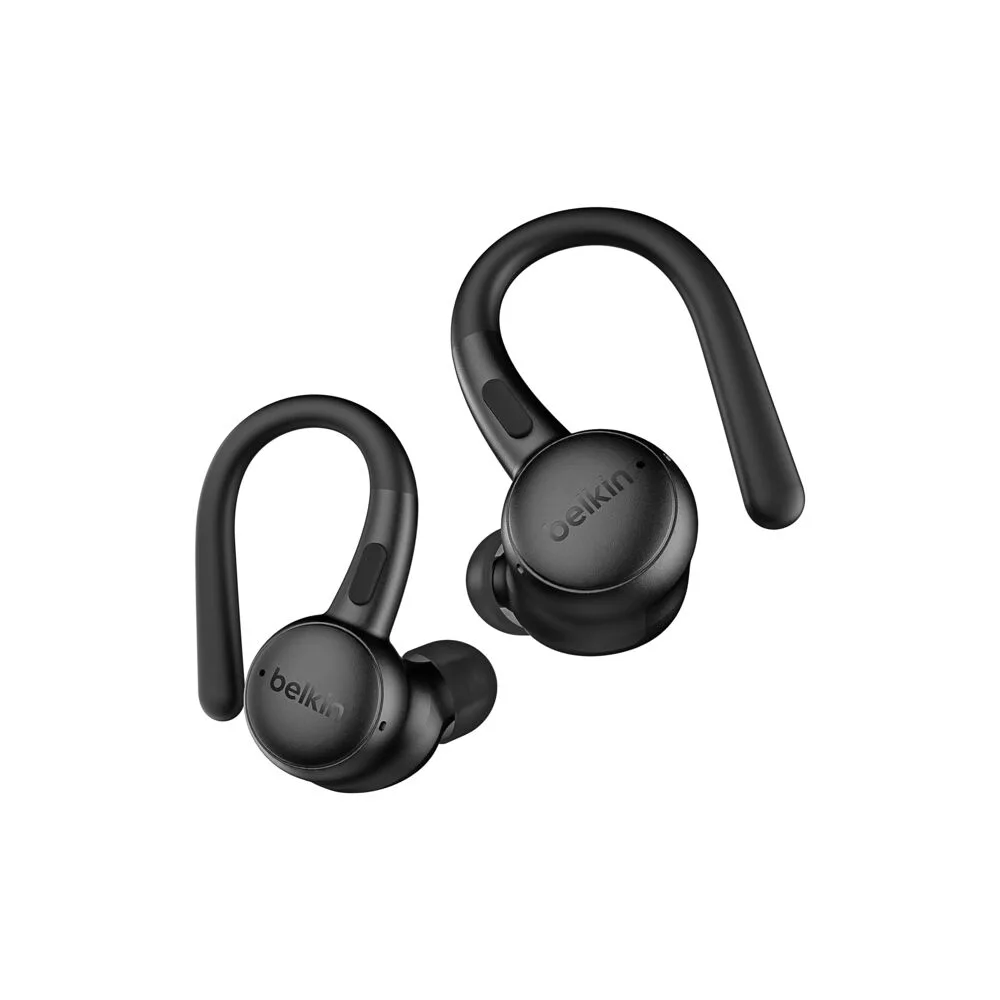
- True Wireless Earbuds: Belkin's True Wireless Earbuds deliver a convenient, wire-free listening experience in a sleek black finish. Designed for everyday use, these earbuds offer a secure and comfortable fit for on-the-go audio. True wireless design for hassle-free listening without tangled cords. Compact charging case keeps your earbuds powered and protected. Part of Belkin's SOUNDFORM line. Because these earbuds have a compact charging case that also needs regular cleaning, the same maintenance routine applies. Keeping the case’s charging pins free of debris ensures your earbuds charge reliably every time.