Quick Answer
To keep your lens adapters reliable, clean them regularly with a blower, microfiber cloth, and isopropyl alcohol on metal contacts, then store them in a dry, padded case with caps on. Avoid harsh solvents and never force a stuck adapter.
Why Adapter Care Matters
Lens adapters sit between your camera and lens, so even a little dust or grime can cause loose connections, light leaks, or focusing issues. Regular cleaning and proper storage extend the life of your adapter and keep your shots sharp.
Adapters with moving parts, like aperture control rings or de-clicked iris mechanisms, benefit from gentle handling and occasional lubrication checks. Always refer to the manufacturer's instructions for specifics, and never disassemble an adapter unless you're confident.
What You'll Need
Gather a blower (rocket blower), a microfiber cloth, isopropyl alcohol (90% or higher), cotton swabs, and a small brush. For storage, have lens caps or body caps, a padded case or drawer organizer, and silica gel packets to control moisture.
Avoid using compressed air cans, which can blow debris further into the adapter, and skip household cleaners that may leave residue.
Step-by-Step Adapter Care Routine
- Step 1: Remove and Inspect: Take the adapter off your camera and lens. Look for visible dust, smudges, or debris on both mounting surfaces and any glass elements. Checkpoint: If you see scratches or bent tabs, stop and consider repair or replacement.
- Step 2: Blow Away Loose Dust: Use a rocket blower to remove loose particles from all surfaces, including the mount flanges and internal recesses. Hold the adapter with the opening facing down so dust falls out. Mistake: Never use canned air—it can push debris deeper into the mechanism.
- Step 3: Wipe Mount Surfaces: Dampen a microfiber cloth with a few drops of isopropyl alcohol and gently wipe the metal mounting rings and any electrical contacts. Let it dry completely before reattaching. Checkpoint: If contacts look tarnished, repeat with a fresh swab; avoid excessive moisture.
- Step 4: Clean Moving Parts: For adapters with aperture rings or iris mechanisms, use a dry cotton swab to clean around the ring and a soft brush for crevices. Do not oil the ring unless the manufacturer specifies it. Mistake: Over-lubrication attracts dust and can cause sticky operation.
- Step 5: Dry and Inspect Again: Let the adapter air-dry for a few minutes, then re-inspect under a bright light. Ensure no lint or residue remains before mounting. Checkpoint: A clean adapter should rotate smoothly and click into place without resistance.
- Step 6: Store Properly: Place caps on both ends of the adapter to protect the mount surfaces. Store it in a padded case or drawer organizer, away from direct sunlight and humidity. Add a silica gel packet to absorb moisture. Mistake: Never stack adapters without caps—they can scratch each other.
- Step 7: Test Before Use: Before a shoot, mount the adapter on your camera and lens, and check that the connection is solid and the aperture ring (if any) moves as expected. Checkpoint: If you notice any play or looseness, re-seat the adapter and test again.
Adapters That Benefit from Care
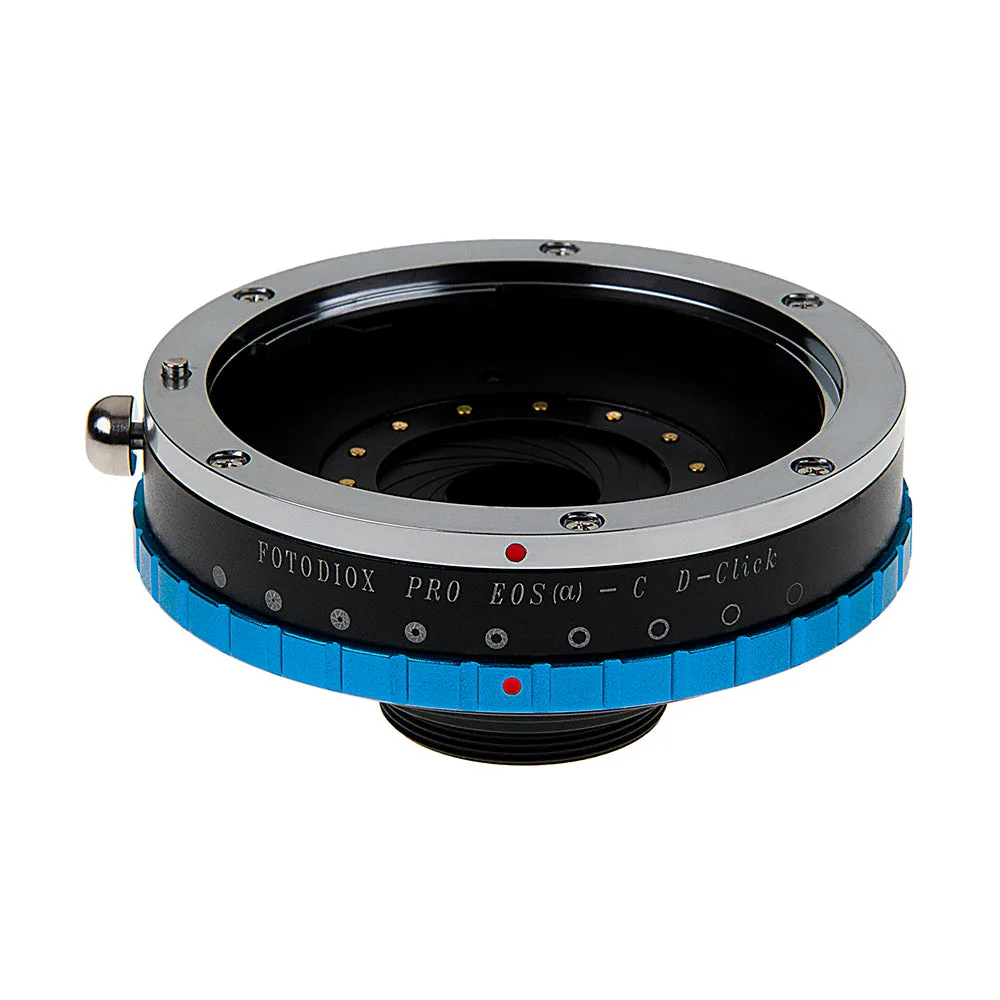
- Fotodiox Pro Lens Adapter - Compatible with Canon EOS (EF Only, Not EF-S) D/SLR Lenses to C-Mount (1" Screw Mount) Cine & CCTV Cameras with Built-In Aperture Iris: The Fotodiox Pro Lens Adapter for Canon EF to C-Mount features an integrated de-clicked iris for incoming light adjustment and precision all-metal construction. The de-clicked iris ring needs occasional cleaning to stay smooth. Its all-metal build tolerates routine wiping without worry, but avoid getting alcohol on the iris blades.
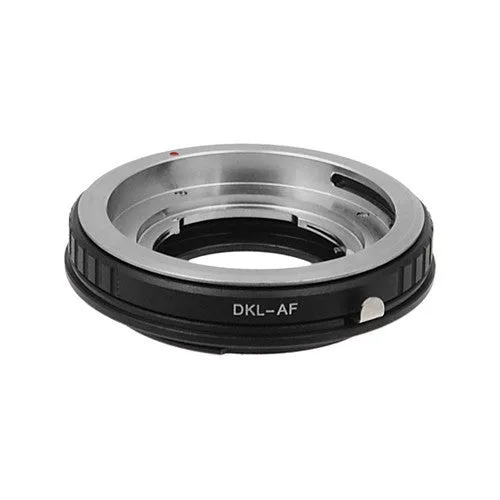
- Fotodiox Lens Adapter - Compatible with Deckel-Bayonett (Deckel Bayonet, DKL) Mount SLR Lenses to Sony Alpha A-Mount (and Minolta AF) SLR Cameras with Aperture Control Ring: The Fotodiox Lens Adapter for DKL lenses to Sony Alpha A-Mount includes an aperture control ring and all-metal construction. The aperture ring can accumulate dust over time; a gentle brush keeps it turning smoothly. All-metal construction means you can wipe the exterior with a damp cloth safely.
Regular cleaning and proper storage will keep your lens adapters reliable for years. Make this routine a habit, and you'll avoid most common adapter issues.