Quick answer
To clean your camera sensor safely, start with a blower to remove loose dust, then use a sensor cleaning swab and solution for stubborn spots. Never use compressed air or household tools. If you're unsure, take it to a professional.
What you'll need for sensor cleaning
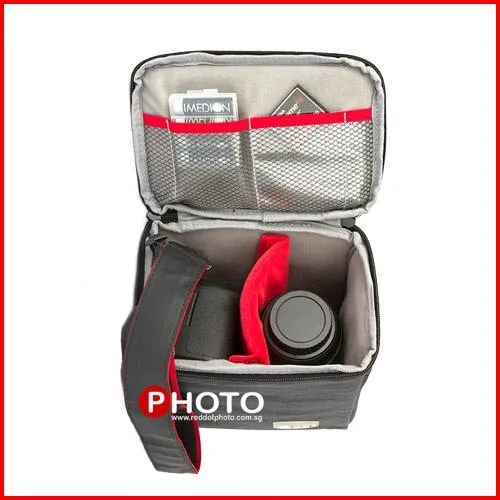
A sensor cleaning kit typically includes a blower, sensor swabs in the correct size for your camera, and a dedicated cleaning solution. Avoid using lens cloths or tissues, as they can scratch the sensor's delicate filter. A padded camera insert or bag is helpful to safely store your camera while you work.
When to clean your sensor
You only need to clean your sensor when you see dark spots in the same place on multiple images at small apertures like f/16. Frequent cleaning increases risk, so check first with a test shot of a plain white wall or sky. If you see only a few spots, a blower may be enough.
Step-by-step sensor cleaning process
- Step 1: Prepare your camera: Charge your battery fully and enter sensor cleaning mode (usually in the setup menu). Remove the lens. Work in a dust-free area, like a bathroom after running a hot shower to settle airborne dust. Common mistake: A low battery can cause the shutter to close mid-cleaning, trapping debris inside.
- Step 2: Use a blower first: Hold the camera with the sensor opening facing downward. Use a hand-operated blower (never canned air) to puff away loose dust. Do not touch the sensor with the blower tip. Checkpoint: If spots remain after blowing, move to wet cleaning.
- Step 3: Wet clean with a swab: Apply one or two drops of sensor cleaning solution to a fresh swab. Gently wipe across the sensor in one smooth motion, then flip the swab and wipe back. Use a new swab for each attempt. Common mistake: Pressing too hard or reusing a swab can leave streaks or scratches.
- Step 4: Inspect and repeat if needed: Take a test shot at f/16 against a bright surface. Zoom in on your computer screen. If spots remain, repeat the wet cleaning with a fresh swab. After three attempts without improvement, stop and consult a professional. Checkpoint: Persistent spots may be on the mirror or lens, not the sensor.
Useful tools for sensor cleaning
- Padded Camera Inserts 110S: EIRMAI's high quality camera bag inserts are made of 1000D Nylon, it is durable and has high resistance to abrasions, tears and scuffs. Medium sized padded camera inserts. A padded camera insert keeps your camera body secure while you clean the sensor, preventing accidental drops or bumps.