Quick answer
Use mild soap, warm water, and a soft microfiber cloth to clean your Galaxy S26+ case. Avoid harsh chemicals and abrasive tools that can scratch or discolor the material.
Why cleaning matters for your Galaxy S26+ case
Dirt, oil, and daily grime can build up on your phone case, making it look dull and even affecting the grip or magnetic connection. Regular cleaning keeps your case looking clear and protects the phone from trapped debris.
Different materials need different care. Clear polycarbonate cases like the Tough Clear can scratch if wiped with rough cloths, while rubber-lined cases like the Pelican Protector need gentle handling to keep the shock-absorbing lining intact.
Step-by-step cleaning process
- Remove the case from your phone: Take the case off your Galaxy S26+ to avoid getting moisture or cleaner into the phone's ports or under the case. This also lets you clean the interior surface that touches the phone. Never clean the case while it is still on the phone – trapped moisture can damage the device.
- Rinse with lukewarm water: Hold the case under lukewarm running water to remove loose dust and debris. Do not use hot water, as it can warp clear polycarbonate or weaken the rubber lining in cases like the Pelican Protector. Skip hot water – it can permanently distort the case shape or discolor clear materials.
- Apply mild soap with a soft cloth: Put a drop of mild dish soap on a damp microfiber cloth and gently wipe all surfaces of the case. Focus on corners and edges where grime builds up. Avoid paper towels or sponges with scrubbing pads – they can leave micro-scratches on clear cases. Do not use alcohol, bleach, or window cleaners – these can cloud clear plastic or degrade rubber.
- Rinse thoroughly and dry: Rinse the case again under lukewarm water to remove all soap residue. Shake off excess water and pat dry with a clean, lint-free microfiber cloth. Let the case air-dry completely for at least 30 minutes before putting it back on your phone. Dampness inside the case can cause water spots or attract more dust – ensure it is fully dry before reattaching.
- Clean the magnetic area with a dry brush: Use a soft, dry toothbrush or a clean makeup brush to gently sweep around the built-in magnets. This removes lint and dust that can interfere with magnetic accessories or wireless charging performance. Do not use liquid near the magnets – moisture can cause corrosion over time.
Products referenced in this guide
-
Tough Clear with Magnet - Galaxy S26+: The Tough Clear case for Galaxy S26+ is made from a tough, crystal-clear material and includes built-in magnets for easy accessorizing and wireless charging. Clear cases show dirt easily, so regular gentle cleaning is essential to maintain their transparent look and keep the magnets free of debris.
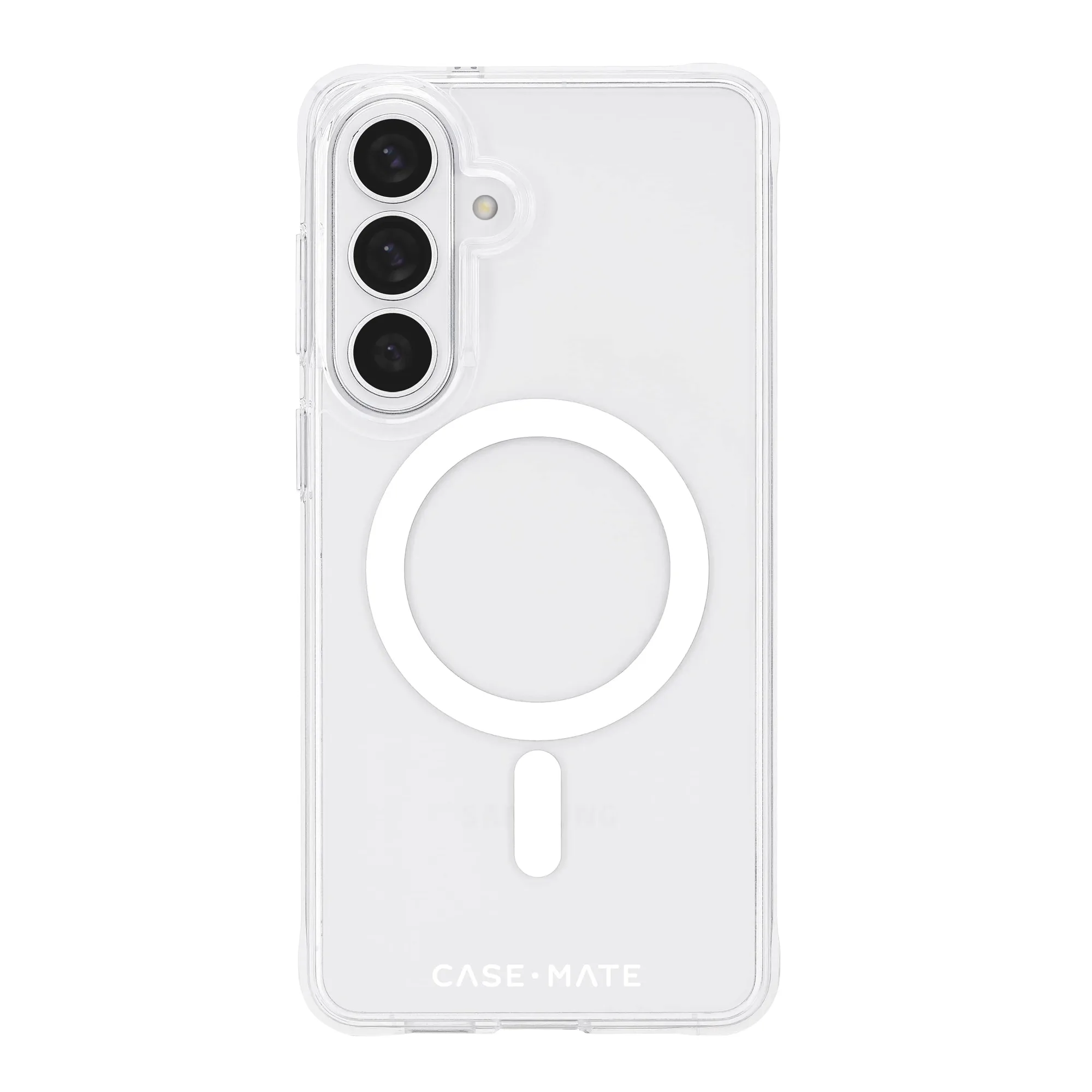
Tough Clear with Magnet - Galaxy S26+
-
Pelican Protector Black with Magnet - Galaxy S26+: The Pelican Protector case for Galaxy S26+ has an impact-resistant outer shell and a shock-absorbing rubber lining, providing 16-foot drop protection and built-in magnets. The rubber lining can trap dust and lint, so you need to clean it carefully without using solvents that could degrade the rubber or weaken the magnet seal.
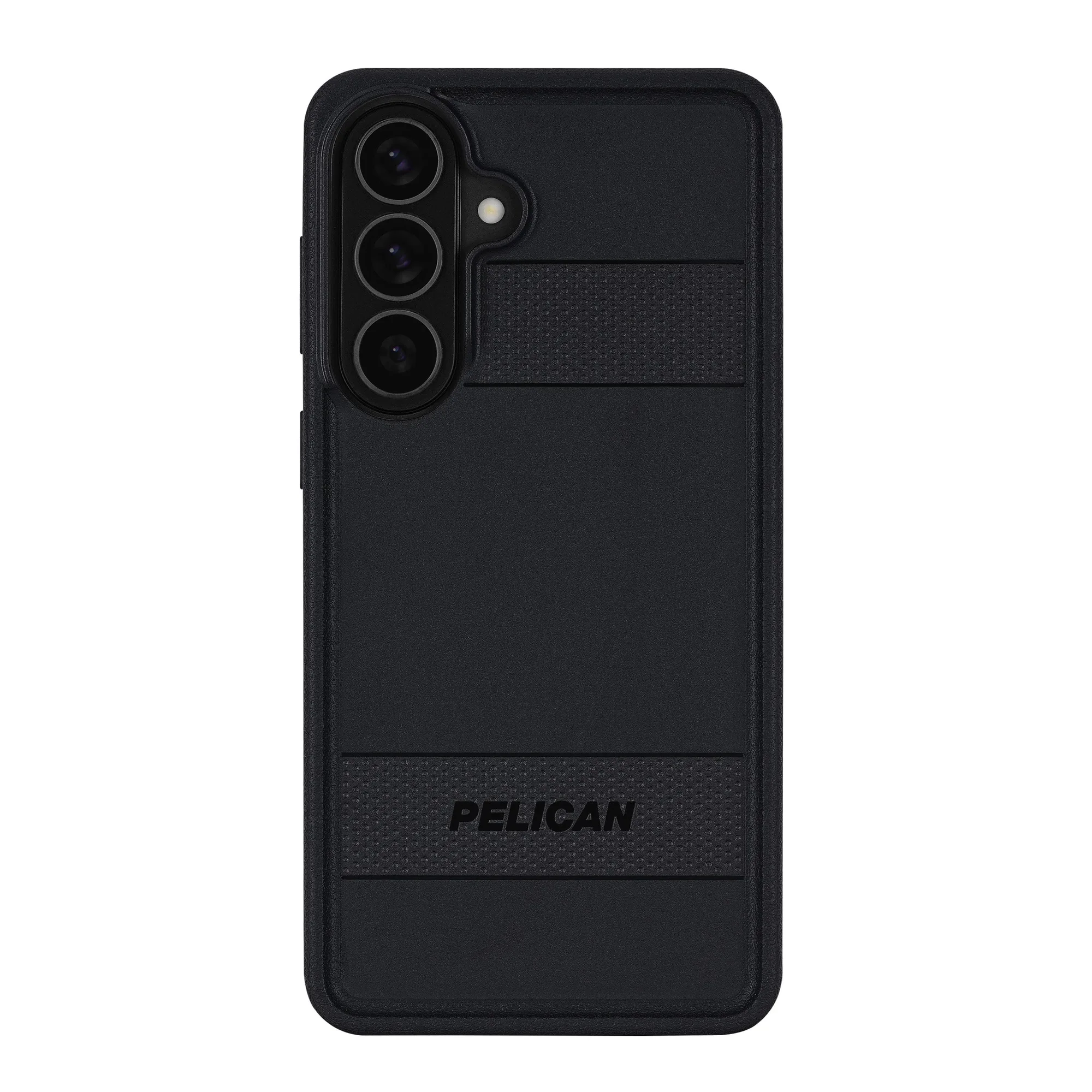
Pelican Protector Black with Magnet - Galaxy S26+