Quick answer
Clean your mouse mat with mild soap, lukewarm water, and a soft cloth—never harsh chemicals or machine washing—to preserve the vibrant print and smooth glide.
Why gentle cleaning matters
Mouse mats with detailed artwork, like the MAINGEAR Night Drive and Good Fortune designs, use dye-sublimation or printed layers that can fade or peel if scrubbed aggressively or soaked in solvents. A gentle approach keeps the colors bright and the surface consistent for tracking.
Skipping regular cleaning lets oils and dust build up, which can make the mouse feel sluggish. But over-cleaning or using the wrong method can ruin the mat faster than the dirt itself.
How to clean your mouse mat in 5 steps
- 1. Unplug and shake off debris: Remove the mouse mat from your desk. Take it outside or over a trash can and give it a firm shake. Use your hand or a soft brush to dislodge crumbs, hair, and dust from the surface and edges. Skipping this step can turn dirt into mud when you add water, making the mat harder to clean.
- 2. Spot clean with mild soap and water: Mix a few drops of mild dish soap with lukewarm water. Dip a microfiber cloth into the solution, wring it out until damp (not wet), and gently blot or wipe the stained area. Work from the outside of the stain inward to avoid spreading. Never pour water directly onto the mat—it can seep into the base layer and cause peeling or bubbling.
- 3. Rinse with a clean damp cloth: Use a fresh microfiber cloth dampened with plain water to wipe away any soap residue. Repeat with a dry section of the cloth until no suds remain. Leftover soap attracts more dust and can make the surface tacky, so thorough rinsing matters.
- 4. Air dry flat, away from heat: Lay the mouse mat on a clean, flat surface—like a towel on a counter—and let it air dry completely. Avoid direct sunlight, radiators, hair dryers, or microwaves. Heat can warp the rubber base and shrink the fabric top, ruining the mat's flatness and grip.
- 5. Reconnect and test glide: Once fully dry, place the mat back on your desk. Run your mouse across the surface to check for any remaining stickiness or uneven spots. If needed, repeat the spot-cleaning step on stubborn areas. A clean mat should feel smooth and consistent. If the mouse skips, there may be residue or moisture still trapped—let it dry longer.
Product care notes
-
Night Drive Mouse Mat: Inspired by the RUSH | Night Drive, this design channels retro-futuristic vibes with neon-lit cityscapes, electric purples, and synthwave energy. The bright neon colors and fine linework are vulnerable to rubbing or harsh cleaners, so spot cleaning with a damp cloth is safer than a full soak.

Night Drive Mouse Mat
-
Good Fortune Mouse Mat: Inspired by the RUSH | Good Fortune, this design features a bold sun rising over a stylized mountain range, crashing waves, golden coins, and falling petals. The layered details and gold accents can lose contrast if scrubbed with abrasive pads or bleach-based sprays.
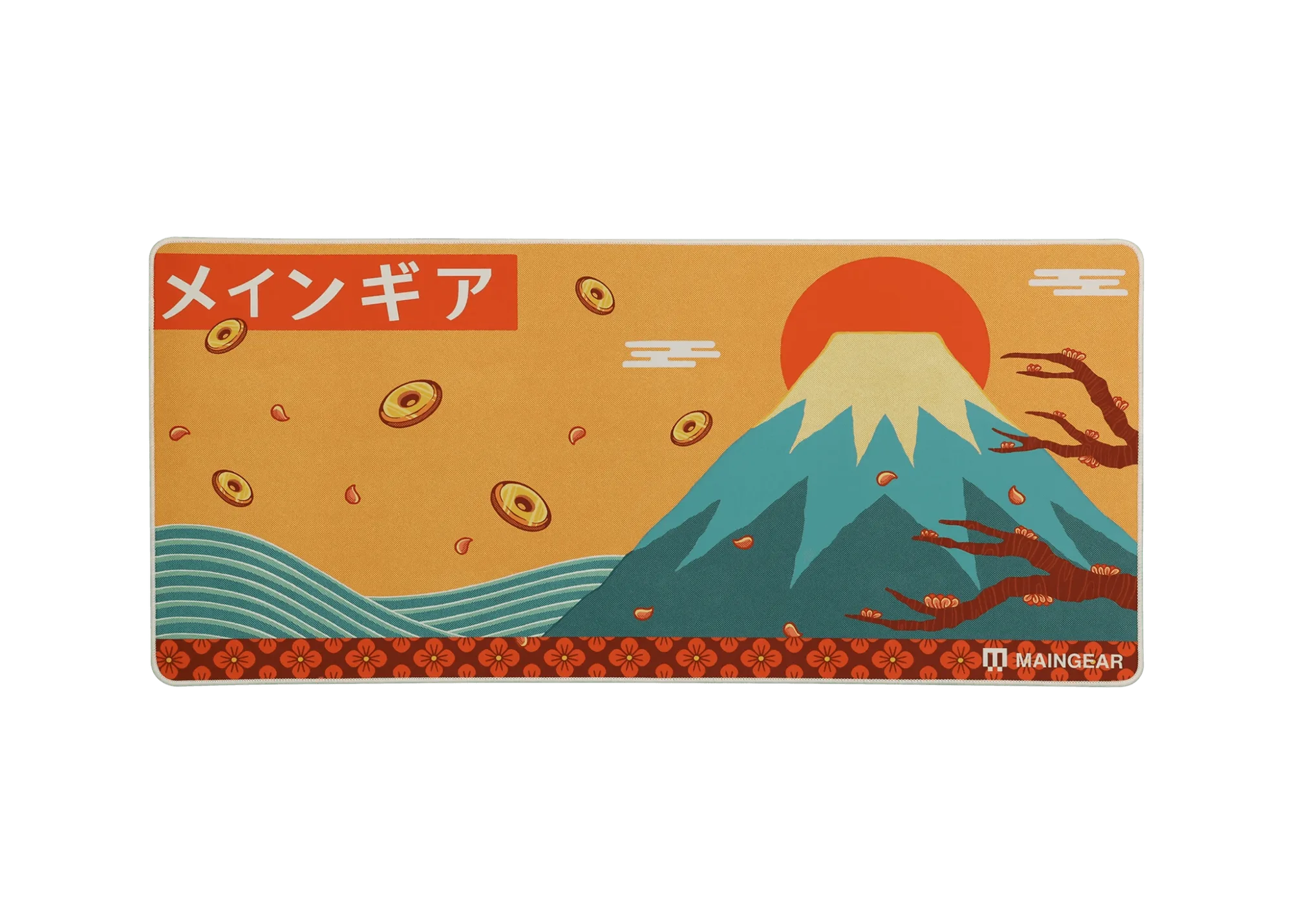
Good Fortune Mouse Mat