Quick Answer
To connect a PowerBank 6, place it near your audio components, plug the supplied Hardwired Power Cord into a dedicated wall outlet, then connect each component's power cord to the PowerBank 6 outlets. Avoid daisy-chaining power strips and ensure proper polarity for best performance.
Why Placement Matters
Where you put the PowerBank 6 affects both convenience and performance. It should be close enough to your components so that power cords are not stretched or bent sharply, but also away from signal cables to reduce the chance of interference. A dedicated wall outlet is ideal, as sharing a circuit with high-current appliances like refrigerators can introduce noise.
The PowerBank 6 is designed to work with all Transparent products, so it integrates seamlessly into a full Transparent system. Its 6-foot Hardwired Power Cord gives you flexibility in positioning, but keep the cord free from kinks and avoid running it parallel to speaker cables.
Understanding the PowerBank 6's Role
The PowerBank 6 removes line noise and modulation distortion while suppressing surges and spikes without using transformers or series filtering. This means it does not limit current or 'starve' your components, but it also means you should not expect it to fix a fundamentally inadequate AC supply. For best results, use it on a dedicated circuit if possible.
It is a surge protection and power conditioning solution for any music or film system, so it is suitable for a wide range of components, from amplifiers to source players. However, it is not a battery backup—if you need uninterrupted power during outages, look elsewhere.
Step-by-Step Connection Process
- Choose the Right Location: Place the PowerBank 6 on a stable surface near your audio components, within reach of a wall outlet. Ensure the outlet is not controlled by a wall switch (which could accidentally cut power) and is not shared with high-draw appliances. A dedicated 15-amp circuit is recommended for best performance.
- Connect the Hardwired Power Cord: Plug the supplied 6-foot Hardwired Power Cord into the wall outlet first. This cord is permanently attached to the PowerBank 6, so there is no separate cable to install. Make sure the plug fits snugly and the cord is not pinched or stretched. Avoid using a power strip or extension cord between the wall and the PowerBank 6—this can reintroduce noise and defeat the purpose.
- Power Off Your Components: Before connecting any components, turn off and unplug all audio equipment that will be powered by the PowerBank 6. This prevents inrush current and potential damage to sensitive electronics. Always connect with everything off—this is the most common mistake people make.
- Connect Components to the PowerBank 6: Plug each component's power cord into the PowerBank 6's outlets. Connect high-current devices like amplifiers first, then source components. Ensure each plug is fully seated and not loose. Do not overload the PowerBank 6—check the total current draw of your components against the unit's rating (refer to the manual).
- Power On in Order: Turn on the PowerBank 6 first, then power on components one at a time, starting with source components and ending with the amplifier. This avoids a large surge when multiple devices power on simultaneously. If you hear hum or noise, check that all connections are tight and that no signal cables run parallel to power cords.
- Test and Verify: Play a familiar track and listen for clarity and background noise. If you notice any hum or buzz, try moving the PowerBank 6 or re-routing power cords away from interconnects. Also check that the surge protection indicator (if present) is lit. A quick listening test after setup can confirm that the power conditioning is working as intended.
Product Fact
-
PowerBank 6 Power Conditioner: The PowerBank 6 is the perfect surge protection and power conditioning solution for any music or film system, and includes a flexible 6-foot Hardwired Power Cord. This means you can place the unit a short distance from your components without needing an extra extension cord, and it is designed to handle a full system's power needs.
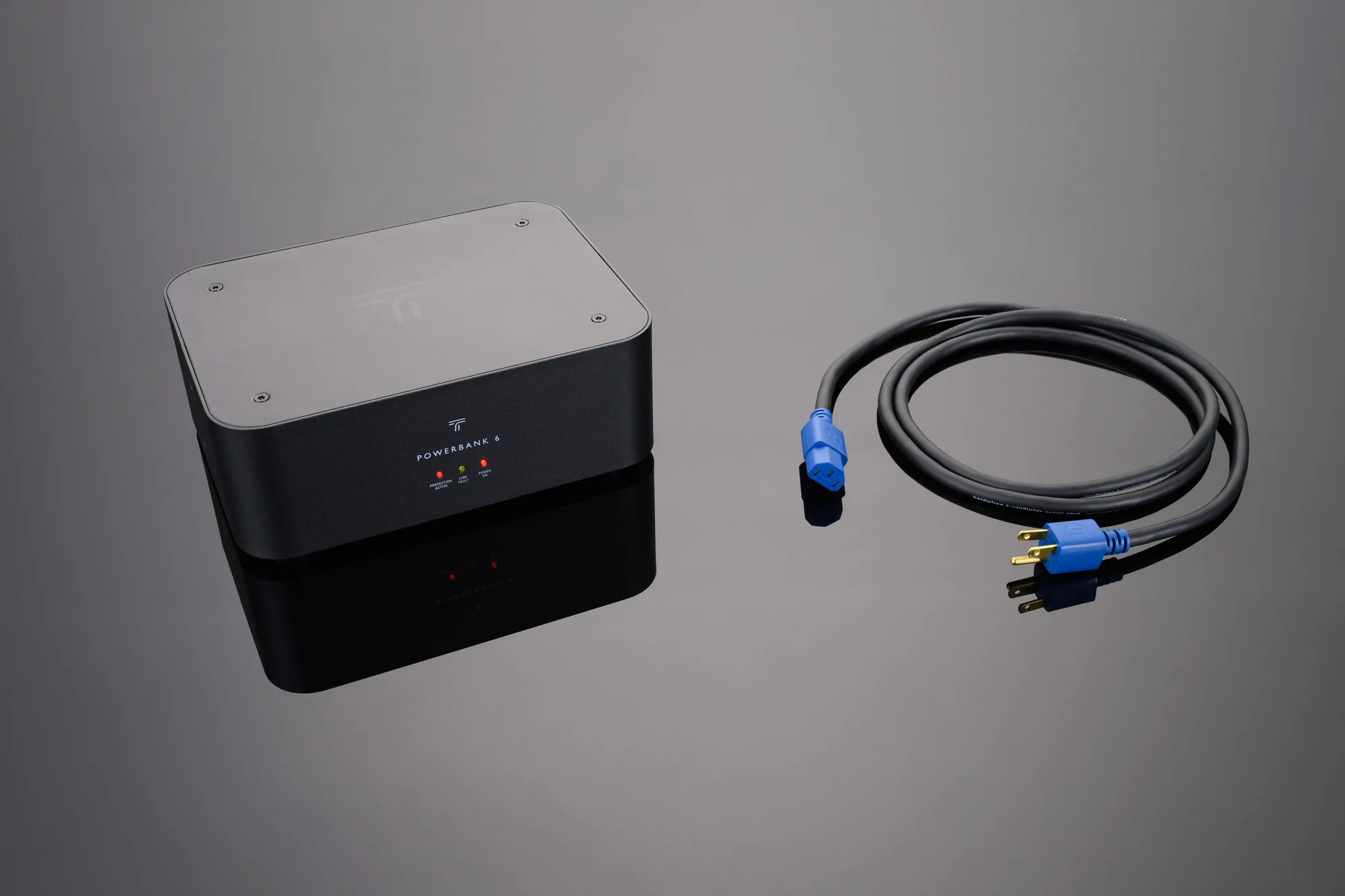
PowerBank 6 Power Conditioner