Quick Answer
The PowerBank 2 power conditioner plugs directly into a wall outlet and accepts a standard IEC power cord from your component. It filters line noise and protects against surges without restricting current for basic systems or standalone devices.
Where the PowerBank 2 Fits Best
The PowerBank 2 is designed for a basic system or a single component such as a subwoofer, TV, or video projector. It works with all Transparent power cables and other power products to deliver unrestricted, noise-free power. If you need to condition multiple high-current components, consider a larger PowerBank model instead.
What It Does and Doesn’t Do
The PowerBank 2 suppresses spikes and surges, removes line noise, and reduces modulation distortion. It does not convert voltage or provide battery backup. For systems with extreme voltage fluctuations, a separate voltage regulator may be needed.
Frequently Asked Questions
How do I connect the PowerBank 2 to my system?
Plug the PowerBank 2 directly into a dedicated wall outlet (not a power strip or extension cord). Connect your component’s power cord to the IEC inlet on the back of the PowerBank 2. Turn on the PowerBank 2 first, then your component.
Can I use the PowerBank 2 with a power strip?
No. For best performance and safety, plug the PowerBank 2 directly into a wall outlet. Using a power strip can introduce additional noise and reduce surge protection effectiveness. Always use a dedicated wall outlet for the PowerBank 2.
Will the PowerBank 2 work with my existing Transparent power cord?
Yes. The PowerBank 2 accepts standard IEC C14 inlets, so it works with all Transparent power cords and most aftermarket cords. The combination further reduces noise and improves current delivery.
Does the PowerBank 2 protect against lightning strikes?
It suppresses spikes and surges, including those from nearby lightning, but no surge protector can guarantee protection against a direct lightning strike. For critical systems, unplug during severe storms. The PowerBank 2 offers robust surge protection but is not lightning-proof.
How do I know if the PowerBank 2 is working?
The front panel has a power indicator light. When lit, the unit is active and filtering. If the light is off, check the wall outlet and the power cord connection. There is no test button; visual confirmation is sufficient.
Product Details
-
PowerBank 2 Power Conditioner: The PowerBank 2 is the perfect surge-spike protection and power conditioning solution for a basic system or any stand-alone component like a subwoofer, TV, or video projector. This means you can use it confidently with a single audio component or a simple setup without worrying about power restriction.
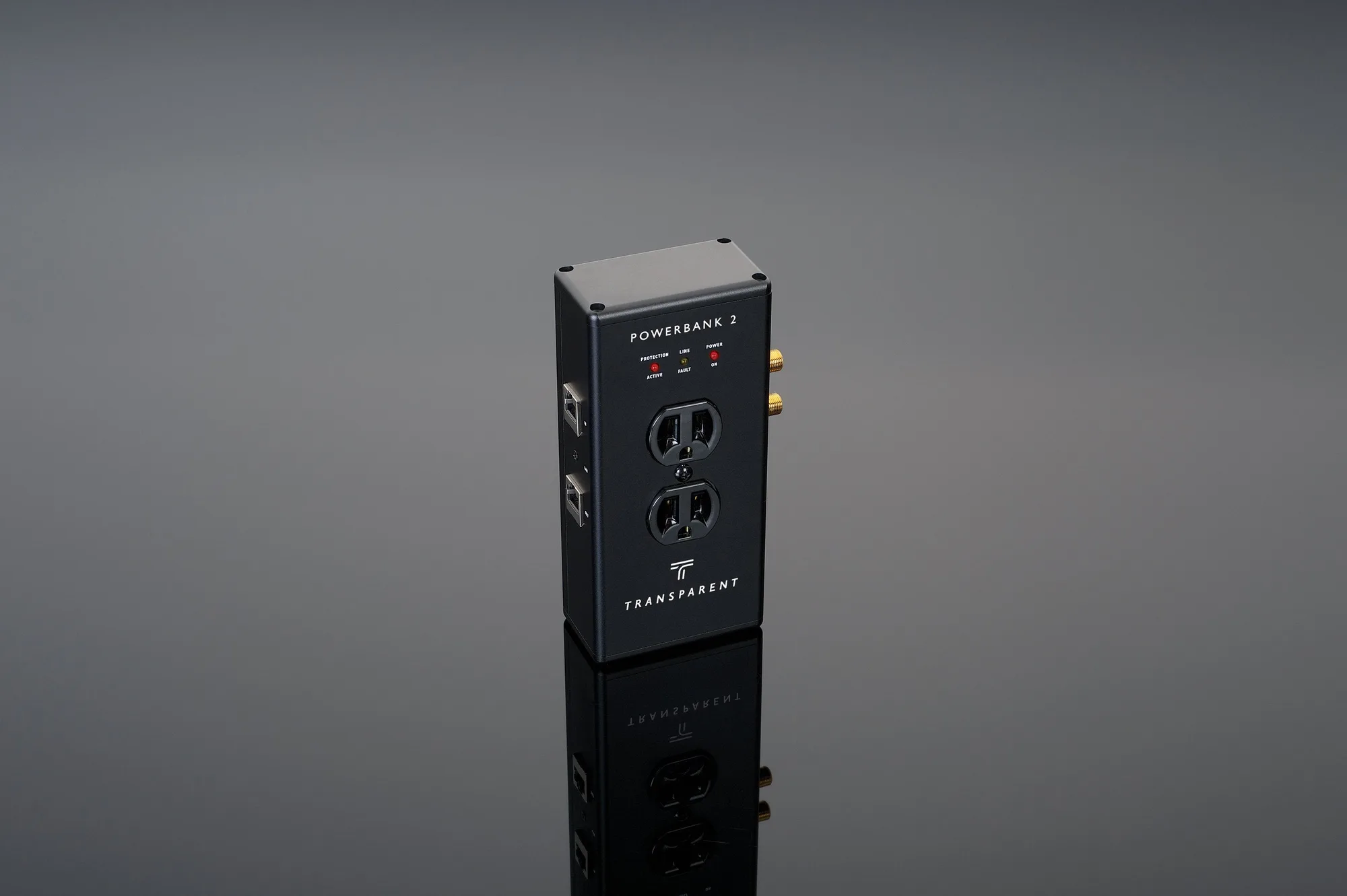
PowerBank 2 Power Conditioner