Quick Answer
Set up your TETRIS Pocket Player trays on a stable countertop near the register, arrange units so the screens face shoppers, and restock from the back to keep the display full and tidy.
Why tray placement matters
Where you place the tray affects how often shoppers notice it. A spot near the checkout or at eye level on a counter gets more attention than a low shelf or a crowded end cap. Because these are countertop displays, they work best on flat, stable surfaces where customers can browse without the tray shifting.
Keep the tray away from direct sunlight and heat sources. The Tetris Pocket Player Pro has an adjustable screen brightness, but prolonged sun exposure can make screens harder to read and may affect the device over time. A shaded counter keeps the display looking its best.
Arranging units for maximum visibility
How you place the individual players in the tray changes how inviting the display looks. If units are stacked unevenly or facing different directions, the tray can look messy and discourage browsing. A consistent arrangement helps customers see the screens and pick up a unit without disturbing others.
The Tetris Pixel Pocket Player tray holds 20 units, while the Tetris Pocket Player Pro tray holds 15. That difference affects how much space each tray needs and how quickly you need to restock. Plan your counter layout so both trays fit comfortably without crowding each other or blocking other merchandise.
Step-by-step tray setup
- Choose a stable, visible location: Place the tray on a flat countertop near the checkout or at eye level. Make sure the surface is dry and level so the tray does not wobble. Avoid spots near direct sunlight or heat vents. Check that the tray does not slide when customers brush past it.
- Arrange units screen-forward: Take each TETRIS Pocket Player out of its packaging and place it in the tray with the screen facing the aisle or the most common approach direction. Keep the units evenly spaced so the display looks full and organized. Step back and confirm the screens are visible without glare from overhead lights.
- Restock from the back: When units sell, slide the remaining ones forward and add new stock from the back. This keeps the front row full and prevents empty slots from making the display look neglected. Set a daily restock check to keep the tray looking fresh.
- Clean the tray and units regularly: Wipe the tray and the players with a soft, dry cloth to remove dust and fingerprints. Do not use liquid cleaners directly on the screens. Clean displays invite more handling and purchases. Schedule a weekly clean to maintain a professional look.
Tray display facts
-
TETRIS POCKET PLAYER PRO TRAY -15 PCS: This tray includes 15 units of the Tetris Pocket Player Pro, which features a high-resolution 2.75-inch full-color display and adjustable screen brightness. The larger screen and brightness control make this tray ideal for a spot where shoppers can see the display clearly, even in varied lighting.
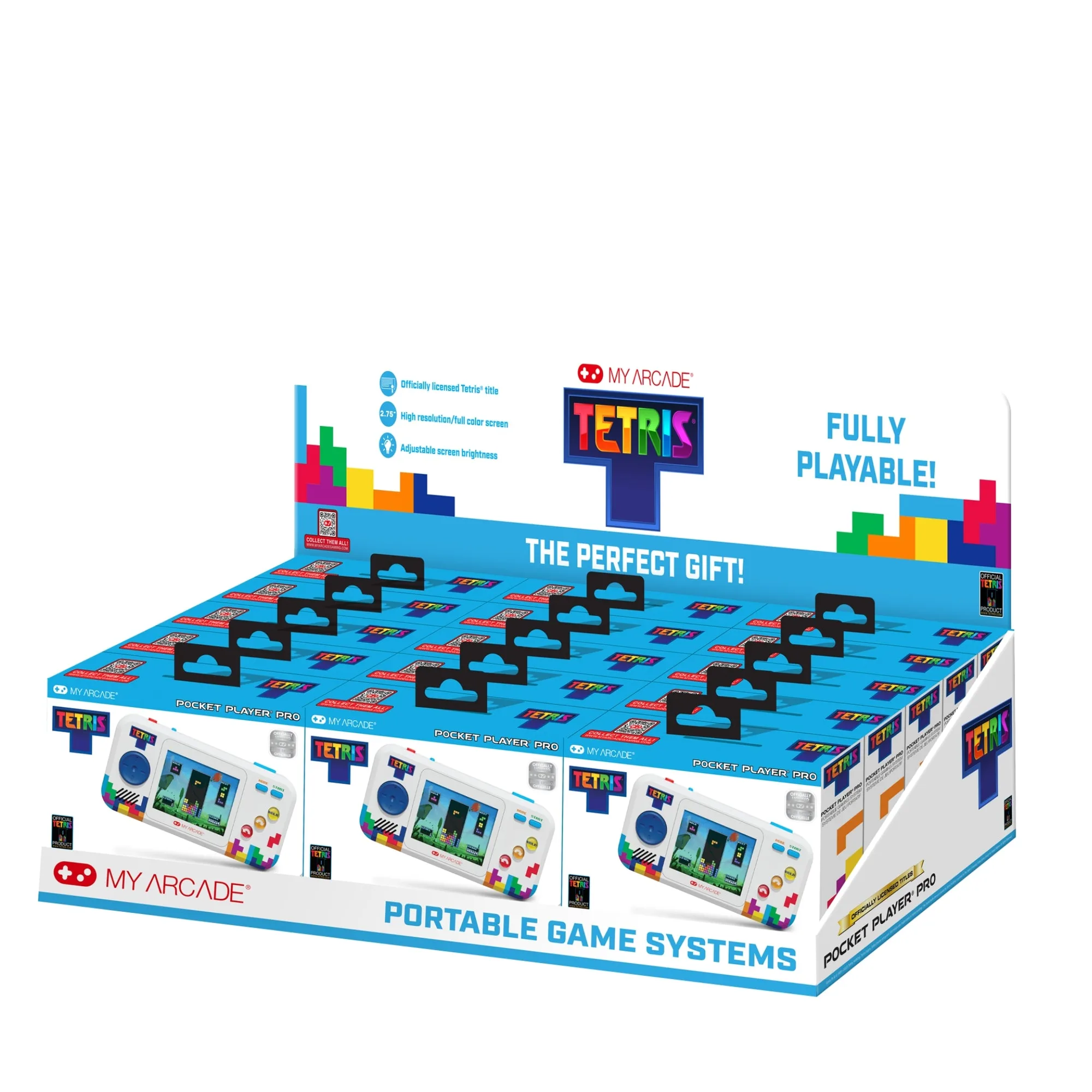
TETRIS POCKET PLAYER PRO TRAY -15 PCS
-
TETRIS PIXEL POCKET PLAYER (11 GAMES IN 1) TRAY -20 PCS: This tray includes 20 units of the Tetris Pixel Pocket, which has a full-color screen and is fully playable with bonus games included. With more units per tray, this display needs more frequent restocking and works well in high-traffic areas where impulse buys are common.
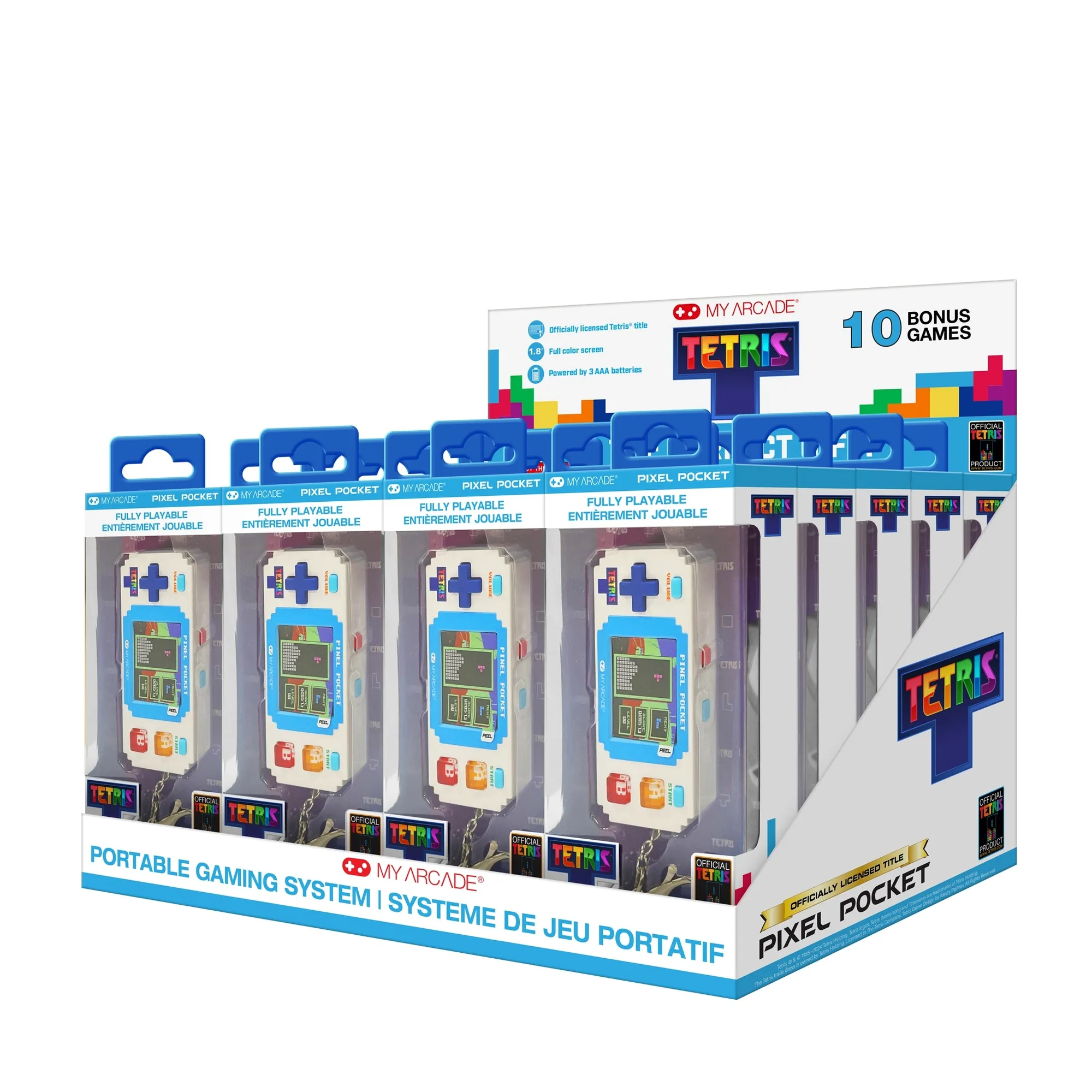
TETRIS PIXEL POCKET PLAYER (11 GAMES IN 1) TRAY -20 PCS