Quick Answer
Display your 2026 con exclusive TMNT Sketch Turtles 4-pack on a dedicated shelf with indirect LED lighting and minimal background clutter to let the black-and-white sketch art stand out.
Why the Sketch Art Needs Special Treatment
Unlike standard color figures, the TMNT Sketch Turtles rely on shading and line work for visual impact. Direct sunlight or harsh overhead spots can wash out the contrast or yellow the plastic over time. A neutral background—gray or black—keeps the focus on the stylized animation lines.
5 Steps to Set Up Your TMNT Sketch 4-Pack Display
- Choose a Dedicated Shelf Depth: Use a shelf at least 10 inches deep so the four figures can stand side by side without crowding. A cramped shelf makes the sketch lines blend together. A too-shallow shelf forces figures to overlap, hiding the unique art on each turtle.
- Install Indirect LED Strip Lighting: Mount a warm white (3000K) LED strip on the front edge of the shelf above, angled down. Avoid overhead spotlights that create harsh shadows on the sketch deco. Test the angle by placing a figure and checking that the front torso and face are evenly lit.
- Select a Neutral Background Panel: Attach a matte black or dark gray foam board to the back of the shelf. This prevents the wall color from competing with the black line art on the figures. Avoid glossy backgrounds—they reflect light and distract from the sketch details.
- Space the Figures Evenly: Leave at least 2 inches between each turtle so their signature weapons (katanas, bo staff, sais, nunchucks) don't overlap. Overlapping weapons hide the hand-painted sketch lines. Check the spacing from a seated eye level—your typical viewing height.
- Add a Low Dust Cover or Display Case: If the shelf is in a high-traffic area, place a clear acrylic box over the 4-pack or use a glass-front cabinet. Dust dulls the contrast on sketch-style figures faster than on painted ones. Skip the cover if you dust weekly—the open display shows the full 360-degree sketch work.
Product Facts
-
Teenage Mutant Ninja Turtles (2012 Cartoon) - Sketch Turtles 7" Scale Action Figure 4-Pack (2026 CON EXCLUSIVE): This 2026 con exclusive 4-pack features all four Turtles with incredible, stylized sketch-style deco inspired by the 2012 cartoon's dynamic animation. The black-and-white sketch finish means lighting and background choices directly affect how visible the line art is on your shelf.
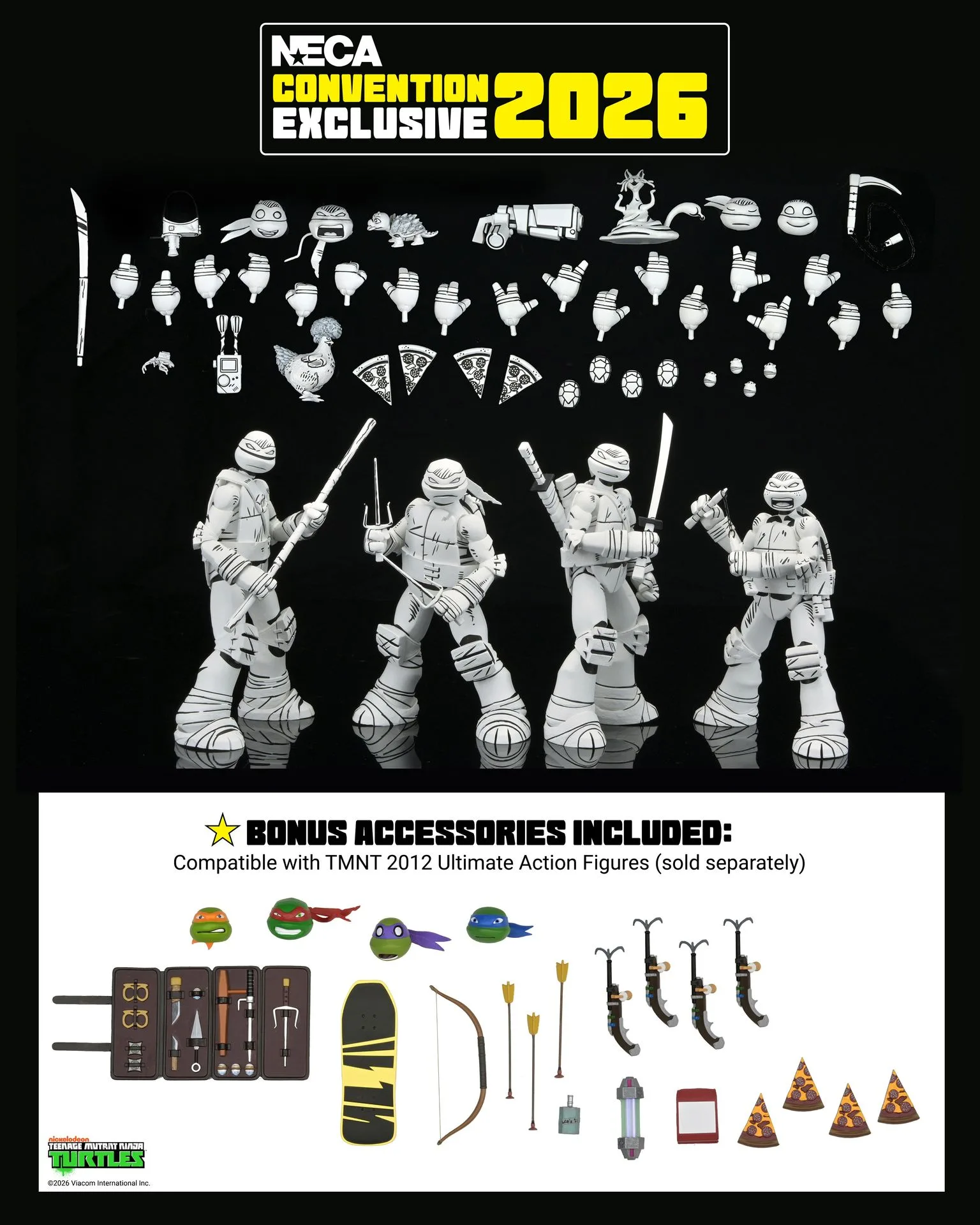
Teenage Mutant Ninja Turtles (2012 Cartoon) - Sketch Turtles 7" Scale Action Figure 4-Pack (2026 CON EXCLUSIVE)