Quick Answer
Installing a handlebar bag is straightforward: choose a bag that fits your handlebar width and riding style, attach the mounting straps securely, and adjust the bag to avoid interfering with your cables and steering.
Choosing the Right Handlebar Bag for Your Bike
Before you start mounting, consider your handlebar width and the type of riding you do. A bag that's too wide can interfere with your hands or cables, while a very large bag may affect steering on technical trails. For bikepacking, look for a bag that offers quick access to essentials like snacks or a phone without unrolling a full load.
Tools and Preparation
Most handlebar bags come with Velcro or nylon straps and require no tools. However, you may want a small hex key if your bag has a rigid mounting bracket. Clean your handlebar area to ensure straps grip well, and check that your brake and shift cables have some slack to avoid pulling when the bag is attached.
Step-by-Step Installation Guide
- 1. Position the Bag on Your Handlebar: Place the handlebar bag centrally on your handlebar, ensuring it sits level and does not block your hands or shifters. For drop bars, position it just behind the stem to avoid interfering with the drops. Check that the bag does not press against any cables. Common mistake: mounting too far to one side can cause the bag to rub against your leg or catch wind unevenly.
- 2. Attach the Main Straps: Wrap the primary straps around the handlebar, threading them through the bag's mounting loops or bracket. Pull the straps snug—tight enough to prevent the bag from sliding, but not so tight that you deform the bar or compress cables. For bags with a rigid bracket, use the included hex bolts to secure it. Checkpoint: after tightening, try to twist the bag by hand—it should not rotate more than a few degrees.
- 3. Secure the Stabilizer Straps (if included): Many handlebar bags have a secondary strap that attaches to the head tube or fork crown. This prevents the bag from bouncing or swinging during rides. Loop the strap around the head tube and pull it snug, ensuring it does not interfere with the front brake cable or fork movement. Common mistake: overtightening the stabilizer strap can restrict steering on full-suspension bikes or cause the bag to tilt upward.
- 4. Adjust for Cable Clearance and Steering: Rotate the handlebar from lock to lock to ensure the bag does not snag or pinch any cables. If it does, reposition the bag slightly or use cable ties to route cables away from the bag. Also, verify that the bag does not hit the top tube or fork when turning. Checkpoint: if you feel resistance while turning, stop and readjust—cable damage can lead to brake or shift failure.
- 5. Test Ride and Fine-Tune: Take a short ride on a flat, safe road to test the bag's stability. Listen for rattling or rubbing sounds. After a few miles, recheck the strap tension—straps can loosen as they settle. Adjust the bag's angle if it sags forward or backward, which can affect handling. Takeaway: for bikepacking, add a small strap or bungee cord as a backup if your bag's primary straps feel less secure over rough terrain.
Product Spotlight
-
Blackburn Outpost Elite Hitchhiker Handlebar Bag: The Blackburn Outpost Elite Hitchhiker Handlebar Bag works with the Outpost Elite Handlebar Roll for added capacity, and its design allows access to small items without unpacking. This bag is ideal for bikepackers who want a modular setup: mount it alone for day rides or combine it with a roll for overnight trips, keeping essentials within reach.
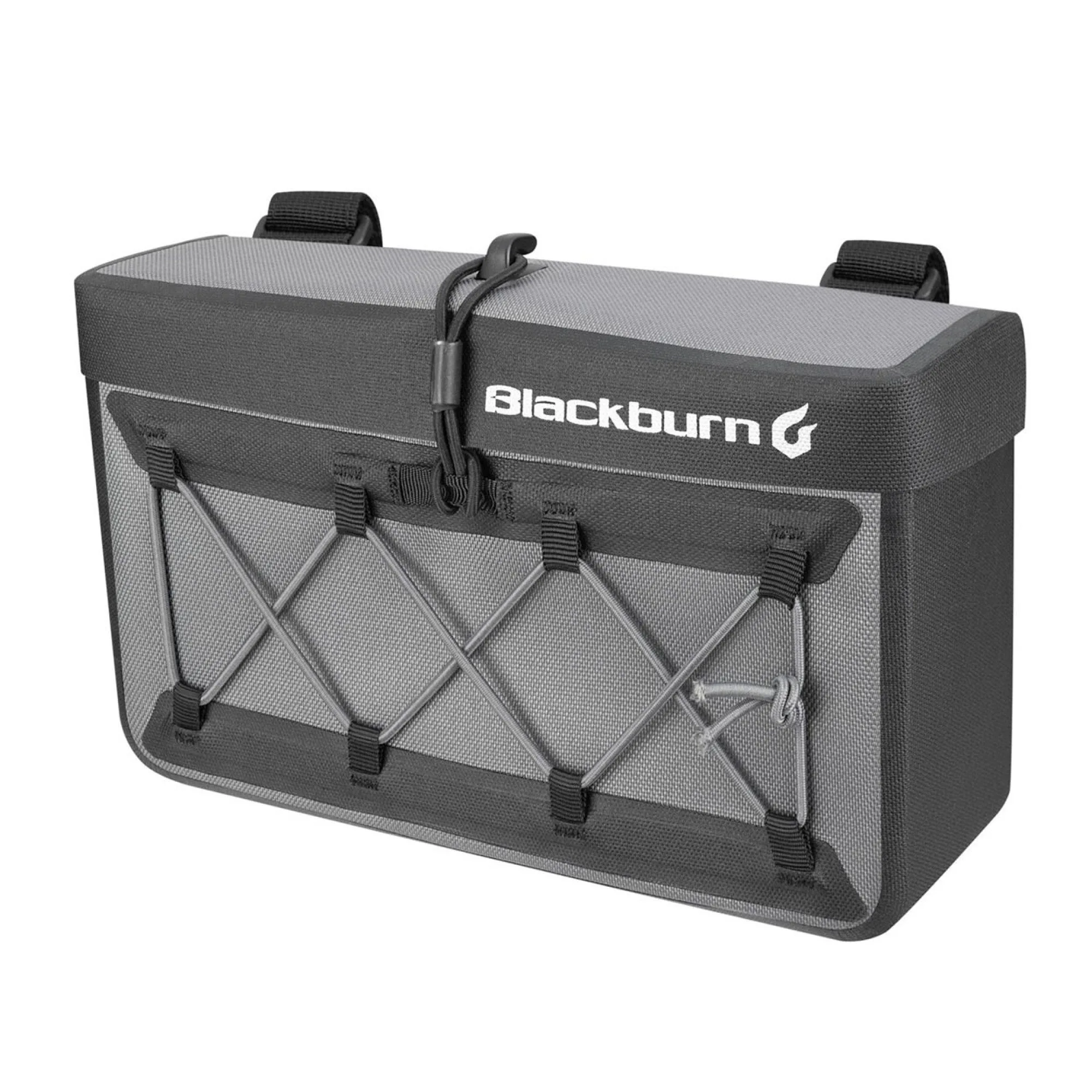
Blackburn Outpost Elite Hitchhiker Handlebar Bag


