Quick Answer
Installing a motor fan on your RC car is a straightforward way to reduce heat buildup and extend motor life. You'll need a compatible fan, basic tools, and careful wiring to avoid shorts.
Why a Motor Fan Matters
Brushless and brushed motors generate significant heat during hard runs, especially in trucks like the BEZGAR HP141 or HP163S. Overheating can demagnetize magnets or damage windings, leading to performance loss or failure.
A dedicated cooling fan pulls air across the motor can, dropping temperatures by 20-30°F (10-15°C) under load. This lets you run longer without thermal shutdowns and keeps your electronics happy.
Choosing the Right Fan
Not all fans fit all motors. Measure your motor's diameter (typically 28mm, 36mm, or 40mm) and check the mounting hole spacing. The BEZGAR Motor Fan (16397) is a direct-fit original spare for HP141, HP141S, HP161S, and HP163S models, so you can skip measuring and wiring guesswork.
If you're using a generic fan, verify voltage matches your receiver or battery (usually 5V or 7.4V). A mismatch can fry the fan or starve it of airflow.
Step-by-Step Installation Guide
- Step 1: Gather Tools and Prep the Car: Power off the RC car and remove the battery. Clean the motor can with a dry cloth to remove dirt and oil. You'll need a small Phillips screwdriver, zip ties (if using a generic fan), and the fan itself. A dirty motor surface prevents the fan from seating flat, which reduces cooling efficiency.
- Step 2: Mount the Fan on the Motor: Position the fan over the motor so the airflow blows onto the can (not away from it). For the BEZGAR Motor Fan (16397), align the screw holes with the factory mounting points on the motor plate and tighten the screws snugly. Do not overtighten—plastic brackets can crack. Overtightening is a common mistake; hand-tighten until the fan is secure, then give an extra quarter turn.
- Step 3: Connect the Wiring: Plug the fan's connector into an open channel on your receiver (typically channel 3 or AUX) or solder to the battery leads if using a direct-power fan. Observe polarity: red to positive, black to negative. If the fan runs backward, swap the wires. Always test polarity with the car powered on briefly before securing wires—reversing polarity can damage the fan.
- Step 4: Secure Loose Wires and Test: Use zip ties or adhesive clips to route the fan wires away from moving parts like the spur gear and suspension arms. Reinstall the battery, power on, and listen for the fan spinning freely. If it rattles or doesn't spin, check for debris or a loose connection. A rattling fan usually means a wire is touching the blades or the mounting screws are uneven—recheck both.
Product Facts
-
Motor Fan (16397): The BEZGAR Motor Fan (16397) is an original spare part designed for select BEZGAR models including HP141, HP141S, HP161S, and HP163S. Using a genuine fan ensures perfect mounting alignment and plug-and-play wiring, so you avoid the frustration of modifying brackets or splicing connectors.
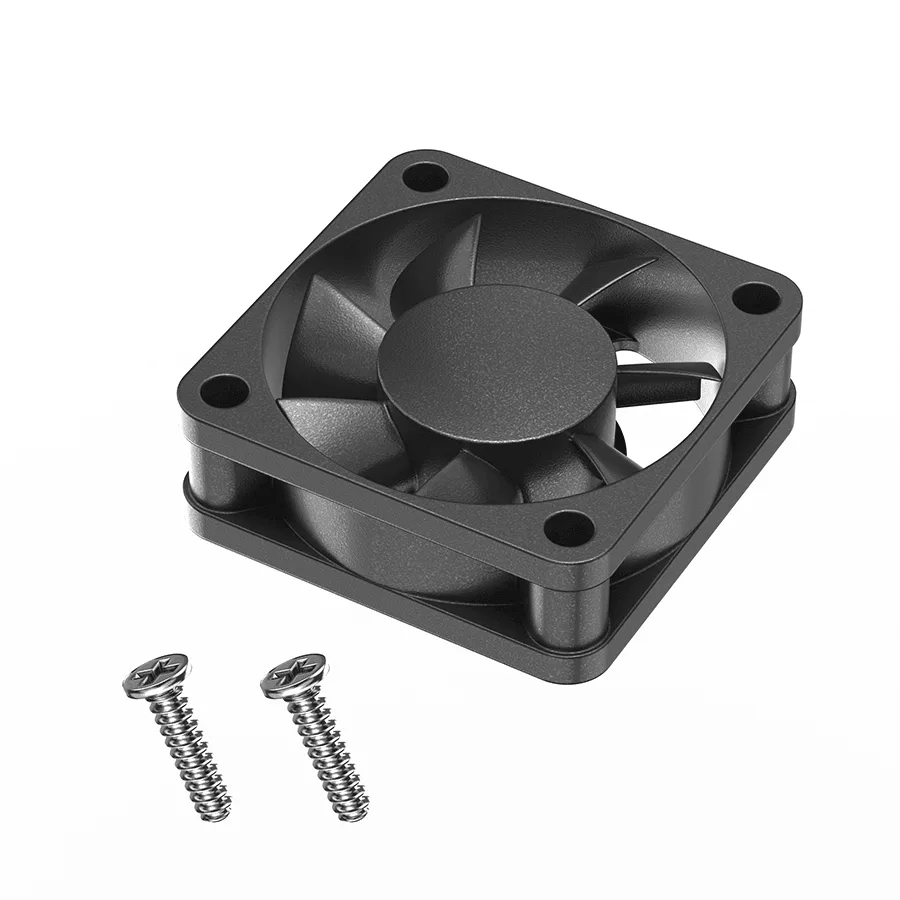
Motor Fan (16397)