Quick answer
To install a Class 4 piston on your gaming chair, remove the old cylinder using a piston removal tool, then press the new Class 4 piston into the base and mechanism until it locks. Choose the correct size—short for XL chairs like the ZEPHYR Series, regular for PRO Series Gen 2.0.
Which Class 4 piston size do you need?
Class 4 pistons come in two lengths. A short piston is used for XL chairs such as the ZEPHYR Series and older models like the PRO XL, ELITE, and SPORT. A regular piston fits the PRO Series Gen 2.0 and is also suitable for most standard office chair mechanisms. Measure your old cylinder or check your chair model before ordering to avoid buying the wrong size.
Why upgrade or replace a Class 4 piston?
A failing gas lift can cause your chair to sink slowly or not hold height at all. Replacing it restores proper support and shock absorption. The Class 4 piston is compatible with all our office chair mechanisms, making it a straightforward swap if you already have a compatible base.
Step-by-step installation guide
- 1. Remove the old piston: Flip the chair onto its side. Use a piston removal tool or a rubber mallet to tap the old cylinder out of the wheel base. If stuck, apply penetrating oil and wait 10 minutes. Common mistake: pulling the cylinder instead of tapping it sideways can damage the base ring.
- 2. Separate the mechanism from the piston: With the base removed, slide the old cylinder out of the chair mechanism. If the mechanism is tight, gently tap the top of the piston with a mallet while supporting the mechanism. Checkpoint: ensure the plastic dust cover slides off easily so you can reuse it on the new piston.
- 3. Prepare the new Class 4 piston: Remove any packaging and confirm the size (short or regular) matches your chair model. Apply a thin layer of silicone grease to the top and bottom of the new piston to ease insertion and prevent squeaks. Common mistake: installing a dry piston can cause binding or noise over time. Use silicone grease, not oil or WD-40, to avoid damaging the seal.
- 4. Install the new piston into the base: Place the wheel base on the floor. Insert the bottom of the new Class 4 piston into the center hole of the base. Press down firmly until it clicks or seats fully. If it doesn't seat, place a block of wood on top and tap with a mallet. Checkpoint: the piston should not wobble in the base.
- 5. Attach the mechanism and seat: Slide the chair mechanism onto the top of the new piston. Lower the seat onto the mechanism and sit gently to lock everything in place. Test the height adjustment lever to ensure smooth operation. Common mistake: not fully seating the mechanism can cause the chair to tilt or detach. After installation, cycle the height adjustment 3–4 times to distribute the grease and confirm the piston holds position.
Product facts
-
Class 4 Piston: The bases for all our chairs are mounted onto hydraulic pistons for added shock absorption. This class of piston is compatible with all our office chair mechanisms. It means you can use this piston as a direct replacement for most gaming or office chairs without needing to modify the base or mechanism.
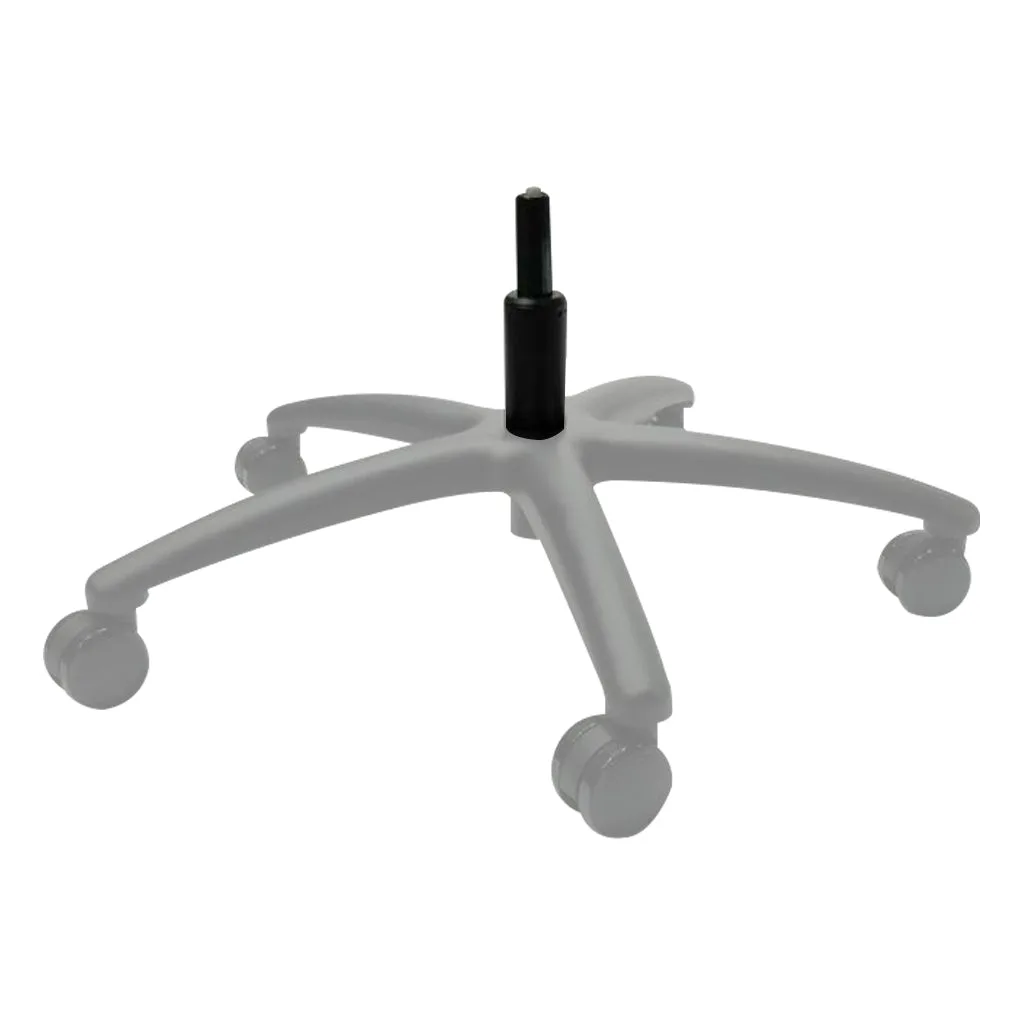
Class 4 Piston