Quick answer
Installing the eufy Smart Lock E40 takes about 30 minutes with basic tools. The key steps are checking door compatibility, mounting the exterior and interior assemblies, connecting the cable, and calibrating facial recognition through the eufy Security app.
What You Need Before You Start
The eufy Smart Lock E40 is designed to fit most standard US doors with a thickness between 1.375 and 2.0 inches and a backset of 2.375 or 2.75 inches. If your door uses a mortise lock or has a non-standard bore hole, you may need an adapter plate or professional help. The package includes the lock assembly, mounting plate, screws, and a strike plate. You'll need a Phillips-head screwdriver and a measuring tape. No wiring or drilling is required for most standard doors.
Common Installation Challenges
The most frequent issue is misalignment of the latch or deadbolt with the strike plate, which can cause the lock to bind or fail to latch properly. Another common mistake is overtightening the mounting screws, which can warp the interior assembly. Also, ensure the cable connecting the exterior keypad to the interior unit is not pinched when you press the two halves together.
Step-by-Step Installation Guide
- 1. Prepare Your Door: Remove your existing deadbolt or lockset. Check that the door's bore hole is 2.125 inches in diameter and the backset is 2.375 or 2.75 inches. If your door has a 1-inch bore, you'll need the included adapter plate. Insert the latch into the edge bore and mark the screw holes. Common mistake: Skipping the backset check. A wrong backset means the latch won't align with the strike plate.
- 2. Install the Mounting Plate and Exterior Assembly: Place the mounting plate over the interior side of the door, aligning it with the screw holes from the latch. Secure it with the provided screws. Then, from the exterior side, feed the cable through the center hole and attach the exterior keypad assembly to the mounting plate. Do not tighten fully yet. Make sure the rubber gasket on the exterior keypad sits flush against the door to prevent moisture ingress.
- 3. Connect the Cable and Mount the Interior Unit: Connect the cable from the exterior keypad to the interior unit's port. Gently tuck any excess cable into the door cavity. Press the interior unit onto the mounting plate and secure it with the screws provided. Tighten evenly, but do not overtighten. Pinched cables are the #1 cause of connection issues. Double-check that the cable is not caught between the unit and the door.
- 4. Install the Strike Plate and Test Alignment: Attach the included strike plate to the door frame, aligning it with the latch. Close the door and test that the latch slides into the strike plate smoothly. If it binds, loosen the strike plate screws slightly and adjust its position. If the latch doesn't align, your door may need a small adjustment to the strike plate position. Use a file to widen the hole if needed.
- 5. Power On and Calibrate in the App: Insert the batteries into the interior unit (4 AA batteries included). Download the eufy Security app, create an account, and follow the on-screen prompts to add the Smart Lock E40. The app will guide you through a calibration process where the lock cycles to learn its range of motion. During calibration, keep the door open. If the lock fails calibration, check that the latch moves freely without obstruction.
- 6. Enroll Your Face and Test: In the app, go to the lock settings and select 'Add Face'. Stand 1-2 feet from the exterior keypad and look directly at the camera. Follow the prompts to scan your face from multiple angles. After enrollment, lock the door and walk up to test the facial recognition unlock. For best results, enroll in good lighting and avoid sunglasses or hats that cover your face. You can add up to 50 faces for family members.
Product Spotlight
-
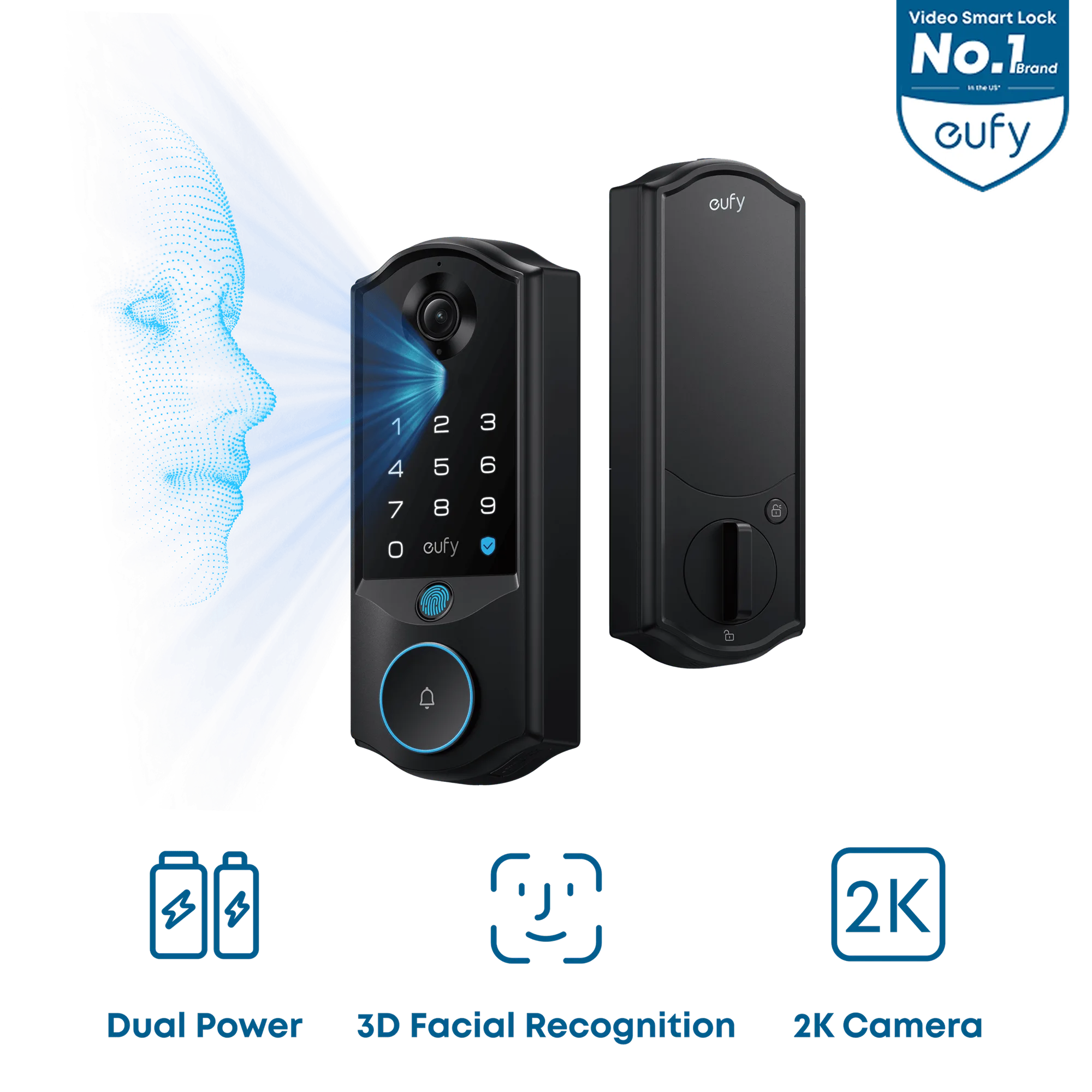
eufy Smart Lock E40: eufy Smart Lock E40 uses facial recognition to provide a faster, more effortless way to unlock your front door. After installation, you can skip fumbling for keys or codes—just approach your door and it unlocks automatically once you've enrolled your face in the app.
eufy Smart Lock E40