Quick answer
Install the C850 Gold Core with the fan facing down in a bottom-mounted case, connect only the modular cables you need, and seat the 12V-2x6 connector fully until it clicks. The dual-color plug helps you confirm a complete seat, and the single 12V-2x6 cable is enough for most modern GPUs. Power on with the switch off, then flip it on and check that the board posts before closing the case.
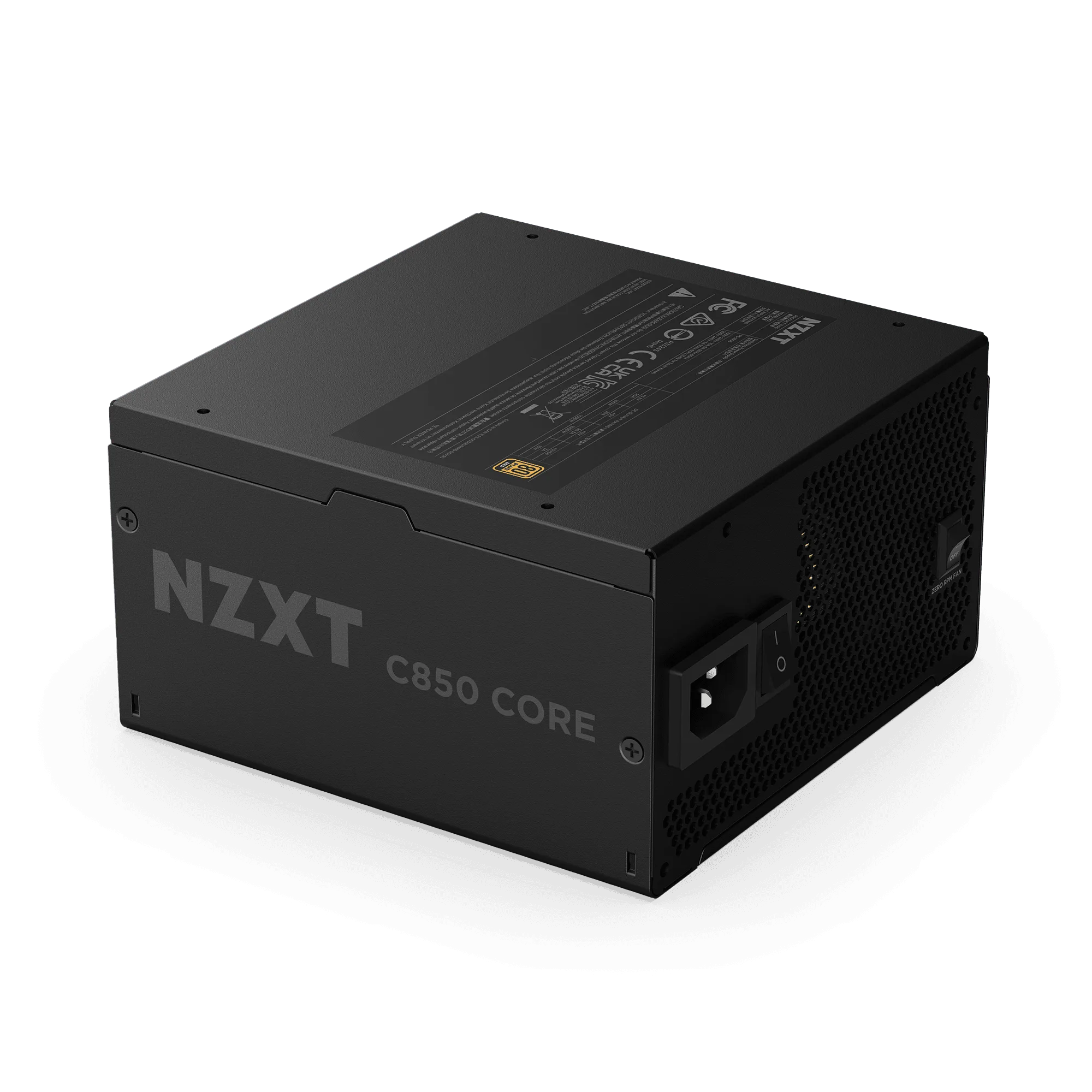
C850 Gold Core
The C850 Gold Core is an ATX 3.1, fully modular PSU with 80 PLUS Gold and Cybenetics Platinum efficiency, so it runs cool and quiet while giving you clean cable management. This guide walks through a safe install in a standard mid-tower, using the H5 Flow RGB and H7 Flow RGB as real examples for routing and clearance.
You do not need special tools beyond a Phillips screwdriver and a little patience. The order matters more than speed: mount the unit, run cables before you tidy them, and test the system before you close the side panel. If you follow the steps below, the first boot should be uneventful.
Before you start: tools and safety
Unplug the PC and hold the power button for a few seconds to drain residual charge. Work on a hard, non-carpeted surface and keep screws in a cup or magnetic tray so they do not roll into the case. A Phillips screwdriver and a zip-tie or two are enough for this job.
Ground yourself by touching the bare metal of the case before handling the PSU or any components. The C850 Gold Core is fully modular, so you only attach the cables you need, which keeps the interior cleaner and reduces the chance of a loose connector rattling against a fan.
- Checkpoint: confirm the PSU switch is off and the wall cable is unplugged before you touch anything.
Mount the PSU in the case
In most mid-towers, including the H5 Flow RGB and H7 Flow RGB, the PSU sits at the bottom with the fan facing down through a filtered intake. Slide the unit in from the side or rear opening, align the four screw holes, and hand-tighten the screws before snugging them down. Do not force the unit; if it binds, check that no cable or grommet is trapped underneath.
The H7 Flow RGB uses a vertical PSU layout, which changes where the unit sits but not the basic rule: keep the fan intake clear. If your case has a perforated shroud, the PSU can breathe from the side and bottom, so leave that area unobstructed.
- Common mistake: mounting the PSU fan-up against a solid panel, which starves it of air and raises noise.
Connect the modular cables you actually need
Start with the 24-pin motherboard cable, then the 8-pin (or 4+4) CPU cable at the top of the board. Route these through the nearest grommet before plugging them in, because bending a connected 24-pin is harder on the connector. The C850 Gold Core is fully modular, so unused cables stay in the box and out of your airflow path.
For storage and accessories, use the SATA or peripheral cables only if you need them. Plug each cable into the PSU until it seats with a light click, and never reuse a modular cable from another brand; pinouts differ and can damage components.
- Checkpoint: tug each PSU-side connector gently to confirm it is fully seated before moving on.
Connect the 12V-2x6 GPU cable
The C850 Gold Core includes a 12V-2x6 PCIe 5.1 connector with a dual-color plug for safe, stable power delivery. Insert it into the GPU until the latch clicks and no colored band is visible; if you can see the color, it is not fully seated. This single cable is designed for modern GPUs, so you do not need to daisy-chain adapters.
Route the GPU cable with a gentle bend and avoid sharp folds right at the connector. If your GPU uses traditional 8-pin PCIe plugs instead, use the supplied PCIe cables and leave the 12V-2x6 unused. Do not mix the two on the same GPU unless the card explicitly supports it.
- Common mistake: leaving a visible color strip on the 12V-2x6 plug, which means it is not fully inserted.
Tidy cables and test before closing
Once everything is connected, gather cables behind the motherboard tray and secure them with zip ties. Keep the GPU cable clear of fan blades and do not pull any connector tight enough to stress the socket. A little slack at each end prevents vibration from working plugs loose over time.
Before you reinstall the side panel, plug in the wall cable, flip the PSU switch on, and press the case power button. You should see fans spin and the board post. If nothing happens, turn the switch off, reseat the 24-pin and CPU cables, and check the front-panel header.
- Checkpoint: if the system does not post, power down and reseat the 24-pin and CPU cables before assuming a fault.
Install steps at a glance
- Power down and ground yourself: Unplug the wall cable, hold the power button to drain charge, and touch bare case metal before handling the PSU. Checkpoint: PSU switch off and cable unplugged.
- Mount the PSU fan-down: Slide the C850 Gold Core into the bottom of the case, align four screws, and hand-tighten before snugging. Common mistake: fan-up against a solid panel starves the unit of air.
- Run only the cables you need: Connect the 24-pin, CPU 8-pin, and any SATA or peripheral cables, routing through grommets before plugging in. Never reuse modular cables from another brand; pinouts differ.
- Seat the 12V-2x6 GPU cable: Insert the dual-color plug until it clicks and no color band shows, then route with a gentle bend. Checkpoint: visible color means it is not fully seated.
- Tidy and test before closing: Zip-tie cables behind the tray, keep them clear of fans, then power on and confirm the board posts. If it does not post, power down and reseat the 24-pin and CPU cables.
C850 Gold Core facts that affect your install
- C850 Gold Core: ATX 3.1, fully modular PSU with 80 PLUS Gold and Cybenetics Platinum efficiency, A+/A++ noise rating, and a 12V-2x6 PCIe 5.1 connector. Fully modular means you only run the cables you need, and the 12V-2x6 connector supports modern GPUs without adapters.
- H7 Flow RGB: Vertical PSU layout allows space for 3 x 120 mm bottom fans and supports three bottom-mounted 120 mm fans for direct GPU cooling. If you install the C850 Gold Core in this case, keep the bottom fan area clear so the PSU and GPU both get airflow.
- H5 Flow RGB: Perforated PSU shroud on the side and bottom enables air intake from two 120 mm fans (not included). The shroud vents give the C850 Gold Core a clear intake path, so mount the PSU fan-down and avoid blocking the perforations.
The C850 Gold Core is built to make a modern install straightforward: modular cables, a clear 12V-2x6 connector, and efficient operation that keeps noise down. Mount it fan-down, run only what you need, and test before you close the case. If you are still deciding on a case or GPU clearance, check the H5 Flow RGB and H7 Flow RGB specs against your parts list.