Quick answer
Installing a Phyn Smart Water Sensor takes about five minutes per sensor. Place it on the floor near potential leak sources like sinks, water heaters, and basements, then pair it with the free Phyn app. No special tools or plumbing knowledge are needed.
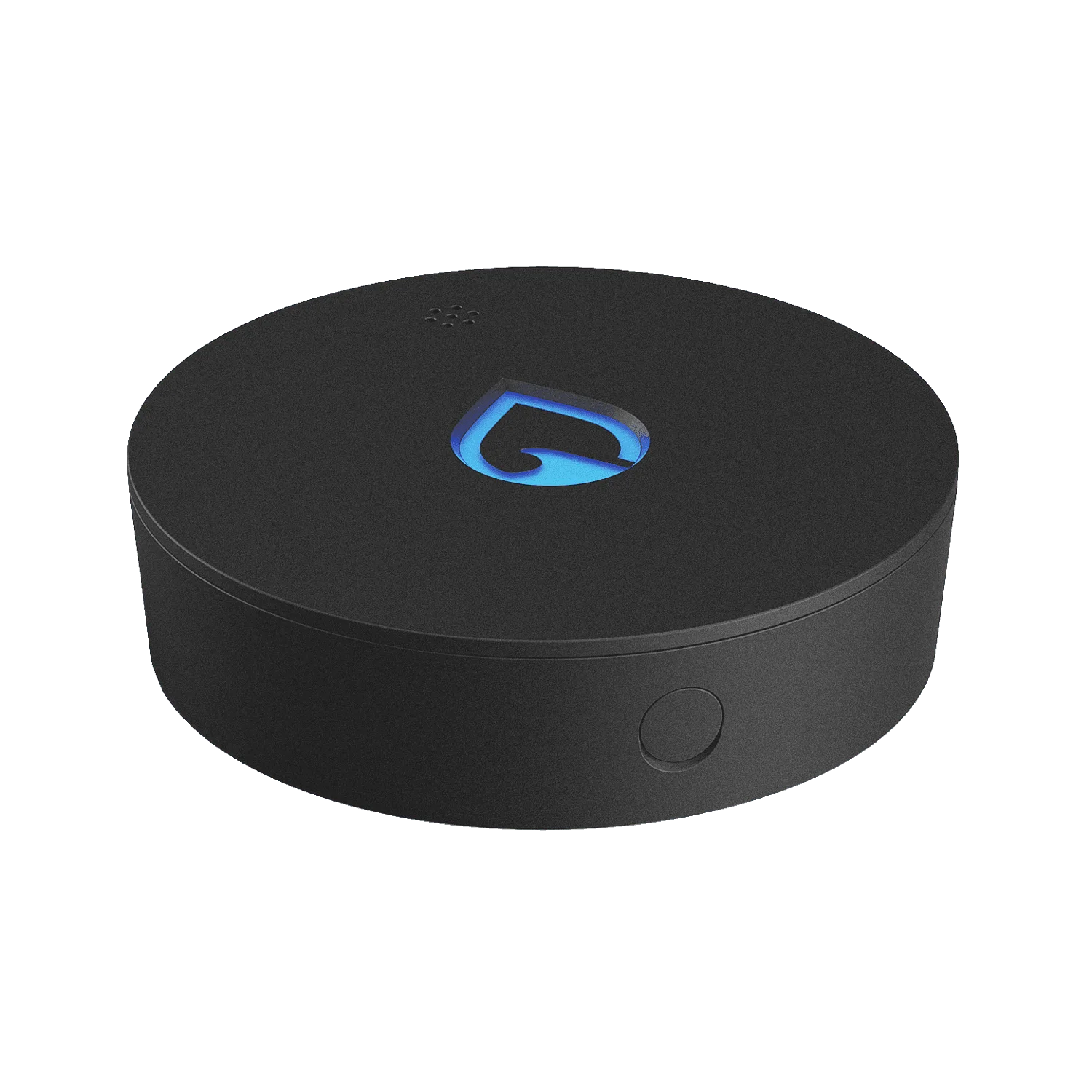
Phyn Smart Water Sensor
A Phyn Smart Water Sensor gives you early warning of leaks and floods without requiring any plumbing work. Whether you are protecting a basement, a kitchen sink, or a water heater, the sensor sits quietly and alerts you the moment it touches water. This guide walks through the installation process room by room, with practical placement advice and common mistakes to avoid.
The sensor works with the free Phyn app, sending SMS and app notifications when water is detected. You can also set custom thresholds for high and low humidity and temperature. Here is how to get it set up correctly the first time.
What You Need Before You Start
Before you begin, make sure you have the Phyn Smart Water Sensor, the free Phyn app installed on your smartphone, and a stable Wi-Fi connection. The sensor is battery-powered and does not require any wiring, so the physical setup is minimal.
Check that your phone is within range of the sensor during setup. If you are placing the sensor in a remote area like a basement or garage, you may need to move your phone closer temporarily. Once paired, the sensor will stay connected as long as it is within range of your home network.
- Keep the sensor out of direct water flow; it is designed to detect contact with water, not to be submerged.
- Place the sensor on a flat surface for best contact with any water that may accumulate.
Choosing the Right Locations for Each Room
The key to effective leak detection is placing sensors where water is most likely to pool. In the kitchen, place one under the sink near the drain and supply lines. In the bathroom, position it near the toilet base, under the vanity, or next to the bathtub. For basements, place sensors along the floor near the water heater, sump pump, or any pipes that run along the wall.
Avoid placing sensors in areas with constant high humidity, like inside a shower enclosure, unless you want alerts for humidity changes. The sensor can monitor humidity and temperature, but its primary job is water detection. Keep it on the floor or a low shelf where water would naturally collect.
- Think about where a leak would flow, not just where the pipe is. Water follows gravity, so place sensors at low points.
- If you have a multi-story home, place sensors on each level near the main water entry points.
Pairing the Sensor with the Phyn App
Open the Phyn app and follow the on-screen instructions to add a new sensor. The app will guide you through connecting to your Wi-Fi network and naming the sensor so you know which room it is in. This step is critical because you want to know exactly which sensor triggered an alert.
Once the sensor is paired, test it by lightly touching the metal contacts with a wet finger or a damp cloth. The sensor should trigger an alert within seconds, confirming that it is working and that your notification settings are active. If you do not receive an alert, check your phone’s notification permissions for the app.
- Name each sensor by room (e.g., 'Kitchen Sink', 'Basement Water Heater') to avoid confusion later.
- Test every sensor after setup and again after any Wi-Fi or app changes.
Common Mistakes and How to Avoid Them
One common mistake is placing the sensor too close to a sink or appliance where routine splashes can trigger false alarms. Keep it at least a few inches away from the direct water source. Another mistake is ignoring humidity and temperature alerts; these can indicate a slow leak or condensation that may lead to mold.
Also, do not forget to check the sensor’s battery life periodically. The app will notify you when the battery is low, but it is a good habit to inspect the sensor every few months. If you have multiple sensors, consider replacing batteries at the same time to simplify maintenance.
- False alarms are less likely with proper placement, so take time to position sensors thoughtfully.
- Use the humidity alerts to catch problems early, not just water contact alerts.
Step-by-Step Installation Checklist
- Unbox and inspect: Remove the sensor from the package and check for any visible damage. Ensure the battery tab is removed (if present) so the sensor powers on. Checkpoint: The LED should blink or light up to indicate power.
- Open the Phyn app and create an account: Download the free Phyn app, create your account, and ensure your phone is connected to the same Wi-Fi network you plan to use for the sensor. Checkpoint: Your phone should show a strong Wi-Fi signal before proceeding.
- Add a new sensor in the app: Tap the add device button and follow the prompts to pair the sensor. The app will search for nearby Phyn devices and connect automatically. Checkpoint: The sensor should appear in your device list with a unique name.
- Choose a location and place the sensor: Place the sensor on a flat surface on the floor or a low shelf near the potential leak source. Avoid direct contact with water sources to prevent false alarms. Checkpoint: The sensor should be level and not blocked by objects.
- Name the sensor by room: In the app, rename the sensor to match its location, such as 'Basement' or 'Under Sink'. This makes alerts easier to understand. Checkpoint: Use consistent naming if you have multiple sensors.
- Test the sensor: Lightly touch the metal contacts with a wet finger or a damp cloth. The sensor should trigger an alert within seconds, and you should receive a notification on your phone. Checkpoint: If no alert, check notification settings and try again.
- Set custom humidity and temperature thresholds (optional): In the app, adjust the alert thresholds for high and low humidity and temperature to match the environment of the room. This helps catch slow leaks or condensation issues. Checkpoint: Set thresholds that are appropriate for your climate to avoid nuisance alerts.
Phyn Smart Water Sensor Options
- Phyn Smart Water Sensor: The Phyn Smart Water Sensor alerts you audibly, visually and with SMS and app notifications the moment it comes in contact with water. You can also set custom alert thresholds for potentially damaging high and low humidity and temperature in the free Phyn app. This single sensor is ideal for protecting one high-risk area, such as under a kitchen sink or near a water heater.
- Phyn Smart Water Sensor 3-Pack - WS: The Phyn Smart Water Sensor 3-Pack includes three sensors that alert you audibly, visually and with SMS and app notifications the moment they come in contact with water. You can also set custom alert thresholds for potentially damaging high and low humidity and temperature in the free Phyn app. A 3-pack covers multiple rooms at once, giving you whole-home protection without needing to buy sensors individually.
Installing a Phyn Smart Water Sensor is a straightforward DIY task that takes minutes and provides peace of mind. By placing sensors in the right spots and testing them after setup, you can catch leaks early and minimize water damage. For broader coverage, consider a multi-pack to protect multiple rooms at once.