Quick Answer
Installing the RER15538 decal set on your Redcat 59" Impala is a straightforward process that requires patience and a clean workspace. Follow the steps below to apply trim, interior, and chrome body trim decals without bubbles or misalignment.
Why Proper Decal Application Matters
Decals do more than just add color—they protect the underlying paint and give your RC car a finished, realistic look. Rushing the installation can lead to air bubbles, peeling edges, or crooked placement that detracts from the overall appearance.
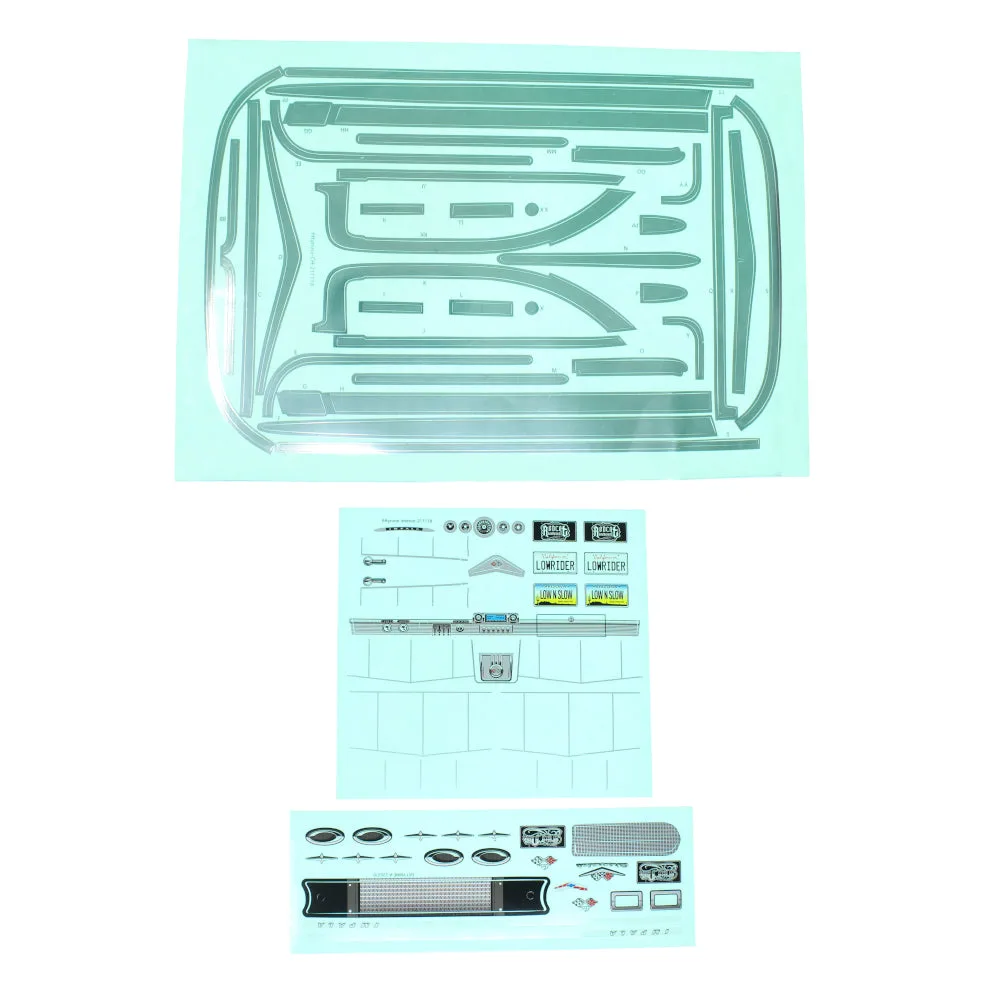
The RER15538 set includes separate sheets for trim, interior, and chrome body trim decals. Each type requires a slightly different handling approach, especially the chrome trim which is more delicate and prone to creasing.
Common Mistakes to Avoid
Applying decals to a dusty or oily surface is the most frequent error. Even a small particle can create a visible bump. Another common issue is using too much water or soap during wet application, which can cause the decal to slide out of position or lose adhesion.
For the chrome body trim decals, avoid stretching them as you apply. Stretching can cause the metallic finish to crack or appear uneven once dry.
Installation Steps
- Prepare the Surface: Clean the body panel thoroughly with mild soap and water, then wipe with isopropyl alcohol to remove any oils or residue. Let it dry completely. A clean surface prevents bubbles and ensures the decal adheres evenly.
- Cut Out the Decal: Use a sharp hobby knife or scissors to cut around each decal, leaving a small border of backing paper. This makes handling easier and reduces the risk of tearing. Cutting too close to the decal edge can cause it to curl or lift when you peel it.
- Apply the Decal: Peel the decal from its backing and position it on the body. For large decals, use the wet application method: lightly mist the surface with water and a drop of dish soap, then slide the decal into place. Squeegee out air and water from the center outward. If using the dry method, start from one edge and press down gradually to avoid trapping air.
- Smooth and Set: Use a soft cloth or squeegee to press the decal firmly, especially around curves and edges. For chrome trim decals, use gentle pressure to avoid cracking the metallic layer. Let the decal dry for at least 24 hours before handling or driving the vehicle.
- Seal the Edges (Optional): For added durability, apply a thin layer of clear coat or decal setting solution over the edges. This helps prevent peeling in high-wear areas. Test the clear coat on a scrap decal first to ensure it doesn't react with the chrome finish.
Product Details
-
RER15538: The RER15538 decal set is designed for the 59" Impala and includes trim and interior decals plus chrome body trim decals. This means you have all the decals needed to complete the body in one package, but the chrome trim requires extra care during installation to avoid creasing.
RER15538