Quick answer
To install the Strider Pro Handlebar, remove the old handlebar, slide the new one into the stem, tighten the quick-release clamp, and adjust to the correct height for your child.
Why replace the handlebar?
Over time, handlebars can get bent from jumps or rough use. The Strider Pro Handlebar is a direct replacement for the Strider 12 Pro Balance Bike, designed to restore safe steering and allow easy height adjustments.
Step-by-step installation
- 1. Remove the old handlebar: Loosen the existing clamp or bolt on the stem, then pull the old handlebar out. If it's stuck, gently wiggle it free. Check for any debris inside the stem before inserting the new handlebar.
- 2. Insert the Strider Pro Handlebar: Slide the new handlebar into the stem until it reaches the desired height. Make sure it is centered and aligned with the front wheel. Do not insert it too low—leave enough height for your child to grip comfortably.
- 3. Tighten the quick-release clamp: Close the quick-release lever firmly by hand. It should be snug enough that the handlebar does not rotate, but not so tight that the lever is hard to close. If the lever feels too loose or too tight, adjust the nut on the opposite side of the clamp.
- 4. Adjust and test the height: Have your child sit on the bike and hold the grips. Their arms should have a slight bend at the elbow. Adjust the height as needed by opening the lever and sliding the handlebar up or down. A handlebar that is too high or too low can make steering and balance harder for your child.
Product facts
-
Strider Pro Handlebar: This replacement handlebar includes a quick-release clamp for easy height adjustment. You can raise or lower the handlebar without tools, making it simple to adjust as your child grows.
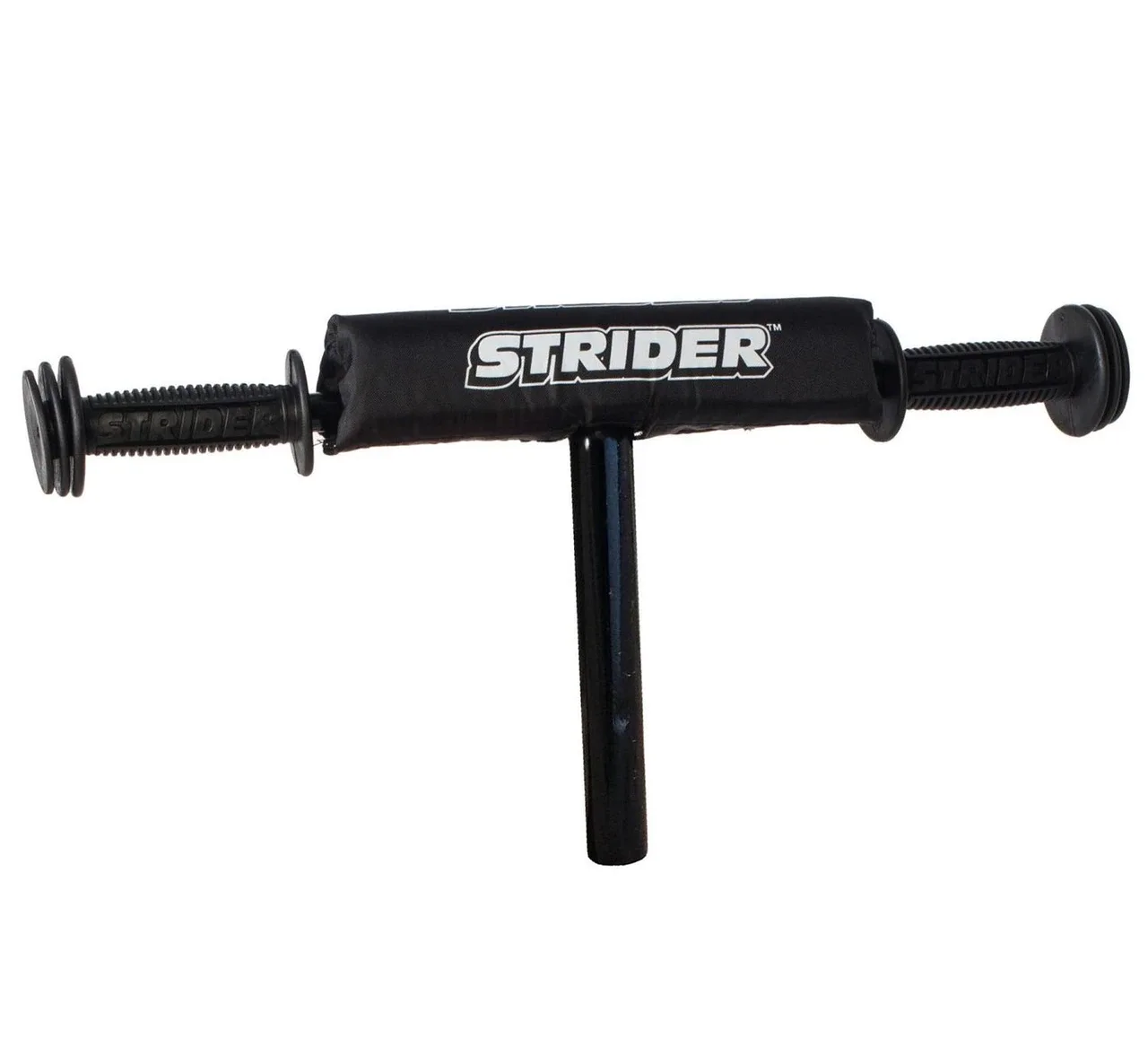
Strider Pro Handlebar