Retro gaming is all about preserving the magic of classic titles, and for M64 owners, keeping cartridges clean is a crucial part of that. Dust and dirt aren't just unsightly—they can cause connection issues, freezes, and even permanent damage to your games. Whether you're a seasoned collector or new to the M64 scene, understanding proper cartridge care ensures your library stays in peak condition for years to come.
In this guide, we'll walk you through the best practices for cleaning M64 cartridges, preventing dust accumulation, and storing your games safely. From simple routine maintenance to deep-cleaning techniques, you'll learn everything you need to keep your M64 games looking and playing like new.
Why Dust Is the Enemy of M64 Cartridges
M64 cartridges are built to last, but they're not invincible. Dust particles can settle on the metal contacts, creating a barrier that interrupts the flow of data between the cartridge and the console. This often results in the dreaded 'No Game' error or random crashes during gameplay. Over time, accumulated dust can also attract moisture, leading to corrosion and irreversible damage.
Beyond the contacts, dust can find its way into the cartridge shell and even the internal circuit board. While the shell offers some protection, it's not airtight. That's why regular cleaning and proper storage are essential for any M64 enthusiast. By taking a few preventive measures, you can avoid costly replacements and keep your favorite titles—like the M64 Release Titles Bundle or Buck and the Cursed Cartridge—running smoothly.
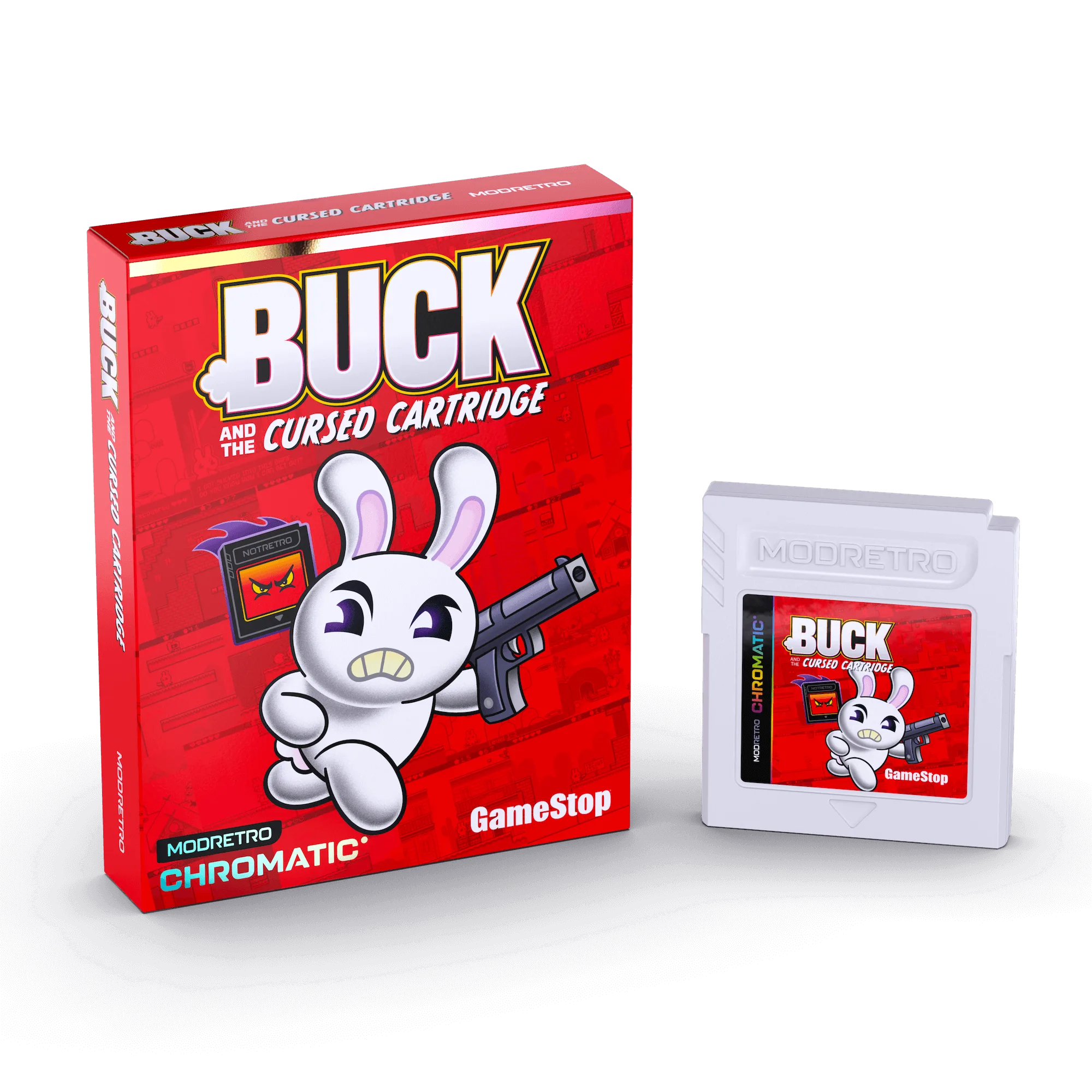
Buck and the Cursed Cartridge
- Dust on contacts causes connection failures and game freezes.
- Moisture attracted by dust can corrode internal components.
- Regular cleaning prevents long-term damage and preserves game value.
Essential Tools for Cleaning M64 Cartridges
Before you start cleaning, gather the right tools. You don't need anything fancy—most items are household staples. Isopropyl alcohol (90% or higher) is the gold standard for cleaning contacts because it evaporates quickly and leaves no residue. Cotton swabs or lint-free cloths are perfect for applying the alcohol. For stubborn dirt, a soft-bristled brush or a can of compressed air can help dislodge particles without scratching the surface.
Avoid using water, household cleaners, or abrasive materials like paper towels, as these can leave residue or damage the contacts. Also, never insert a wet cartridge into your console—always let it dry completely after cleaning. With these simple tools, you can perform routine maintenance in minutes.
- Use 90%+ isopropyl alcohol and cotton swabs for contacts.
- Compressed air is great for blowing dust out of crevices.
- Never use water or abrasive cleaners on cartridges.
Step-by-Step Guide to Cleaning M64 Cartridges
Cleaning your M64 cartridges is a straightforward process. First, power off your console and remove the cartridge. Inspect the gold contacts—if you see visible dirt or oxidation, it's time to clean. Dip a cotton swab in isopropyl alcohol and gently wipe the contacts in a horizontal motion. Flip the swab or use a fresh one as it picks up grime. Repeat until the swab comes away clean.
For the cartridge shell, use a slightly damp (not wet) cloth with a mild soap solution to wipe the exterior. Avoid getting moisture inside the cartridge. Use compressed air to blow out any dust from the vents or edges. Finally, let the cartridge air-dry for at least 10-15 minutes before inserting it back into your M64. This simple routine can dramatically improve game reliability.
- Always clean contacts with horizontal strokes to avoid bending pins.
- Dry the cartridge completely before use to prevent short circuits.
- Test the game after cleaning to ensure it loads properly.
Preventing Dust Buildup: Storage Solutions
The best way to deal with dust is to keep it away from your games in the first place. Proper storage is key. Store M64 cartridges in their original plastic cases or use protective cartridge sleeves. If you have loose cartridges, consider investing in a dedicated storage box with dividers to keep them upright and dust-free. Avoid stacking cartridges on top of each other, as this can put pressure on the shells and allow dust to seep in.
Keep your games in a cool, dry place away from direct sunlight and extreme temperatures. Humidity is another enemy—consider using silica gel packets in your storage container to absorb excess moisture. If you have a large collection, label your storage so you can find games quickly without rummaging, which can stir up dust. For M64 owners, a little organization goes a long way.
- Use original cases or protective sleeves for each cartridge.
- Store cartridges upright in a dedicated storage box.
- Add silica gel packets to control humidity in storage areas.
Routine Maintenance for Long-Term Game Care
Cleaning your M64 games once every few months is a good rule of thumb, but if you play frequently or live in a dusty environment, you may need to clean more often. Make it a habit to inspect your cartridges before and after each gaming session. A quick visual check can catch dust or debris before it becomes a problem. Also, keep your console's cartridge slot clean—dust can accumulate there and transfer to your games.
When not in use, always put your games back in their cases or sleeves immediately. Avoid leaving them lying around, as they can collect dust quickly. For collectors, maintaining the condition of your cartridges is not just about functionality—it's about preserving value. Games like the M64 Release Titles Bundle or the Atari ‘90s Rewind Collection are treasures that deserve the best care.
- Clean your games every 2-3 months, or more often if needed.
- Keep the console's cartridge slot dust-free to prevent cross-contamination.
- Always return games to their cases after use.
Troubleshooting Common Issues After Cleaning
Even with proper cleaning, you might occasionally run into issues. If a game still fails to load after cleaning, try cleaning the console's cartridge slot with a dry cotton swab or a specialized cleaning kit. Sometimes the problem is not the game but the console's connectors. If the issue persists, check for physical damage on the cartridge's contacts—bent pins or deep scratches may require professional repair.
Another common issue is oxidation, which appears as dark spots on the contacts. If isopropyl alcohol doesn't remove them, you can try a pencil eraser (the white kind) to gently rub the spots, followed by another alcohol wipe. However, be careful not to apply too much pressure. If all else fails, consider replacing the cartridge if it's beyond repair, but with regular care, most M64 games will last a lifetime.
- Clean the console's cartridge slot if games still fail to load.
- Use a pencil eraser for stubborn oxidation on contacts.
- Seek professional help for severe physical damage.
Keeping your M64 games clean and dust-free is a simple yet essential part of retro gaming ownership. By following the tips in this guide, you'll ensure your cartridges remain in top condition, providing years of reliable gameplay. Remember, a little maintenance goes a long way in preserving the magic of your favorite titles. So, grab your cleaning supplies and give your collection the care it deserves.