Quick answer
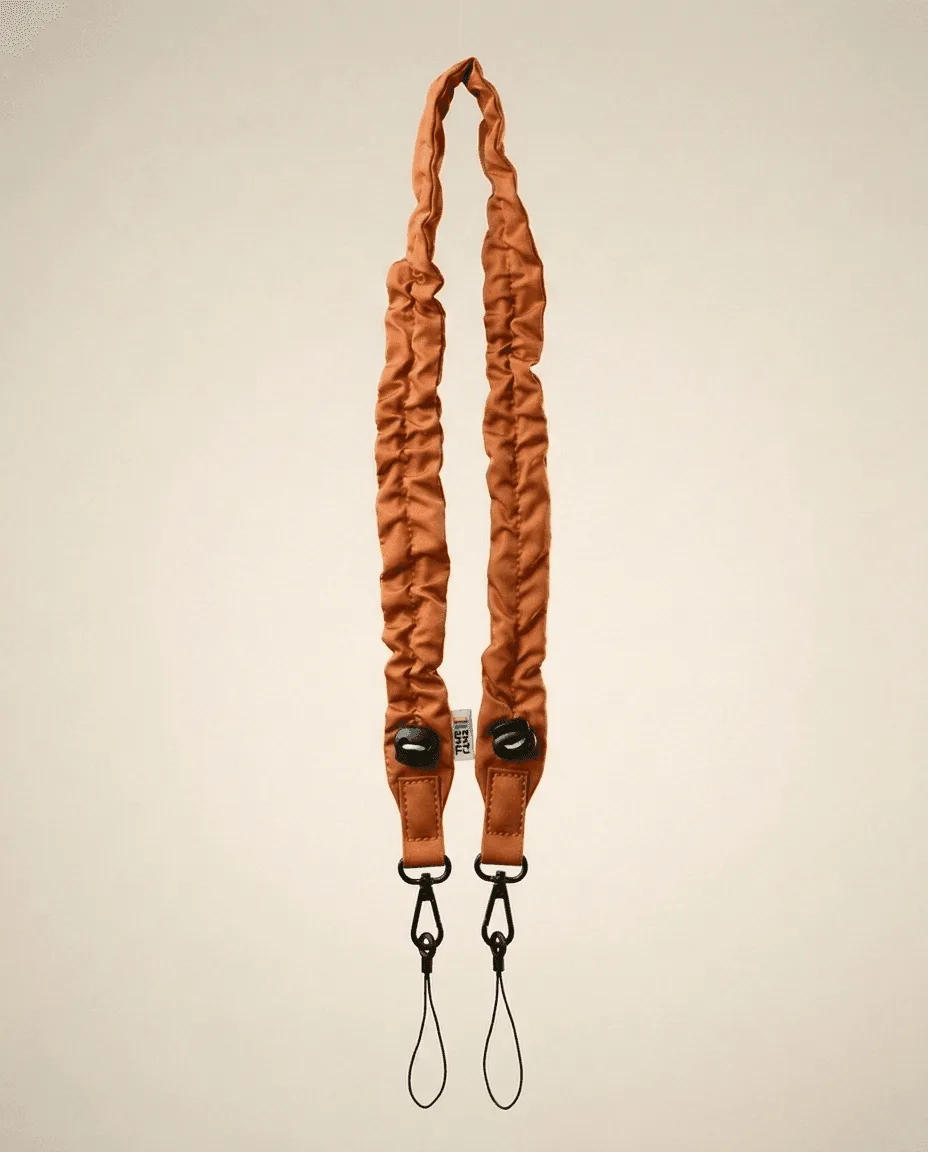
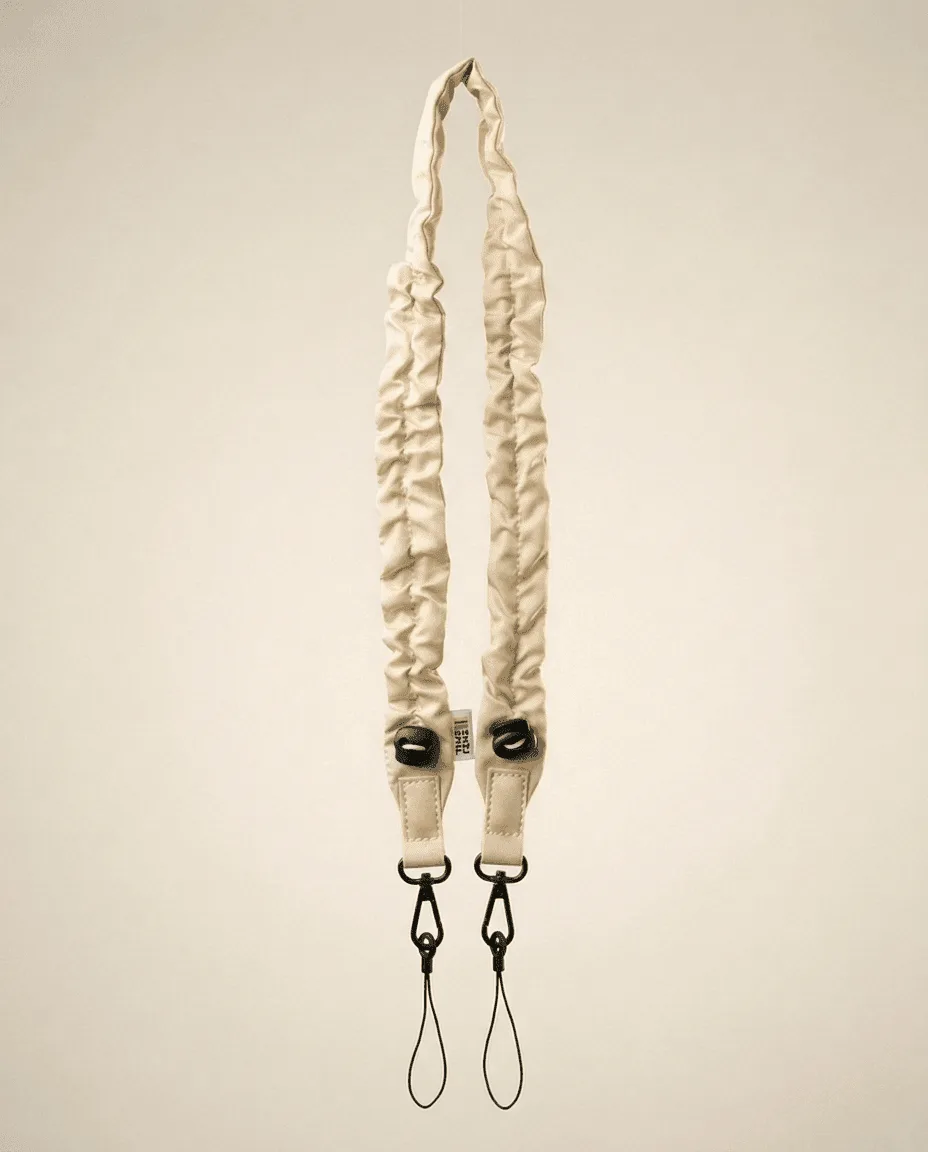
Match your TimeLens X Delta Festival Edition with a strap in Beige or Marron, depending on whether you want a light contrast or a warm, tonal look. Both TimeLens straps are adjustable and clip on in seconds, so the main decision is color and length, not compatibility.
Start with the camera, not the strap
Before you pick a strap color, look at the Delta Festival Edition body and any graphics or accents it has. The strap should either repeat one of those tones or deliberately contrast with them. If the camera has warm or neutral tones, Beige or Marron will both sit naturally; the difference is how much contrast you want.
Decide between Beige and Marron
Beige gives a lighter, more visible strap that stands out against darker clothing and reads as a clean, festival-ready accent. Marron blends more closely with earthy or vintage-inspired looks and hides everyday wear better. Neither is wrong, but Beige is the easier choice if you want the strap to be part of the outfit, while Marron is the safer choice if you want the camera to feel understated.
Check the clip and adjust the length before you leave
Both straps use a clip system that is designed for fast installation on most TimeLens bags and cameras. Attach the clips, then adjust the strap so the camera sits where you can reach it without looking down. A common mistake is setting the length while the camera is empty; load it as you would carry it, then fine-tune. If the strap feels too long or too short after adjustment, that is a sign to recheck the clip position rather than force the slider.
Step-by-step pairing process
- Step 1: Note the camera's dominant tones: Look at the Delta Festival Edition body in daylight and identify whether its main accents are warm, neutral, or dark. This tells you whether Beige will contrast or Marron will blend. Checkpoint: if you cannot decide, hold the camera against a plain shirt you wear often and see which strap tone feels more natural.
- Step 2: Choose Beige for contrast or Marron for blend: Pick Sangle Beige if you want the strap to be a visible part of your festival look. Pick Sangle Marron if you want the camera to sit quietly against earthy or vintage clothing. Common mistake: choosing a strap color based only on the camera and ignoring what you actually wear to festivals.
- Step 3: Clip the strap on and set the length: Attach the clips to your TimeLens camera or bag, then adjust the strap so the camera rests at hip or chest height depending on how you shoot. Both straps are adjustable and install in seconds. Checkpoint: the strap should not twist or hang loose when you walk; if it does, shorten it one notch and test again.
- Step 4: Test the full carry setup before the event: Walk around with the camera loaded and your bag packed as it will be at the festival. Confirm the strap stays comfortable and the camera does not swing into your body. Next step: if the strap still feels off, try the other color or recheck the clip attachment points before assuming you need a different strap.
Product facts
- Appareil photo TimeLens® X Delta Festival LIMITED EDITION: TimeLens X Delta Festival LIMITED EDITION features an 8 MP sensor for old-school style photos in HD quality (3264x2448) and includes a 4 GB SD card. This is the camera you are styling, so its retro-digital look sets the tone for whether a light or dark strap works better.
- Sangle Beige: Sangle Beige is adjustable, installs with a clip in seconds, and is compatible with most TimeLens bags. Beige is the higher-contrast option and its quick clip means you can swap it before an event without tools.
- Sangle Marron: Sangle Marron is adjustable, installs with a clip in seconds, and is compatible with most TimeLens bags. Marron is the tonal option that blends with earthy or vintage-inspired outfits and is equally easy to swap.