Quick Answer
Mounting a closed emitter red dot requires a clean Picatinny rail, proper torque on mounting screws, and a simple zeroing process. Both the Apollo Solace Solar and Apollo Titan ship with the necessary adapters for a straightforward install.
Closed Emitter Design and Mounting Differences
Unlike open emitter sights, closed emitter red dots have a sealed housing that protects the emitter and lens from debris. This design means the sight body is typically larger and may require a specific riser or adapter to clear backup iron sights or achieve a proper cheek weld.
Both the Apollo Solace Solar and Apollo Titan include Picatinny rail adapters out of the box. The Solace Solar also ships with a riser mount, while the Titan includes an RMR footprint adapter for compatibility with pistols or carbines. Check your firearm's rail type before starting.
Torque Specifications and Thread Locker
Over-tightening mounting screws is a common mistake that can strip threads or crack the sight housing. Use a torque wrench or driver set to the manufacturer's recommended value (typically 15-20 in-lbs for small optics).
Apply a drop of blue thread locker to each screw before installation. This prevents the screws from backing out under recoil without making future removal difficult.
Step-by-Step Mounting Process
- Step 1: Prepare the Firearm and Sight: Ensure the firearm is unloaded and the Picatinny rail is clean and free of oil or debris. Remove the sight from its packaging and confirm you have the correct adapter (riser for Solace Solar, RMR or Picatinny adapter for Titan). A dirty rail can prevent the sight from seating evenly, causing zero shift.
- Step 2: Attach the Adapter or Riser: If using a riser, attach it to the sight body with the provided screws. For the Titan, choose the RMR footprint adapter for pistol slides or the Picatinny adapter for rifles. Tighten these screws to 15 in-lbs with blue thread locker. Do not overtighten adapter screws; they only need to be snug enough to prevent movement.
- Step 3: Mount the Sight to the Rail: Place the sight assembly onto the Picatinny rail, ensuring the cross slots align. Slide it forward or backward to your preferred eye relief. Tighten the rail clamp screws evenly in a cross pattern to 20 in-lbs. Uneven tightening can tilt the sight and cause the dot to be off-axis.
- Step 4: Perform a Rough Zero: With the sight mounted, look through the optic and adjust the windage and elevation turrets to center the dot. At the range, fire a three-shot group at 25 yards, then adjust turrets to move the point of impact to the point of aim. Make small adjustments (1 MOA per click) and re-check after each adjustment to avoid overshooting.
- Step 5: Final Check and Lock: After zeroing, verify all screws are still tight. Re-apply a small drop of thread locker if needed. Test the sight by cycling the action (if applicable) and checking for any shift in zero. If the dot shifts after cycling, re-torque the mounting screws and re-zero.
Products Used in This Guide
-
Apollo Solace Solar: The Apollo Solace Solar is a closed emitter red dot powered by solar energy with backup CR2032 battery, seven brightness levels, and a riser mount included. The included riser mount saves you from buying extra hardware, and the solar backup means you don't have to worry about battery changes during a range session.
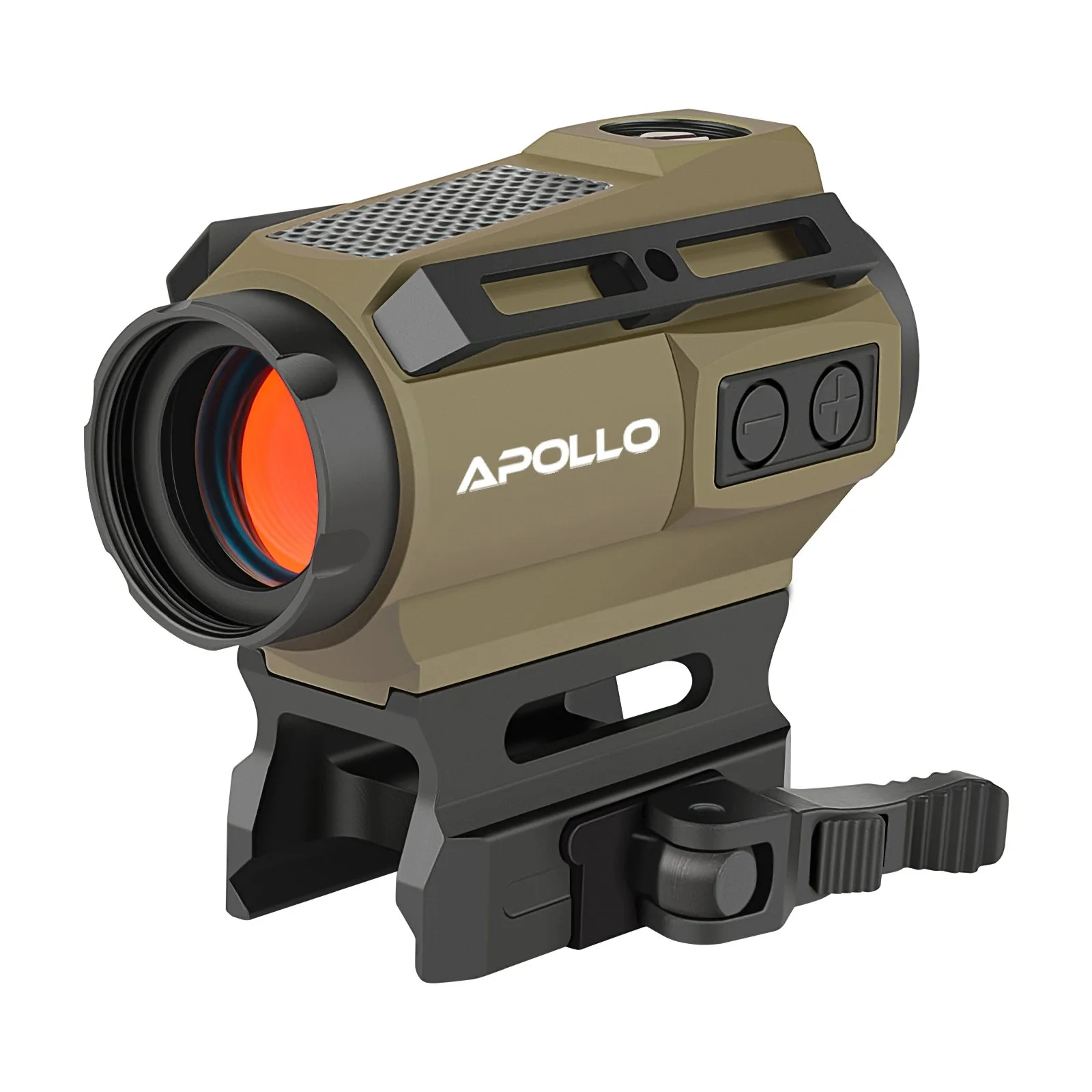
Apollo Solace Solar
-
Apollo Titan: The Apollo Titan features a rugged closed-emitter design with a 3 MOA dot, RMR footprint, and Picatinny rail adapter for use on pistols or carbines. The dual adapter system makes the Titan versatile for different platforms, but you must verify which adapter matches your firearm before mounting.

Apollo Titan


