Quick Answer
Mount your freestanding triple TV stand by assembling the frame on a level surface, attaching VESA brackets to each TV, then lifting and securing the screens one at a time while checking alignment.
Why a Freestanding Stand Makes Sense for Triple Screens
A freestanding triple TV stand sits independently from your sim rig, which means you can adjust the angle and height of your screens without moving your cockpit. This setup works well with larger TVs up to 65 inches because the weight is carried by the stand, not your rig frame.
The main trade-off is floor space: the stand's footprint is wider than a rig-mounted solution, so measure your room before committing. For most sim racers, the stability and flexibility of a freestanding design outweigh the space cost.
What You Need Before Starting
You'll need the stand itself (like the Freestanding Triple TV Stand from AdvancedSimRacing.com), a set of VESA brackets compatible with your TVs, a socket set or hex key set, a bubble level, and a helper for lifting larger screens. For 65-inch TVs, a second person is essential — these screens are heavy and awkward to maneuver alone.
Check your TV's VESA pattern (usually listed in the manual or on the back panel) and confirm the stand's brackets support it. The Freestanding Triple TV Stand supports TVs up to 65 inches with its steel brackets and extruded aluminum beams, but always verify the specific VESA option you ordered matches your screen.
Step-by-Step Mounting Guide
- 1. Assemble the Stand Frame on a Level Surface: Lay out all extrusions and hardware. Bolt the base beams together loosely, then tighten only after confirming the frame is square with a level. Common mistake: tightening bolts before checking level, which causes the stand to rock. Use a long level across the base beams before final tightening.
- 2. Attach VESA Brackets to Each TV: Lay each TV face-down on a soft blanket. Screw the VESA plate onto the back using the supplied bolts — hand-tighten, then give a quarter turn with a tool. Common mistake: over-tightening, which can strip threads or crack the TV housing. Stop turning as soon as the bracket feels snug.
- 3. Mount the Center TV First: With a helper, lift the center TV onto the stand's center bracket. Slide it into the VESA hooks or slots, then lock it with the retention screws. Common mistake: mounting a side screen first, which makes centering the middle TV harder. Always start with the middle screen to establish your reference point.
- 4. Mount the Left and Right Side TVs: Repeat the lifting and locking process for each side screen. Angle them inward toward the center TV — typical sim racing setups use 30 to 45 degrees. Common mistake: setting the same angle on both sides without measuring, resulting in uneven peripheral views. Use a digital angle finder or protractor to match both side angles exactly.
- 5. Level and Align All Three Screens: Use a bubble level on the top edge of each TV. Adjust the VESA brackets' tilt or height if the stand allows micro-adjustment. Common mistake: skipping this step and assuming the stand is perfectly level, which creates a distracting height mismatch between screens. Check alignment at eye level while seated in your sim rig.
- 6. Route and Secure Cables: Run HDMI or DisplayPort cables along the stand's aluminum beams using adhesive clips or zip ties. Leave enough slack for angle adjustments. Common mistake: pulling cables tight, which strains connectors when you tilt the screens. Bundle cables loosely and test full range of motion before final routing.
Product Facts
-
Freestanding Triple TV Stand [Up to 65" TV]: The Freestanding Triple TV Stand uses 3" x 1.5" North American sourced aluminum beams and steel brackets to support TVs up to 65 inches. This means the stand can handle the weight of three large screens without flexing, giving you a stable view across all monitors during intense racing.
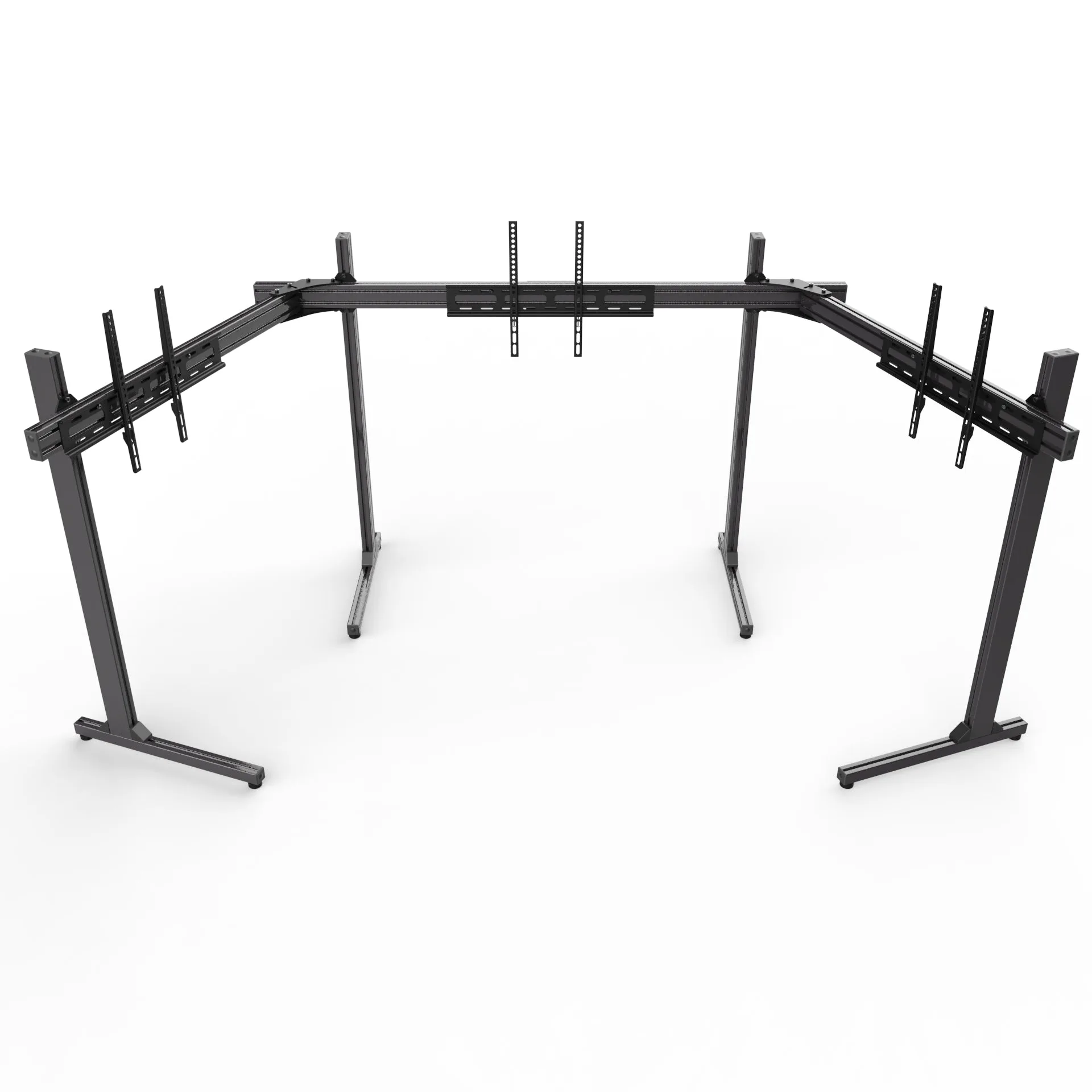
Freestanding Triple TV Stand [Up to 65" TV]


