Quick answer
Organize a tech pouch by grouping cables by job, coiling each one with a hook-and-loop tie, and packing in order of how often you use each item. Keep the charger you reach for daily in an outside pocket and long or rarely used cables at the bottom. A pouch with adjustable dividers or elastic loops makes this method far easier to maintain.
Before you pack: decide what actually belongs in the pouch
Pull every cable and charger out of your bag and lay them on a table. Pick up each one and ask when you last used it. Cables you have not touched in three months usually belong in a drawer at home, not in a pouch you carry every day. A smaller, focused kit is easier to keep organized than a pouch stuffed with spares.
Sort what remains into three groups: power (wall charger, power bank, charging cable), data (sync or laptop cables), and adapters (USB-C to Lightning, HDMI, SD card readers). This grouping becomes the layout of your pouch, so you always know which zone to reach into.
Match the pouch layout to how you travel
A pouch with elastic loops suits coiled cables because each cable stays in its own slot. A pouch with a large open compartment works better for a power bank and a folded charger, but loose cables will tangle unless you tie them. If your pouch has removable dividers, set them before you pack, not after; rearranging a full pouch is how cables end up loose at the bottom.
Think about where the pouch lives. If it slides into a backpack side pocket, keep the most-used cable near the opening. If it hangs on a belt loop or crosses your body as a sling, weight matters more, so put the heaviest item closest to your body.
Coil and secure every cable the same way
Over-under coiling keeps cables from developing memory kinks. Hold one connector in your left hand, loop the cable down and around with your right, then alternate the direction on each loop. Finish with a hook-and-loop tie or a reusable silicone tie. Avoid tight rubber bands, which can pinch the cable jacket over time.
Label both ends of cables you use less often. A small piece of tape or a cable label tells you at a glance whether you are holding the USB-C to USB-C or the USB-A to Lightning cable. This one habit prevents the most common travel tech frustration: pulling out the wrong cable in a hurry.
Step-by-step: packing your tech pouch
- Empty and wipe the pouch: Turn the pouch inside out or open every compartment and shake out crumbs, sand, and stray twist ties. Wipe the lining with a dry cloth. Checkpoint: if you find a cable you forgot you owned, decide now whether it stays or goes home.
- Group by job, not by size: Lay out power, data, and adapter groups. Keep one charging cable with the wall charger it belongs to so you never pack a charger without its cable. Common mistake: sorting by cable length instead of by job. You will still dig for the right cable if related items are separated.
- Coil and tie each cable: Use over-under coiling and secure each cable with a hook-and-loop tie. Coil to a diameter that fits your pouch loops without forcing. Checkpoint: a properly coiled cable lies flat and stays coiled when you set it down.
- Place heavy items first: Put the wall charger or power bank in the deepest part of the pouch, then layer cables on top or in loops around it. Keep daily-use cables near the zip opening. Common mistake: putting the power bank on top, where it slides and crushes smaller cables.
- Use the outside pocket for the daily cable: If your pouch has an exterior pocket, keep the one cable you use most in it. That way you can charge your phone without opening the main compartment. Checkpoint: you should be able to reach your phone charging cable within three seconds.
- Zip, shake, and test: Close the pouch and give it a gentle shake. If anything rattles or shifts heavily, open it and reposition the loose item. Common mistake: skipping the shake test. A pouch that shifts in your bag is a pouch that will tangle.
- Reassess after every trip: When you unpack, put cables back in their assigned spots immediately. Once a month, remove anything you did not use since the last trip. Next step: keep a small 'maybe' box at home for cables you are not ready to discard, so your travel pouch stays lean.
Gear that supports this method
- Tech Pouch - Extreme: The Extreme Commuter tech pouch can be used as a pouch, bum bag, or sling, and is designed to keep essentials organized and together. Because it converts between carry styles, you can keep the same cable layout whether you toss it in a backpack or wear it cross-body, so you do not have to repack for different trips.
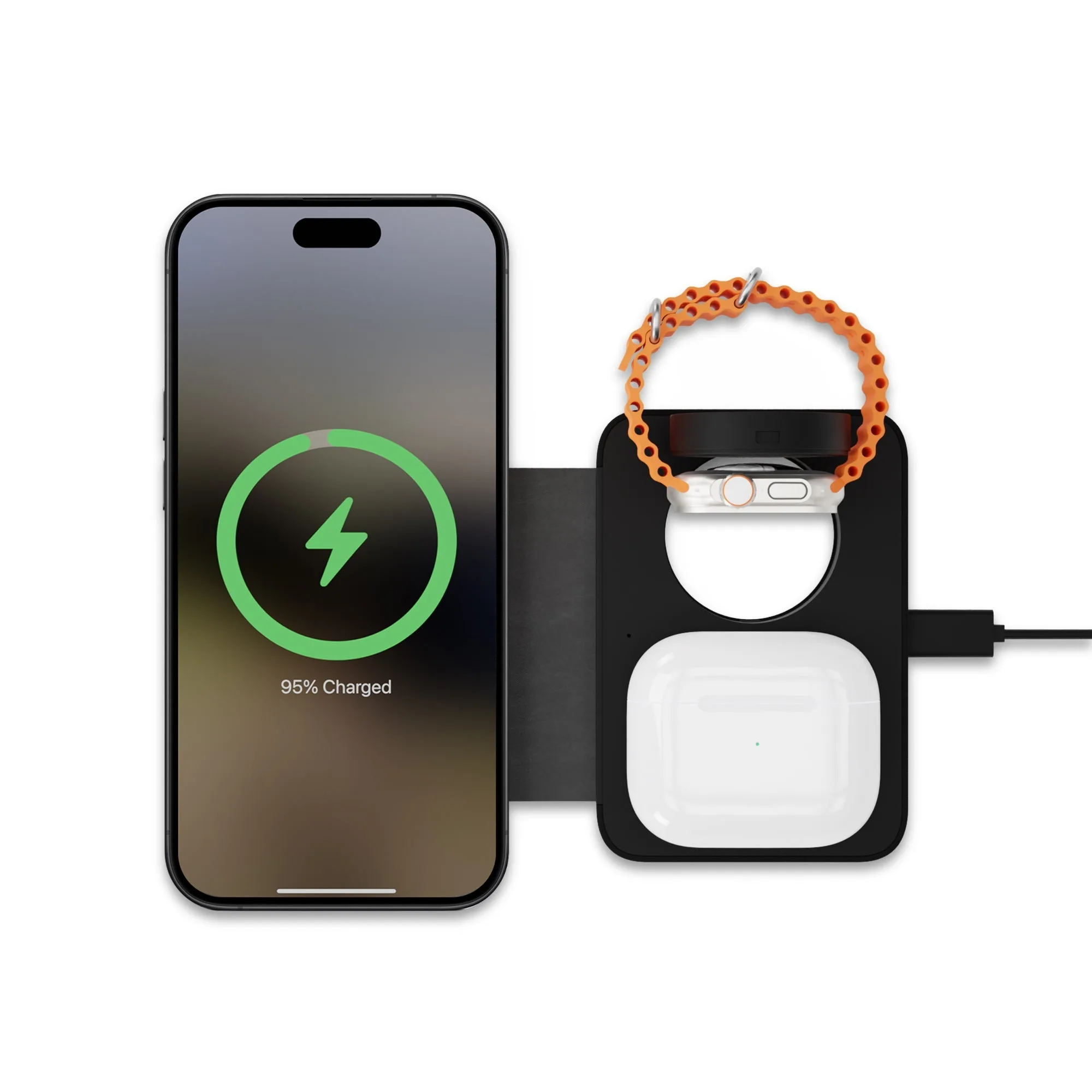
- 3-In-1 Wireless Portable Charger: The 3-In-1 Wireless Portable Charger is a super-light, compact charger that wirelessly charges three devices at once with a MagSafe-compatible module, an Apple Watch module, and an earbuds module. One compact charger replaces several cables and wall plugs in your pouch, which frees up space for the cables you actually need and reduces the tangle risk.
- Black & White Wrist Strap: The Black & White Wrist Strap threads through a belt loop or stays on your wrist to help protect your phone against unexpected drops and falls. If you carry your phone separately from the pouch, a wrist strap keeps it secure while your hands are busy pulling cables in and out, so you are less likely to drop it during the shuffle.