Quick answer
Start by grouping cords by location and use, then wrap each loose cable with a reusable twist tie or cord collar and label both ends. For a desk cable organizer, anchor frequently used charging cables to the edge of the desk so they stay reachable but out of the way. The goal is a repeatable system you can maintain in a few minutes, not a one-time deep clean.
Gather the right cord organizers before you start
You do not need a drawer full of specialty clips. A small kit covers most homes: reusable twist ties for bundling and hanging, a few cord collars or clips for cables that stay plugged in, and labels or a marker for identification. Reusable twist ties are especially useful because they hold a shape and can be undone without cutting, unlike single-use zip ties. If you want a dedicated desk cable organizer, choose something that adheres or clamps to the desk edge rather than a loose tray that slides around.
Sort by location, not by cable type
Pull every loose cord from drawers, bags, and behind furniture into one pile, then sort into three groups: cables that stay plugged in (desk, TV, router), cables you carry (charging cables, earbuds), and cables you rarely use (spares, travel backups). This matters because the right organizer depends on whether the cable moves. A cable that never leaves the desk can be anchored with a clip; a cable that travels needs a wrap that survives being tossed in a bag. One common mistake is organizing by cable type, which leaves you with a neat drawer but a still-messy desk.
Wrap and secure each cable with a reusable twist tie
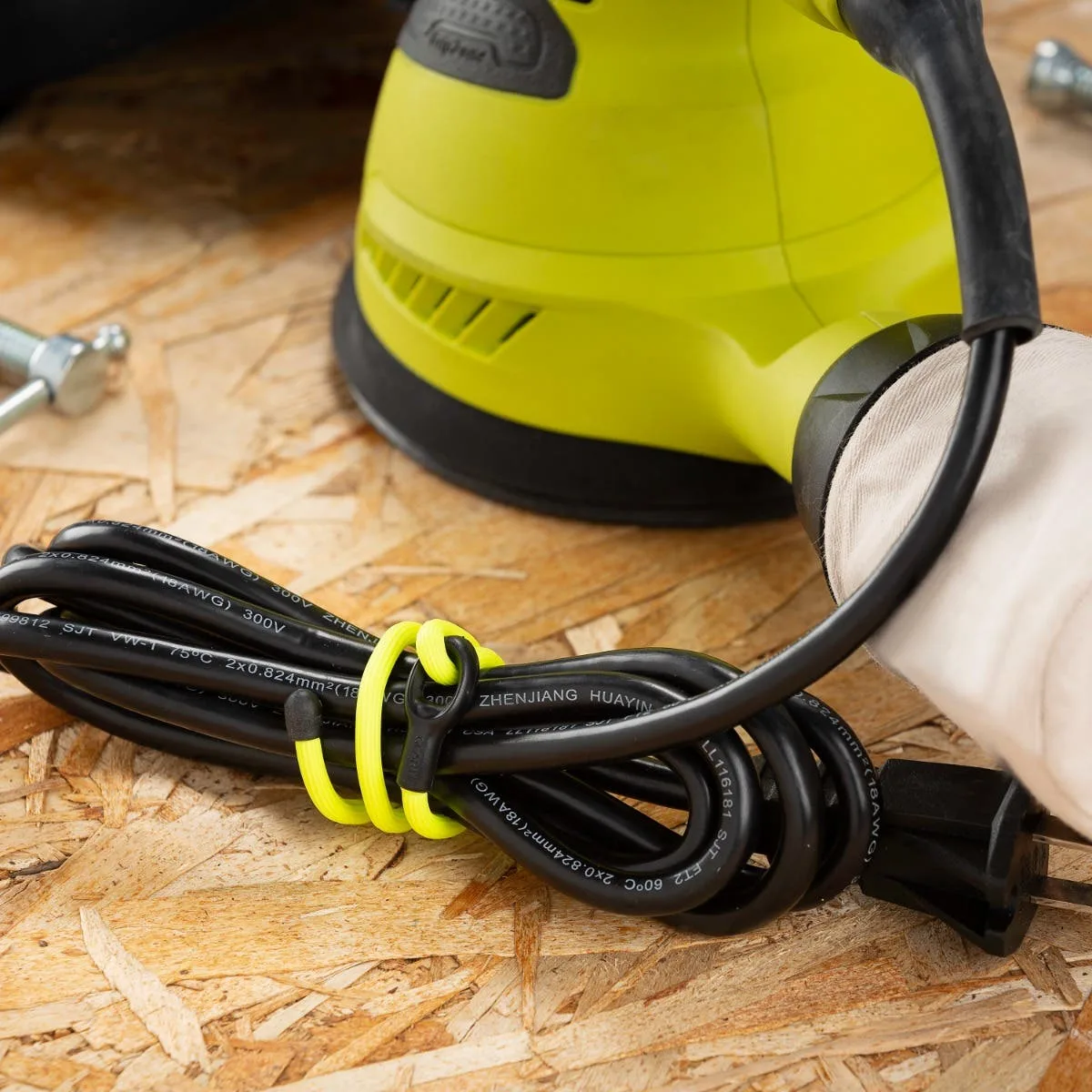
For cables you store or carry, fold the cable into a loose figure-eight or a loop that matches the length, then wrap a reusable twist tie around the middle. Do not wrap tightly around a single bend; that stresses the wire over time. A Gear Tie cord wrap works well here because the bendable wire interior holds its shape and the rubber exterior grips without sliding. If you are wrapping a long cable, leave a small loop at each end so you can identify the connectors without unwrapping everything.
Set up a desk cable organizer for daily cables
For the cables that stay on your desk, route them along the back edge and secure them with a cord collar or clip every few inches. Leave enough slack at the device end so you can plug in without pulling the clip loose. A common checkpoint: sit in your normal position and reach for the cable. If you have to hunt for it or it drops behind the desk, move the anchor point closer to where your hand naturally lands. This is the step that makes a cable management home setup actually usable rather than just tidy in photos.
Label both ends and store spares where you will find them
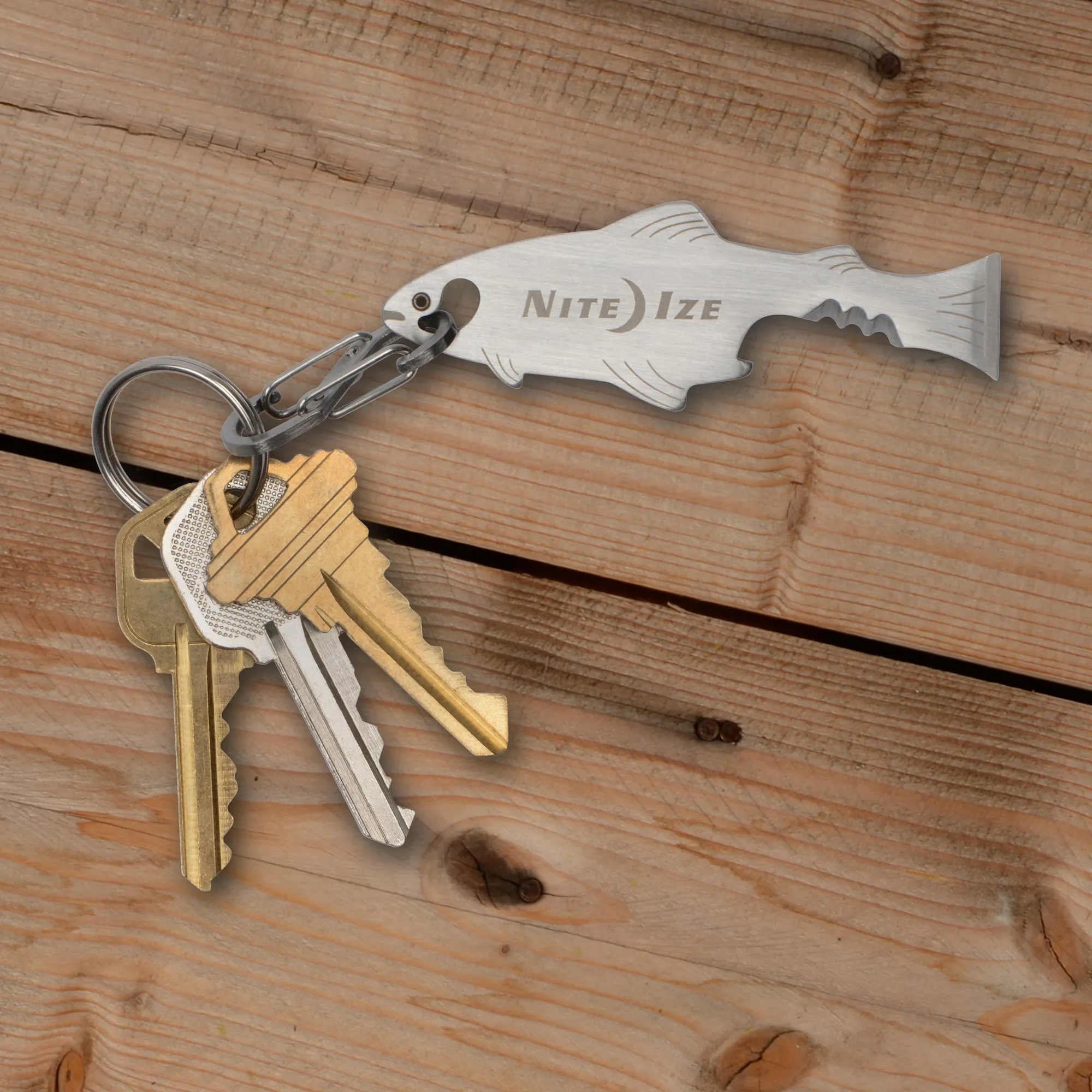
Label each cable at both ends with a short name like 'laptop' or 'camera' so you do not have to trace it later. For spare cables, store them in a clear bin or pouch by category, not loose in a drawer. If you use a key tool or small multi tool for opening battery compartments or tightening screws on stands, keep it with the cables it serves. A DoohicKey FishKey Key Tool, for example, includes a bottle opener, serrated edge, and screwdriver, and its attached S-Biner lets you clip it to a bag or cable pouch so it is there when you need it.
Maintain the system with a two-minute weekly reset
Cord clutter returns because new devices arrive and old cables migrate. Once a week, spend two minutes returning stray cables to their labeled wraps and re-clipping any desk cable that has pulled loose. If a cable has no home after two resets, it probably does not need to stay. This small habit is what separates a one-time cord organizer project from a home that stays organized.
Cord organizing steps at a glance
- 1. Gather organizers and clear one zone: Pick a single area, such as your desk or charging drawer, and bring all loose cables from that zone into one pile. Keep reusable twist ties, labels, and clips within reach. Checkpoint: if you are sorting cables from three rooms at once, narrow to one zone first.
- 2. Sort by how the cable is used: Divide into stays-plugged-in, travels-with-you, and rarely-used spares. This decides whether you anchor, wrap, or store the cable. Common mistake: organizing by cable type leaves daily cables tangled.
- 3. Wrap travel and spare cables: Loop each cable loosely, then secure it with a reusable twist tie around the middle. Leave the connector ends visible so you can identify them without unwrapping. Checkpoint: the wrap should hold shape but not pinch the cable.
- 4. Anchor daily desk cables: Route cables along the back edge of the desk and secure with a clip or collar every few inches, leaving slack at the device end. Checkpoint: reach for the cable from your normal sitting position; if it is a stretch, move the anchor.
- 5. Label both ends and store spares: Write a short name on each end of every cable. Put rarely used spares in a clear bin or pouch by category, not loose in a drawer. Common mistake: labeling only one end, which forces you to trace the cable later.
- 6. Reset weekly: Spend two minutes returning stray cables to their wraps and re-clipping any that pulled loose. If a cable has no home after two resets, consider letting it go. Next step: set a recurring two-minute reminder on your phone.
Products that fit this routine
- Gear Tie® Loopable™ Twist Tie: The Gear Tie Loopable Twist Tie has a bendable wire interior and tough rubber exterior, with an integrated loop for cinching, wrapping, or hanging. The loop lets you hang a wrapped cable from a hook or desk edge instead of stuffing it in a drawer, and the rubber exterior grips so the wrap stays put.
- NiteHowl® Rechargeable LED Safety Necklace - Disc-O Select™: The NiteHowl Rechargeable LED Safety Necklace is designed for pups of all sizes and provides a full ring of illumination with cut-to-size customization and Disc-O Select choose-your-color technology. If your cable organizing includes a pet area or night walks, this is a rechargeable visibility option that does not rely on disposable batteries.
- DoohicKey® FishKey™ Key Tool: The DoohicKey FishKey Key Tool features a bottle opener, serrated edge, and screwdriver, with an attached S-Biner for convenient access. A small key tool is handy for tightening screws on desk organizers or opening battery compartments, and the S-Biner keeps it attached to a bag or cable pouch.