Quick Answer
To keep your lunch box backpack combo organized, assign a dedicated compartment for food, use the tech sleeve for electronics, and pack the heaviest items closest to your back.
Why a Combo Needs a System
A lunch bag backpack combo can simplify your daily carry, but without a system, it quickly becomes a jumble of books, snacks, and gym gear. The key is to use the compartments the way the designer intended, so everything has a home and stays easy to reach.
Consider Your Commute and Activities
How you pack depends on whether you're heading to class, the office, or the gym. If you carry a laptop, the inner tech sleeve becomes a priority. If you're packing a full meal, you'll need to balance the weight so the bag doesn't pull on one shoulder.
Steps to Organize Your Combo
- Sort by category: Empty the entire combo and group items into categories: food, tech, books/notebooks, personal items, and extras like gym clothes. Checkpoint: If you find items that don't belong, remove them before repacking.
- Assign compartments: Use one main compartment for heavier items like books and binders, and the other for lighter items like a jacket or lunch bag. Place your laptop or tablet in the inner tech sleeve. Checkpoint: Make sure the heavier compartment sits against your back when worn.
- Pack the lunch bag: Put the lunch bag in the designated spot, either in the second compartment or clipped to the outside. Keep perishables in an insulated container and place it upright to prevent spills. Checkpoint: Verify the lunch bag is secure and won't shift during movement.
- Use side pockets for quick access: Store a water bottle in one side hydration pocket and items like keys or hand sanitizer in the other. This keeps them within reach without opening the main compartments. Checkpoint: Ensure the pockets are not overstuffed, which can strain the zippers.
- Adjust and balance: Tighten the padded shoulder straps so the bag sits evenly on your back. Distribute weight so the heaviest items are closest to your spine, reducing strain. Checkpoint: Walk a few steps to feel if the bag pulls to one side; adjust as needed.
- Maintain a weekly reset: Once a week, empty the combo, wipe out crumbs, and remove any trash or wrappers. This prevents odors and keeps the bag organized. Checkpoint: Set a reminder to do this on the same day each week.
Products That Help
-
Double Compartment Backpack with Matching Lunch Bag: This bundle includes a backpack with two main storage compartments, an inner tech sleeve, padded adjustable shoulder straps, and two side hydration pockets. The separate compartments let you keep lunch items away from your tech and books, while the hydration pockets make water easy to grab without opening the main bag.
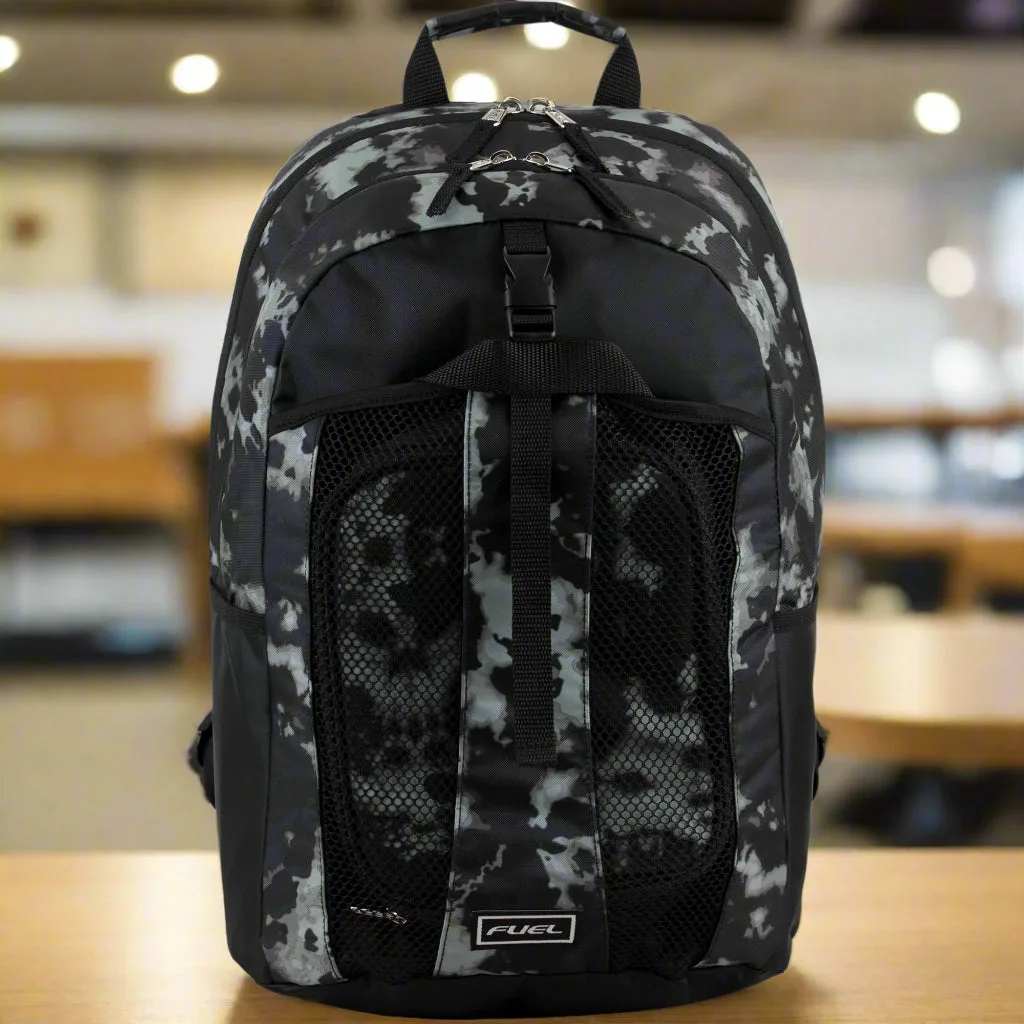
Double Compartment Backpack with Matching Lunch Bag