Quick Answer
Use a 3D printed Miyoo Mini Skadis stand to mount your handheld on an IKEA Skadis pegboard, keeping it visible, protected, and ready to grab.
Why Use a Pegboard Holder for Your Miyoo Mini
A Skadis pegboard turns a blank wall or desk backdrop into a flexible storage area. The Miyoo Mini is small enough to get lost in a drawer, but a dedicated holder keeps it on display and within arm's reach. This is especially useful if you rotate between several retro handhelds and want each one to have a clear home.
The 3D printed holder is designed specifically for the Skadis system, so it clips on without extra screws or adhesive. That means you can rearrange your setup whenever you like without leaving marks on the wall.
What to Check Before You Mount
Before you attach the holder, confirm your Skadis board is firmly mounted to the wall or desk. A heavy pegboard can pull away if it's only held by weak anchors. Also, check that the area around the board is dry and clean—moisture can affect the PLA material over time.
If you plan to charge your Miyoo Mini while it's on the holder, consider how the cable will route. You may need a nearby outlet or a USB extension. The holder itself doesn't include cable management, so plan for a neat path.
Step-by-Step Mounting Guide
- Position the holder on the pegboard: Hold the 3D printed holder against the Skadis board at your desired height. Align the back hooks with the pegboard holes, then press firmly until it clicks into place. Check that it sits level. If the holder feels loose, remove it and re-seat the hooks—don't force it.
- Insert your Miyoo Mini: Slide the handheld into the holder with the screen facing outward. Make sure it sits flush and doesn't wobble. If you have a case or skin, test that it still fits without stretching the holder. If the device doesn't sit flush, remove any thick case before inserting.
- Route the charging cable (optional): If you want to charge while mounted, plug the cable into the Miyoo Mini and guide it along the pegboard to a nearby outlet. Use small cable clips to keep it tidy and avoid pulling on the device. Leave a little slack in the cable so you can lift the handheld without disconnecting it.
- Test accessibility and stability: Gently tug the holder to ensure it's secure. Then practice grabbing and returning the Miyoo Mini a few times. Adjust the height if it's awkward to reach. If the holder shifts during use, reposition it to a spot with more pegboard support.
The Holder We Recommend
-
3D Printed Miyoo Mini Skadis Stand Organizer Holder: This 3D printed holder is precisely crafted with premium PLA and designed to integrate seamlessly with the Skadis pegboard system. PLA is durable enough for everyday use, and the custom fit means it snaps onto the pegboard without wobbling.
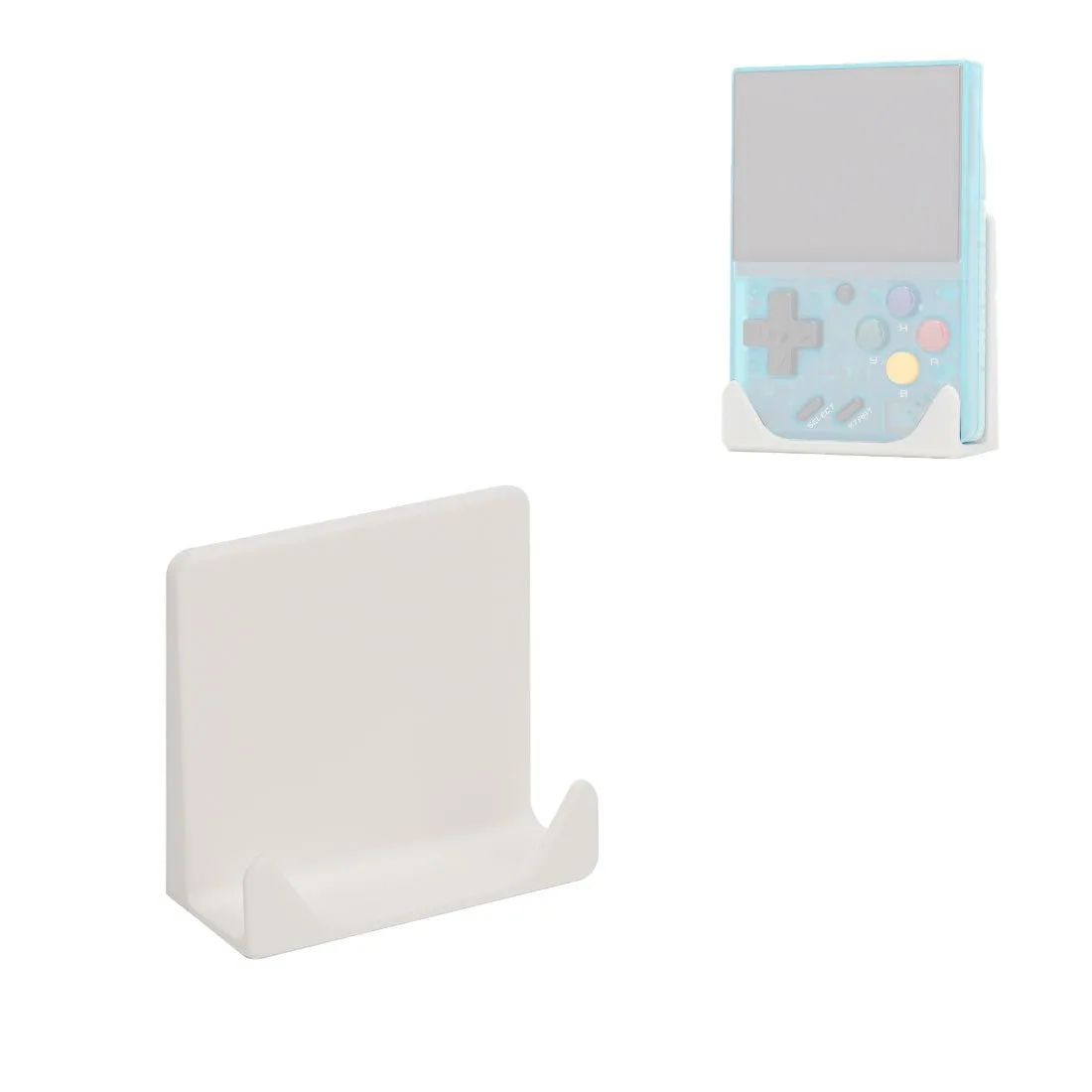
3D Printed Miyoo Mini Skadis Stand Organizer Holder