Quick Answer
To pack a hard case for camera gear, start with a layout plan, use adjustable dividers to create snug compartments, and place heaviest items at the bottom with lenses upright and bodies supported.
Why Dividers Matter More Than the Case
A hard case alone doesn't protect your gear—how you arrange the interior does. Without proper dividers, your camera bodies and lenses can shift during transit, causing scratches or worse. Adjustable padded dividers let you customize the layout to match your exact kit, so every item stays locked in place.
The SKB iSeries 1813-7 Case with Think Tank Photo Dividers & Lid Organizer is a great example: it combines a watertight, dustproof molded shell with a lid organizer for small accessories. The dividers turn an empty shell into a purpose-built camera case, which is why they're worth the extra investment.
Step-by-Step Packing Process
- Plan Your Layout: Lay out all your gear on a flat surface and decide which items you'll bring. Group them by size and frequency of use—bodies, lenses, flashes, accessories. Sketch a rough grid of the case interior so you know how many dividers you'll need. Common mistake: overpacking. If it doesn't fit without squeezing, leave it behind.
- Install Dividers for a Snug Fit: Place the adjustable padded dividers to create compartments that match your gear's dimensions. Leave no empty gaps that allow movement. Use the lid organizer (if available) for small items like batteries, memory cards, and filters. Checkpoint: shake the case gently—nothing should shift.
- Position Heaviest Items at the Bottom: Set camera bodies and heavy lenses at the bottom of the case, closest to the base. This lowers the center of gravity and reduces stress on the latches and handle when carrying. Place lighter items like flashes and accessories on top or in the lid. Common mistake: putting a heavy body on top of a lens, which can damage the mount.
- Protect Lenses and Screens: Keep lens caps on and position lenses upright (mount down) if possible, or lay them flat with dividers on both sides. For camera bodies, ensure the screen faces inward and the body is surrounded by padding on all sides. Checkpoint: verify that no two hard surfaces touch directly.
- Secure and Test the Case: Close the lid and engage all latches. If your case has locking loops, add padlocks for extra security. Lift the case by the handle and give it a gentle shake to confirm everything stays put. If you hear rattling, reopen and adjust dividers. Final checkpoint: always carry the case with the handle facing up to avoid pressure on the latches.
Product Spotlight
-
SKB iSeries 1813-7 Case with Think Tank Photo Dividers & Lid Organizer: The SKB iSeries 1813-7 Case with Think Tank Photo Dividers & Lid Organizer stores and transports two cameras, up to seven lenses, and related accessories in a watertight, dustproof molded case. This capacity means you can pack a full kit for a multi-day shoot without needing a second case, while the dividers keep everything from knocking together in transit.
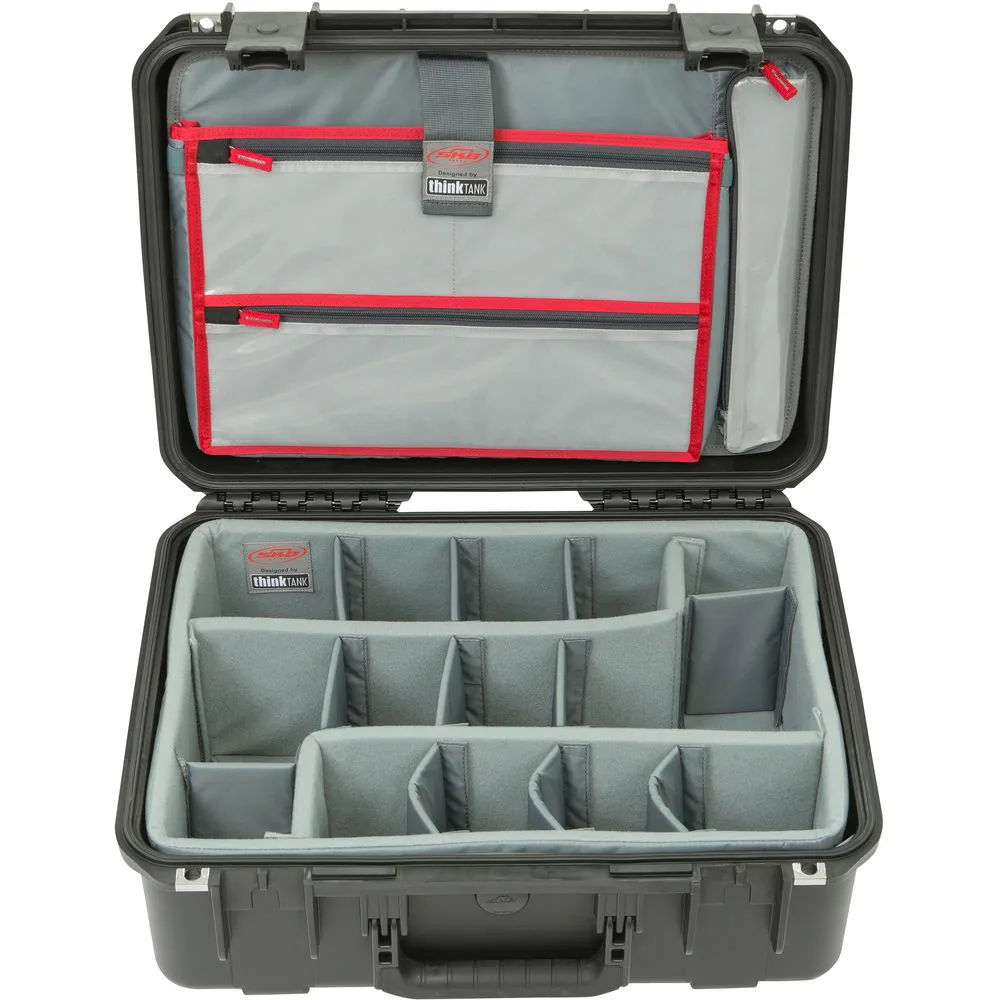
SKB iSeries 1813-7 Case with Think Tank Photo Dividers & Lid Organizer


