Quick answer
Start by deciding what the Chubby will carry daily, then use the included universal holster and mag holder inserts to separate high-use tools from backup gear. Pack heavy items first and test the closure before you trust it on the go.
Why the Chubby is different from smaller organizers
The Chubby is the largest member of Maxpedition's Pocket Organizer series, which means it can hold more than a typical EDC pouch. That extra space is useful, but it also tempts you to overstuff. If it's hard to find, it's hard to use, so the goal is to keep every item visible and accessible.
The included universal holster and mag holder inserts give you dedicated slots for a multi-tool or a spare magazine. Use them for items you reach for often, not for gear that only comes out once a month.
Trade-off: organization vs. capacity
You can pack a lot into the Chubby, but every item you add makes it heavier and harder to close. A fully packed organizer may not fit neatly into a smaller bag or attach as cleanly to PALS webbing. Decide whether you want a grab-and-go kit or a deep-storage pouch, and pack accordingly.
Step-by-step packing guide
- Sort your gear into daily and backup piles: Empty your pockets and divide items into two groups: things you use every day (knife, light, pen) and things you only need in an emergency or specific situation (spare batteries, mini first aid, tools). This prevents the Chubby from becoming a black hole of rarely used gear. If an item hasn't been used in the last month, leave it out.
- Place the universal holster and mag holder inserts: Position the universal holster for your multi-tool or flashlight and the mag holder for a spare magazine if you carry one. Make sure the inserts sit flat and don't block access to other compartments. Adjust them before you start loading gear. Test that the holster grips your tool snugly but lets it release with one hand.
- Pack heavy and bulky items first: Put heavier items like a multi-tool, flashlight, or spare magazine at the bottom or against the back panel. This keeps the organizer balanced and prevents smaller items from getting crushed. Use the inserts for these heavy items to keep them from shifting. If the organizer bulges unevenly, repack heavy items to sit flat against the back.
- Fill remaining space with flat, frequently used items: Use the remaining pockets and slots for flat items like a pen, small notepad, USB drive, or card multitool. Keep similar items together—writing tools in one slot, electronics in another—so you can find them without digging. Avoid stacking more than two flat items in one slot; they become hard to grab.
- Close and test the organizer: Zip or close the organizer and check that nothing is pinched or poking out. Shake it gently to see if items rattle or shift. If you hear movement, add a small cloth or use the inserts to secure loose items. The Chubby should close flat and stay closed. If it won't close without force, remove one or two items—overstuffing stresses the zipper.
- Attach or stow it in your bag: Use the PALS webbing on the back of the organizer to secure it inside a Maxpedition bag or attach it to the exterior. If you carry it loose, place it in a spot where it won't get crushed. Test that it stays put when you move. Attach it before you fill it—once loaded, it's harder to thread webbing.
Product facts
-
Chubby Pocket Organizer (Black) (Buy 1 Get 1 Free Pocket Organizer. Mix and Match in Multiples of 2. All Sales Final.): The Chubby Pocket Organizer is the largest member of the Pocket Organizer series and includes a universal holster and mag holder inserts. The built-in inserts give you dedicated spots for a multi-tool or spare magazine, so you don't have to buy extra accessories to keep those items secure.
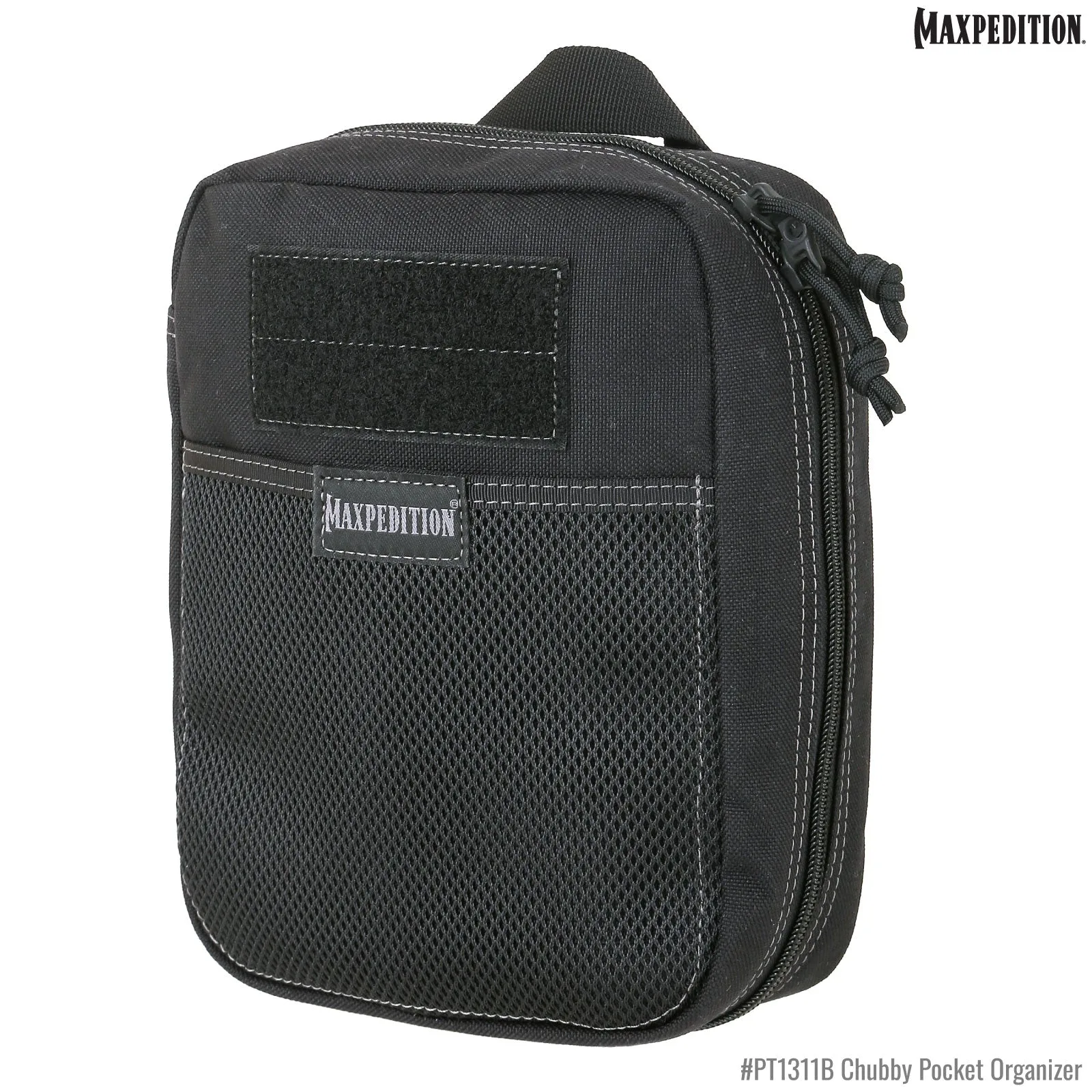
Chubby Pocket Organizer (Black) (Buy 1 Get 1 Free Pocket Organizer. Mix and Match in Multiples of 2. All Sales Final.)