Start with the Voyager's Three Organizing Zones
The SWISSGEAR Voyager USB 21.5" Travel Laptop Backpack is designed to work as a carry-on companion with three main zones: a back laptop compartment, a front clothing compartment, and an organizer panel with RFID lining. Knowing what goes where makes packing faster and keeps your gear accessible.
The laptop compartment is padded and fits a 17" laptop. The clothing compartment is expandable and includes clothing straps, a zippered mesh side compartment, and two removable zippered accessory bags. The front organizer has a large zippered pocket, two elasticized mesh pockets, and a small pocket with RFID lining.
A Packing Sequence for a Multi-Day Trip
Follow this order to make the most of the Voyager’s compartments without overstuffing.
- Load the laptop compartment first: Slide your 17" laptop into the padded compartment at the back. This keeps it protected and balanced against your spine.
- Pack the expandable clothing section: Open the main clothing compartment. Use the clothing straps to secure a rolled jacket or jeans. Place smaller items in the zippered mesh side compartment. Insert your toiletries or cables into the two removable zippered accessory bags.
- Use the shoe pocket and side pockets: The front dedicated shoe pocket holds a pair of shoes or slippers. The dual deep side pockets are ideal for a water bottle and an umbrella.
- Organize daily essentials in the front panel: Keep your wallet, phone, passport, and boarding pass in the front organizer. The RFID-lined pocket helps protect your cards from unauthorized scanning.
- Set up the USB charging pass-through: Place your own power bank in the zippered battery pack pocket inside the bag. Connect it to the provided exterior USB outlet so you can charge your phone without opening the backpack.
What the Voyager Backpack Record Confirms
-
SWISSGEAR Voyager USB 21.5" Travel Laptop Backpack: The Voyager USB 21.5" Travel Laptop Backpack includes an exterior USB power outlet and a zippered battery pack pocket (battery pack not included). You can charge your devices on the go without digging for your power bank. Just remember to bring your own battery pack.
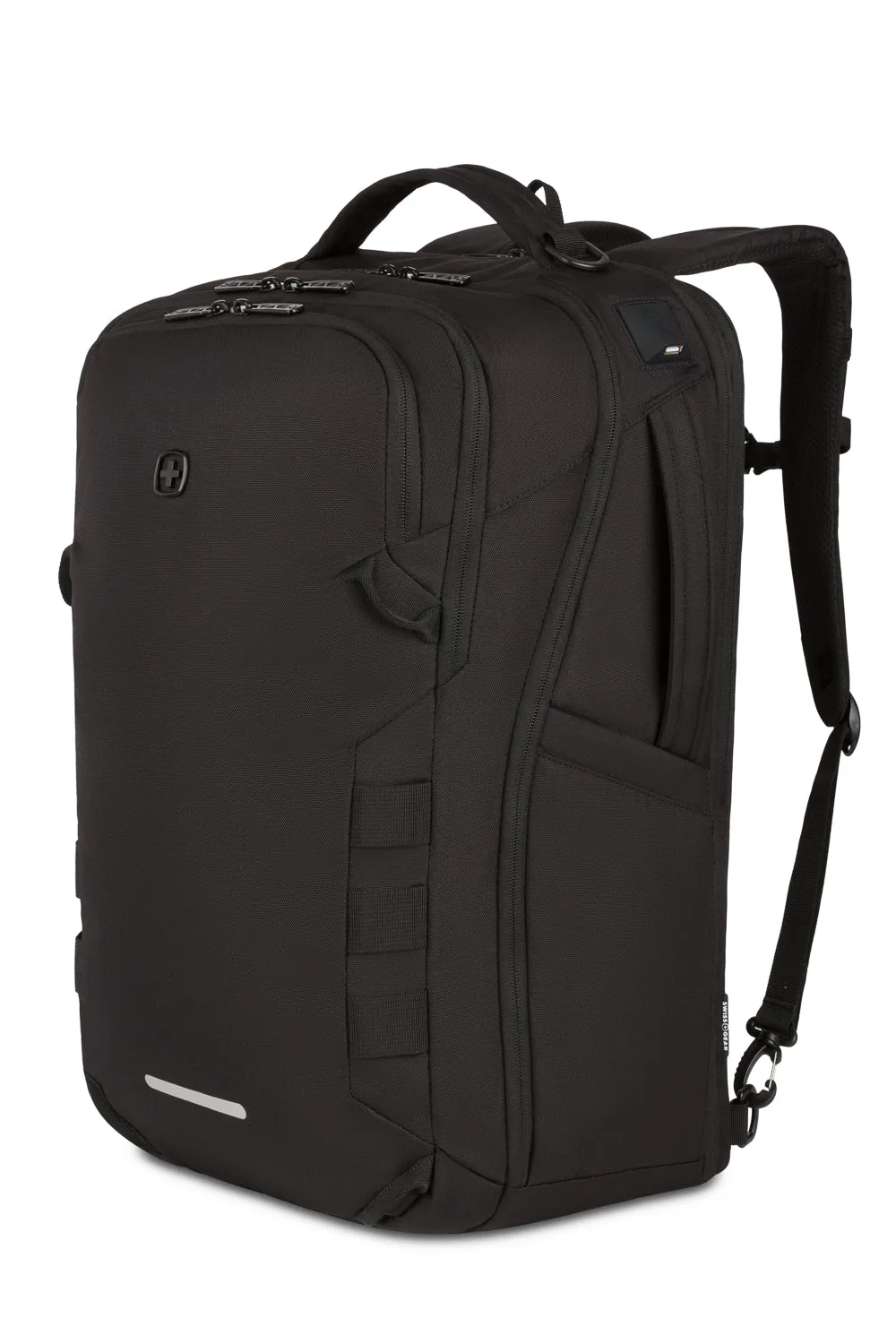
SWISSGEAR Voyager USB 21.5" Travel Laptop Backpack
-
SWISSGEAR Voyager USB 21.5" Travel Laptop Backpack: The backpack features an integrated trolley strap so it can rest on your luggage handle. When you're rolling a suitcase, the trolley strap lets you stack the backpack on top for easy one-handed travel.
-
SWISSGEAR Voyager USB 21.5" Travel Laptop Backpack: The clothing compartment is expandable and includes clothing straps, a zippered mesh side compartment, and two removable zippered accessory bags. You can separate clean clothes from dirty ones, keep toiletries contained, and expand the compartment when you need extra space for a souvenir or jacket.
Checkpoints Before You Zip Up
Before you close the Voyager, run through these quick checks:
– Confirm your laptop is fully inside the padded sleeve and the zipper is secure.
– Make sure the battery pack is connected to the USB outlet if you plan to charge on the go.
– Check that the trolley strap is tucked away or ready for use.
– Zip the expandable section only if you need the extra volume; leaving it compressed helps the bag fit under an airline seat.
These steps help you avoid surprises at security or during the flight.