Quick answer
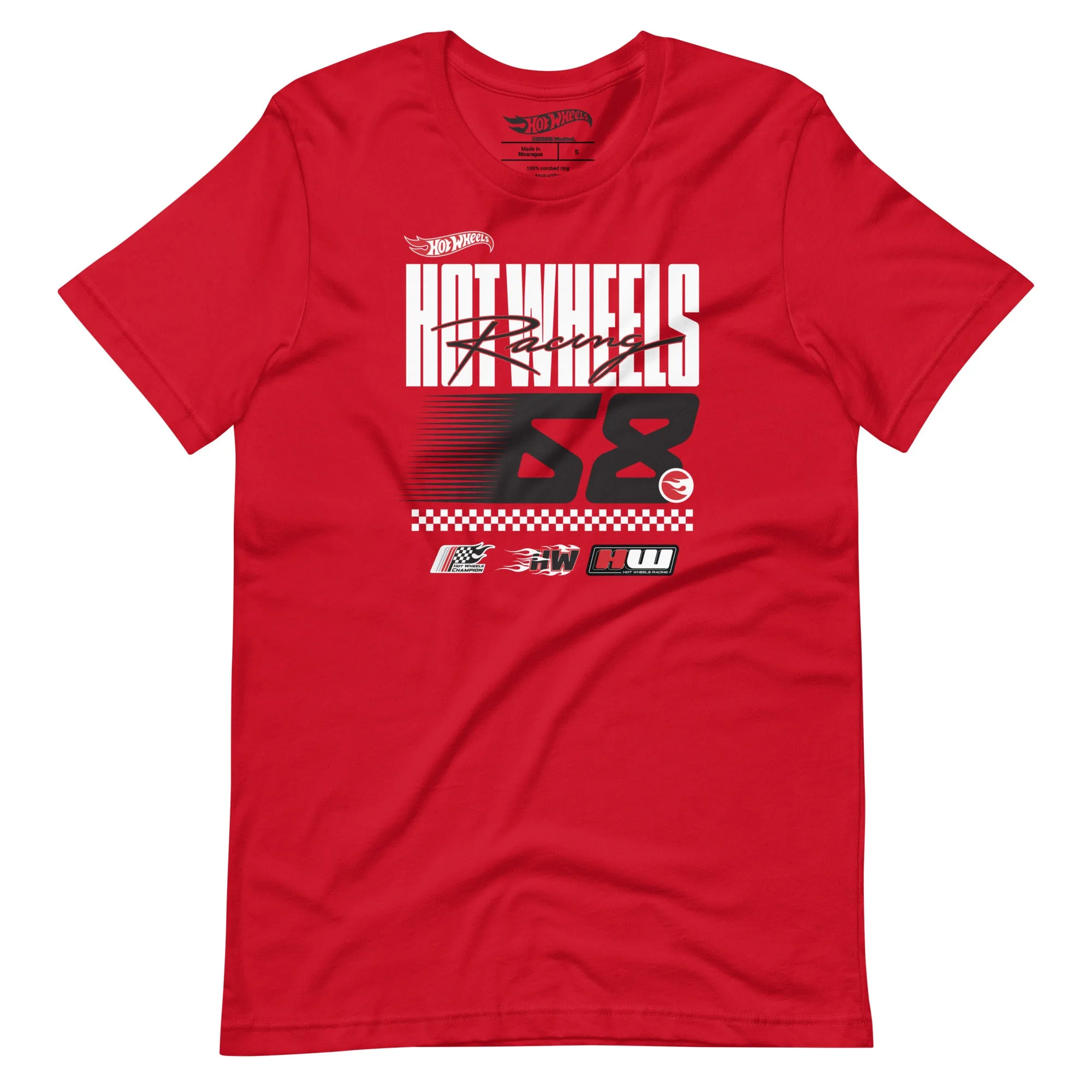
Start with a clean, pre-shrunk Hot Wheels Racing Red T-Shirt and lay out your Apliiq patches on a flat surface before you press anything. Mark placement with painter's tape, press at 300-320°F for 15-20 seconds per patch with firm pressure, then stitch any patch larger than 3 inches for a permanent hold. The most common mistake is pressing over the existing screen print instead of around it.
Why Apliiq patches work well on a Hot Wheels tee
Apliiq patches are woven or embroidered appliques with a heat-activated adhesive backing, so they add texture and dimension without covering the original Hot Wheels graphic. That matters on a shirt like the Hot Wheels Racing Red T-Shirt, which already has a full front design. Patches let you add a name, number, or small racing emblem on the sleeve, chest, or back without competing with the main print.
The tradeoff is weight. A heavy woven patch on lightweight cotton can pull at the fabric over time, so keep large patches off the chest and save them for the back panel or hoodie-style layering pieces.
What you need before you start
Gather a heat press or iron with no steam, a pressing cloth or Teflon sheet, painter's tape, fabric scissors, and a needle and thread if you plan to stitch. A hard, heat-safe surface matters more than the brand of press. If you only have a household iron, expect to apply more pressure and longer dwell times, and plan to stitch every patch as backup.
Placement rules that keep the design readable
On a graphic tee, patches should sit in the negative space, not on top of the existing print. For a front-print shirt, that usually means the left chest above the graphic, the right sleeve, or the upper back. Keep patches at least one inch away from seams, collar ribbing, and the main print so the adhesive has flat fabric to bond to.
If you are personalizing a shirt as a gift, put the name or number on the sleeve rather than the chest. It reads as a detail instead of a competing logo.
Step-by-step: adding Apliiq patches to a Hot Wheels tee
- 1. Wash and dry the shirt first: Wash the Hot Wheels Racing Red T-Shirt inside out in cold water and tumble dry low before you attach anything. This removes sizing and confirms the pre-shrunk fit so your patch placement stays accurate. Checkpoint: if the shirt still smells like packaging or feels stiff, wash it again. Adhesive bonds poorly to factory finish.
- 2. Lay out patches and mark placement: Put the shirt on a flat surface or wear it to check placement in a mirror. Position each Apliiq patch, then outline it with painter's tape. Keep patches at least one inch from seams and the existing screen print. Common mistake: centering a patch on the chest graphic. Move it to the sleeve or upper back instead.
- 3. Pre-press the fabric: Set your heat press to 300-320°F and press the empty shirt area for 5-10 seconds to remove moisture and wrinkles. If using an iron, use the cotton setting with no steam and press firmly for 10 seconds. Checkpoint: the fabric should feel dry and flat. Any steam or dampness will weaken the adhesive.
- 4. Press the patch in place: Place the patch adhesive-side down, cover with a pressing cloth, and press at 300-320°F for 15-20 seconds with firm, even pressure. For patches larger than 3 inches, add 5 seconds. Let the shirt cool completely before peeling the pressing cloth. Common mistake: peeling the cloth while hot. Wait until cool to avoid lifting the adhesive edge.
- 5. Stitch large or high-wear patches: Hand-stitch or machine-stitch around the perimeter of any patch over 3 inches, or any patch on a sleeve or back panel. Use a matching thread and small stitches through the patch edge, not through the shirt's printed area. Checkpoint: tug gently at the patch edge. If it lifts, add stitching before wearing.
- 6. Cure and care for the finished shirt: Wait 24 hours before wearing or washing. After that, wash inside out in cold water and hang dry or tumble low. Avoid fabric softener and direct ironing on the patch or the original Hot Wheels print. Next step: if you personalize a second shirt, test a scrap patch on an old tee first to dial in your press time.
Product facts
- Hot Wheels Racing Red T-Shirt: Hot Wheels Racing Red T-Shirt: 100% combed and ring-spun cotton, pre-shrunk, side-seamed, shoulder-to-shoulder taping, unisex sizing. Exclusive Hot Wheels design only available through Mattel Creations. Pre-shrunk cotton means your patch placement will not shift after the first wash, and the side-seamed construction gives you a flat surface for pressing or stitching.
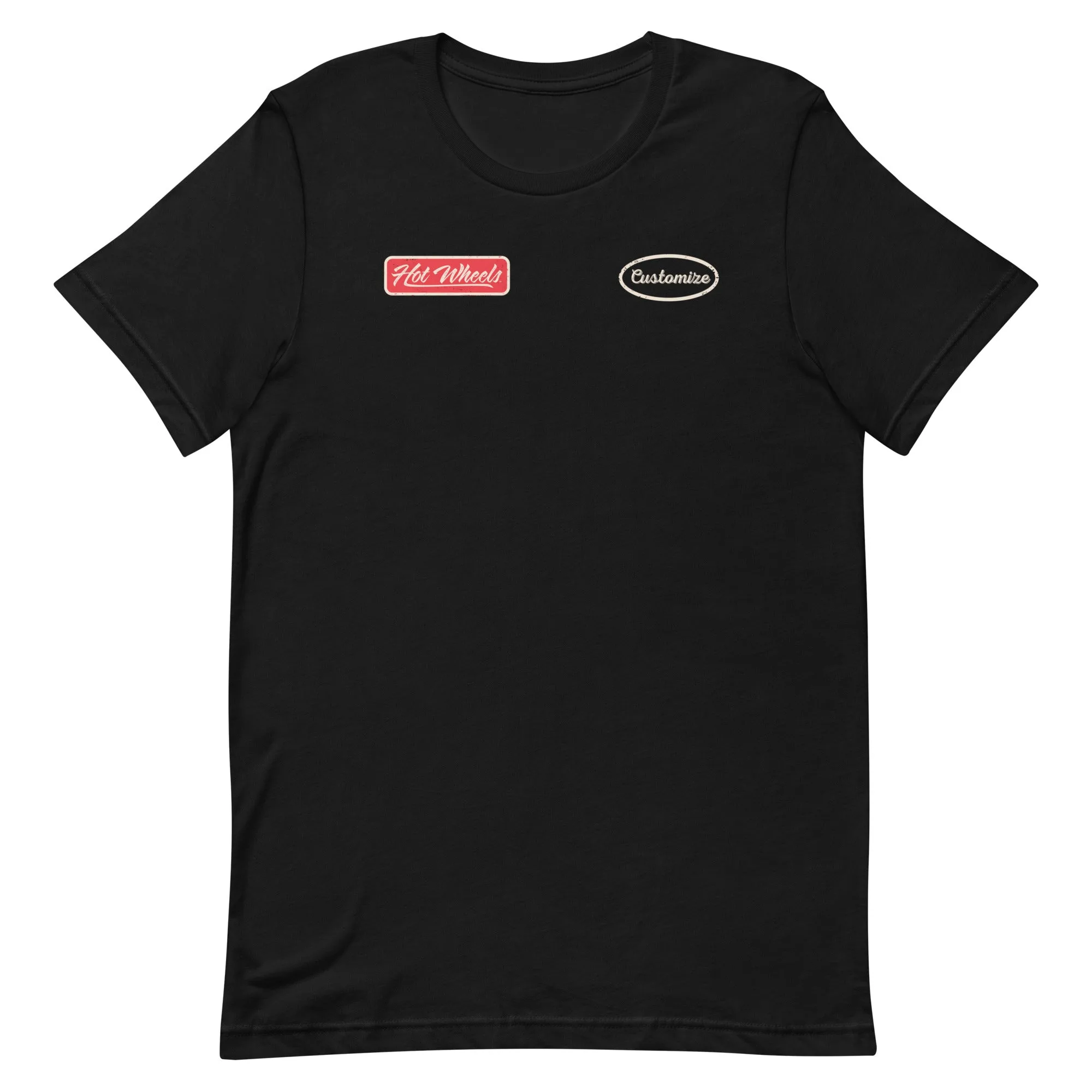
- Hot Wheels Customizable Legends Mechanic Black T-Shirt: Hot Wheels Customizable Legends Mechanic Black T-Shirt: 100% combed and ring-spun cotton, pre-shrunk, side-seamed, unisex. Add your name to the front or personalize as a gift. This shirt already supports front personalization, so Apliiq patches are best used on the sleeve or back to avoid crowding the customizable area.