Quick Answer
Use soft, diffused daylight from a window, place your figurine on a clean, neutral background, and shoot from a low angle at eye level with the figure. A simple setup with a white foam board and a phone camera will give you clear, honest photos for reviews and social media without expensive gear.
You do not need a studio to take great photos of animal figurines. Whether you are writing a toy review or sharing a collection on social media, the key is to show the figure clearly and honestly. Good lighting, a simple background, and a few deliberate angles will make even a budget phone camera produce useful images.
This guide walks through a repeatable process you can use for any small figure, from a hand-painted bird to a prehistoric predator. Each step includes a common mistake to avoid so your photos stay accurate and appealing.
Set Up a Simple, Repeatable Photo Station
Find a spot near a window that gets indirect daylight. Direct sun creates harsh shadows and blown-out highlights, so diffuse the light with a sheer curtain or a piece of white paper. Place a white foam board or a large sheet of paper behind and under your figurine to create a seamless background. This bounce also fills in shadows.
Keep your setup consistent. Use the same background and light direction for every figure so your review photos look like a cohesive set. A small table or a stack of books works fine as a base. If you shoot at night, use a desk lamp with a white shade and a piece of tracing paper over it to soften the light.
- Common mistake: shooting on a cluttered desk or a colored surface that casts weird color onto the figure.
- Checkpoint: can you see the figure's full outline without distractions?
Choose Angles That Show Detail and Scale
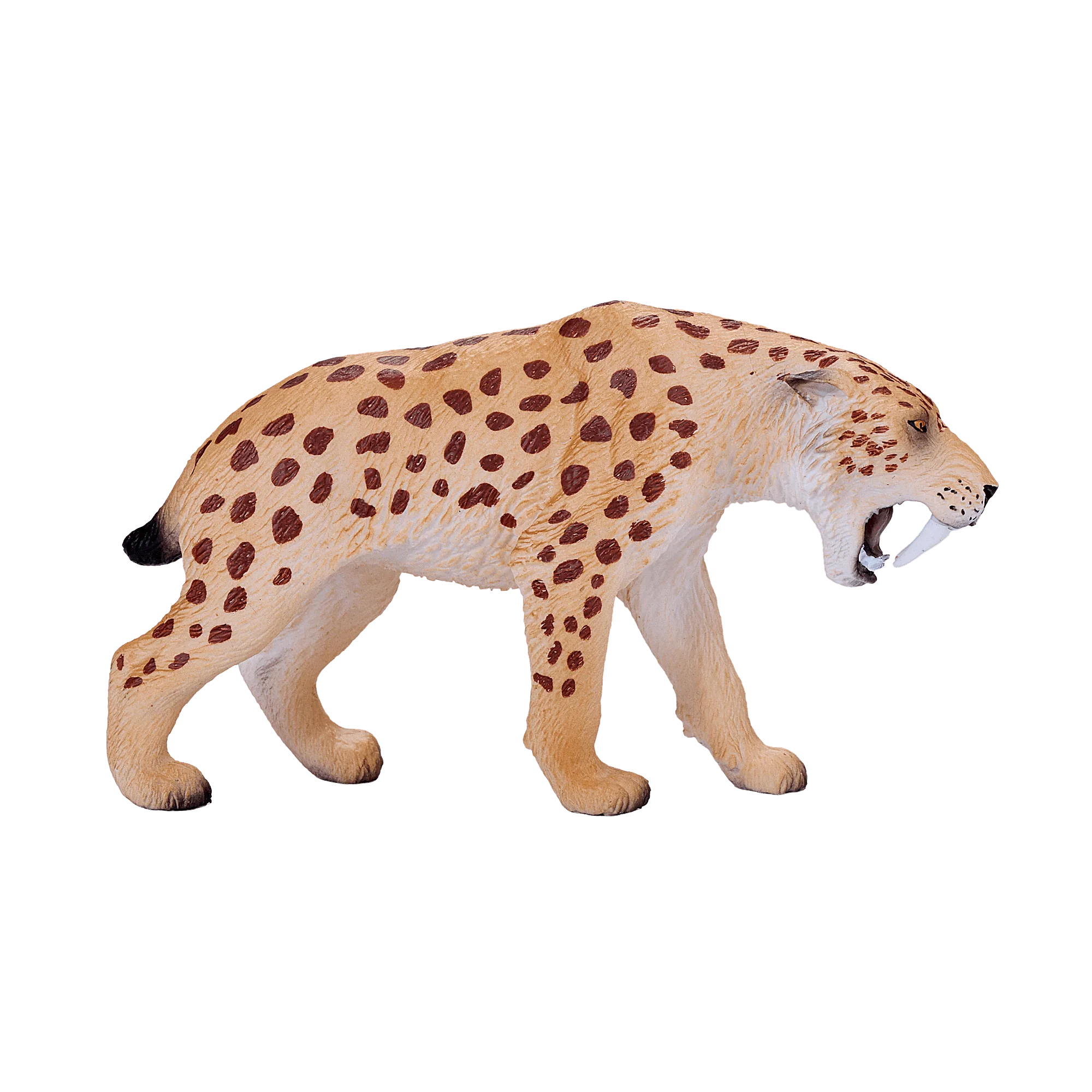
Start with a straight-on eye-level shot. For most animal figurines, this means lowering your camera to the height of the figure's head, not shooting down at it. This angle makes the figure look more lifelike and helps viewers judge its shape. Then take a three-quarter view to show depth, and a close-up of any distinctive feature, like the Smilodon's saber teeth or the American Goldfinch's painted plumage.
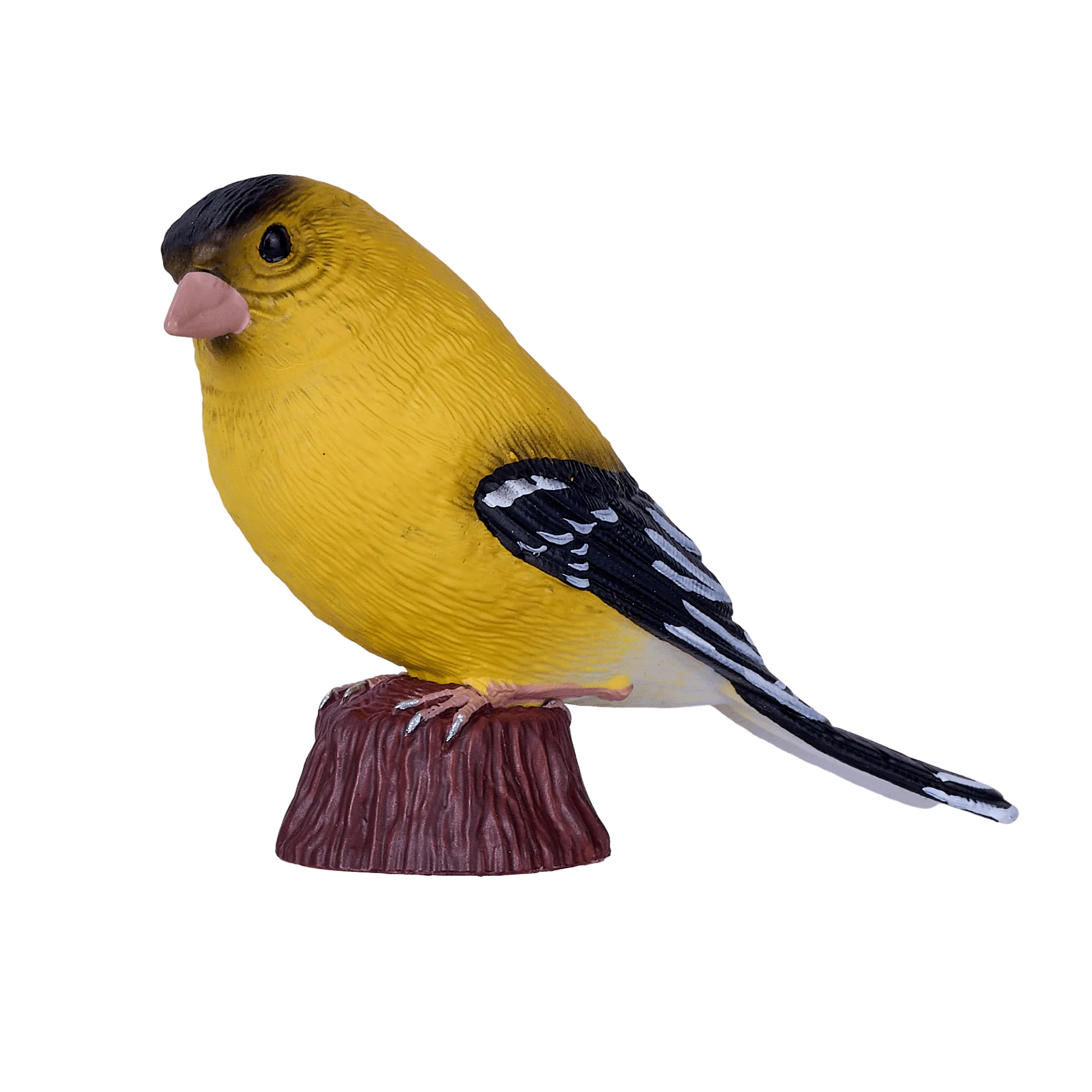
American Goldfinch
Include a common object for scale, such as a coin or a ruler, in at least one photo. This is especially helpful for toy review photos because it tells buyers exactly how big the figure is. Avoid using your hand as a scale reference unless you also note your hand size; hands vary too much to be reliable.
- Common mistake: only shooting from above, which flattens the figure and hides its profile.
- Checkpoint: do your photos show the front, side, and a detail shot?
Control Light to Reveal Texture and Color
Light direction matters more than brightness. Side lighting brings out texture and muscle definition, while front lighting can make a figure look flat. Try moving your figurine or your light source to a 45-degree angle to the side. For shiny or glossy figures, a light tent or a white plastic bag over a lamp can reduce hotspots.
If you are using a phone, tap on the figure to set focus and exposure. Then drag the exposure slider down slightly to protect highlights. This is one of the most useful toy photography tips: slightly underexposed photos are easier to fix than blown-out ones. Avoid mixing daylight and tungsten light, which creates odd color casts.
- Common mistake: using the camera flash, which creates a harsh shadow and washes out detail.
- Checkpoint: can you see the figure's painted details without glare?
Edit for Accuracy, Not Drama
Keep editing minimal. Crop to remove distractions, straighten the image, and adjust brightness and contrast only as needed. If you are reviewing a figure, do not boost saturation or use filters that change the color of the paint. Viewers rely on your photos to decide whether to buy, so accuracy builds trust.
For social media, you can add a simple text overlay with the figure's name or a fun fact. But keep the figure itself unobstructed. If you post a series, use the same edit settings across all photos so your feed looks consistent. Save a copy of the original unedited file in case you need it later.
- Common mistake: over-editing with heavy filters that misrepresent the figure's actual colors.
- Checkpoint: does the edited photo still look like the figure in real life?
Step-by-Step Photo Workflow
- 1. Set up a diffused light source and neutral background: Place your figurine near a window with indirect light. Use a white foam board or paper as a seamless backdrop and bounce card. Avoid direct sun and camera flash. Checkpoint: the background is clean and the light is soft enough to read details without glare.
- 2. Shoot from eye level and vary your angles: Lower your camera to the figure's head height. Take a straight-on shot, a three-quarter view, and a close-up of a key feature. Include a coin or ruler for scale in one photo. Checkpoint: you have at least three distinct angles that show the figure's shape and size.
- 3. Adjust exposure manually and avoid flash: Tap to focus on the figure, then drag the exposure slider down slightly. If using a dedicated camera, spot-meter on the brightest part of the figure and check the histogram. Checkpoint: highlights are not clipped and shadows still show texture.
- 4. Edit for accuracy and keep a consistent look: Crop, straighten, and adjust brightness and contrast. Do not use filters that change the figure's colors. Apply the same basic edits to every photo in a set. Checkpoint: the edited photo matches the figure's real appearance and fits with your other photos.
Figure Details That Photograph Well
- Smilodon: Prehistoric wildlife toy figure with a realistic design and classic saber-tooth look. The pronounced saber teeth and muscular build create strong shadows, so side lighting will emphasize those features in your photos.
- American Goldfinch: Hand-painted model with vibrant yellow and black plumage, highly detailed and educational. The contrast between yellow and black can blow out easily, so expose for the yellow and check that the black areas still show detail.
- Blue Tang Fish: Also known as Pacific blue tang, royal blue tang, hippo tang, regal tang, and palette surgeonfish. If you mention these aliases in a review, a close-up of the fish's shape and color will help viewers recognize it under any name.
With a window, a white board, and a phone, you can take clear, honest photos of any animal figurine. Practice the steps above on a few figures, and you will develop a repeatable workflow that makes your reviews and social posts more useful to other collectors.