Quick answer
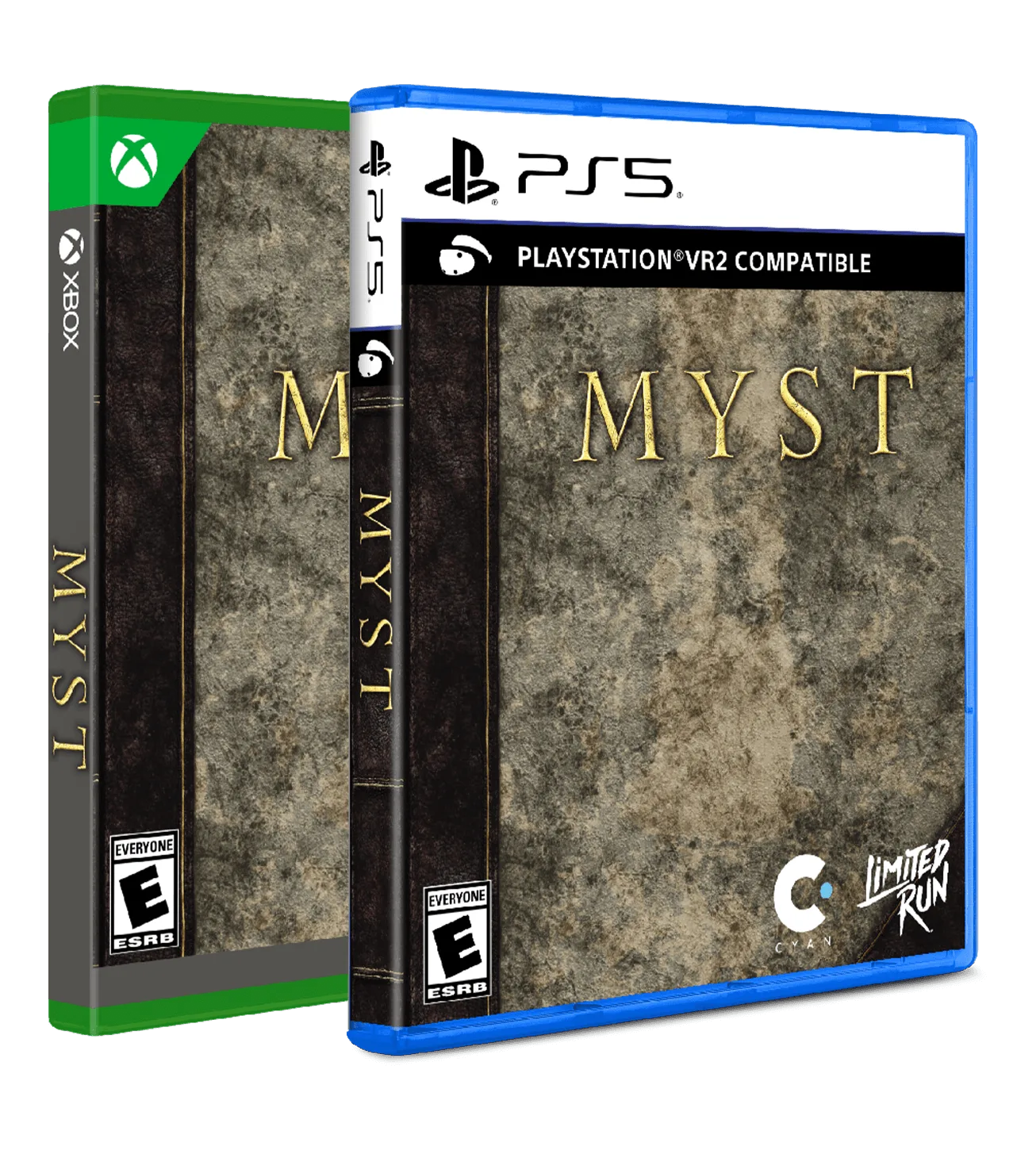
To play Myst Standard Edition on PS5 or Xbox, place your pre-order before October 18, 2026, then after release, insert the disc, install the game, and choose between 2D or VR mode. The disc is region-free, so it works on any console.
PS5 vs Xbox: What's the same, what's different
The Myst Standard Edition plays identically on both platforms, with the same 2D and VR support. The only difference is the controller layout and online ecosystem (PSN vs Xbox Live). If you play in VR, the experience is consistent across consoles, but ensure your VR headset is compatible with your platform.
Pre-order timing matters
This is an open pre-order, but it closes on Sunday, October 18, 2026, at 11:59 PM Eastern Time. After that, the Standard Edition may not be available again. If you miss the window, you might need to look for secondary market copies at higher prices.
VR mode considerations
Myst was rebuilt for both 2D and VR. In VR, you can look around the island naturally, which helps with puzzle-solving. However, VR can cause motion sensitivity for some players. Start in 2D to get familiar with the island layout before switching to VR.
Step-by-step setup guide
- Place your pre-order: Visit Limited Run Games and pre-order Myst Standard Edition for your platform (PS5 or Xbox). Choose the correct platform option. Complete the purchase before October 18, 2026, 11:59 PM ET. Double-check your platform selection; a PS5 disc won't work on Xbox and vice versa.
- Install the game after release: When the game ships, insert the disc into your console. Follow the on-screen prompts to install the game. The disc is region-free, so it works on any console from any region. Make sure your console has enough free storage space. Myst requires a few GB for installation.
- Choose your display mode: Launch the game. At the main menu, select either 2D mode (standard TV play) or VR mode (requires a compatible VR headset). You can switch between modes later from the settings menu. If you choose VR, ensure your headset is connected and calibrated before starting. In 2D, use the controller to look around with the right stick.
- Learn the controls: In 2D mode, use the left stick to move, right stick to look around, and the action buttons (X/A) to interact with objects. In VR, use the motion controllers or standard gamepad depending on your setup. Refer to the in-game tutorial for specific button mappings. The in-game tutorial is brief; pause and check the control scheme in the options menu if you get stuck.
- Start exploring and solving puzzles: Begin on Myst island. Examine everything: notes, machines, and environments. Puzzles often require combining clues from different locations. Take screenshots or notes in 2D mode, or use the VR freedom to look around corners. Don't rush. Myst rewards careful observation. If you're stuck, revisit earlier areas with new clues.
Product details
-
Myst Standard Edition (PS5, Xbox): Myst Standard Edition is region-free and available as an open pre-order until October 18, 2026. You can play it on any PS5 or Xbox console worldwide without region restrictions, but you must order before the deadline to secure a copy.
Myst Standard Edition (PS5, Xbox)