Quick answer
Start with clean, dry hands and a clear, padded surface. Loosen the joint you intend to move before you pose it, support the figure at the torso or hip rather than the limbs, and stop turning any joint the moment it feels gritty or unusually stiff. For display, choose a stable stand, keep the figure out of direct sun and away from heat, and re-check balance every few weeks. This routine works for all Ocular Max figures, including the Perfection Series Incertus.
Why Ocular Max figures need a different handling routine
Mastermind Creations builds Ocular Max around integrated engineering rather than add-on parts. The Perfection Series line, for example, requires no additional pieces to combine, so the joints and panels you handle are also load-bearing parts of the figure. That means a rough pose can stress a connection that later has to hold weight in a combined mode. Treat every transformation step as a handling step, not just a display step.
The practical difference is that you cannot assume a joint will forgive a forceful twist. Move slowly, test range in small increments, and keep track of which panels you opened so you can close them in reverse order.
Set up a safe workspace before you touch the figure
Work on a clean, flat surface with a soft mat or microfiber cloth underneath. Small tabs, faces, and weapons are easy to lose on a hard floor, and a cloth catches them before they roll. Keep a small tray for removed accessories so nothing ends up under the figure during a pose change.
Avoid working over carpet if you can. If carpet is your only option, use a light-colored towel so dropped parts are visible. Good lighting matters more than most collectors expect, because you need to see panel gaps and peg alignment before you push anything into place.
Loosen before you pose, and support the right parts
Before bending an elbow, knee, or hip, rotate the joint gently through its range once to clear any tightness. Then pose with one hand supporting the torso or pelvis and the other hand guiding the limb. Pulling a figure by the forearm or ankle puts leverage on the smallest joint in the chain.
If a joint feels gritty rather than tight, stop. Grit usually means something is misaligned, not that the joint needs more force. Re-seat the part, check that panels are fully closed, and try again.
Choose display poses that hold their balance
A wide, low stance is more stable than a dramatic mid-air pose, especially for heavier figures. If you want an action pose, use a stand and let the stand carry the weight rather than the ankles. For flying or jumping poses, angle the feet so the stand's cradle sits under the torso, not the legs.
Rotate your display every month or two. Leaving a figure in one extreme pose for a long time can leave a joint memory, and rotating also lets you check for dust buildup in the panel gaps.
Protect the finish during transformation and storage
Transform on the cloth, not in your hands over the floor. Keep your fingers on painted edges rather than flat panels, because skin oils and friction are the two most common causes of shiny spots on matte finishes. If you store the figure, return it to a neutral pose first and keep accessories in a labeled bag or tray.
Dust with a soft brush or a microfiber cloth. Avoid household cleaners and alcohol wipes on painted surfaces, and do not use compressed air at close range, since it can drive dust into joints.
Step-by-step: pose, transform, and display routine
- Clear and pad your workspace: Set out a soft cloth, a parts tray, and a light source you can angle into panel gaps. Common mistake: working on a bare hard floor where a dropped face or weapon can bounce out of reach. Checkpoint: everything you need is within arm's reach before you pick up the figure.
- Inspect joints and panels before posing: Rotate each joint gently through its range once and confirm every panel is fully closed. Common mistake: forcing a stiff joint instead of checking for a misaligned tab. Checkpoint: no gritty or grinding feel anywhere in the range.
- Pose with two hands and proper support: Support the torso or pelvis with one hand and guide the limb with the other, moving in small increments. Common mistake: pulling a figure by the forearm or ankle, which stresses the smallest joint. Checkpoint: the figure holds the pose without any joint creeping back.
- Transform in reverse order and keep track of panels: Open panels in a set order and close them in the reverse order, keeping removed accessories in the tray. Common mistake: rushing the last step and forcing a panel past a peg. Checkpoint: all panels sit flush with no gaps before you move on.
- Set the display pose on a stable stand: Use a wide stance for shelf display or a stand for airborne poses, and let the stand carry the weight rather than the ankles. Common mistake: balancing a heavy figure on one foot for a dramatic pose. Checkpoint: the figure stays put when you gently nudge the shelf.
- Maintain and rotate the display: Dust with a soft brush or microfiber, keep the figure out of direct sun and heat, and change the pose every month or two. Common mistake: using household cleaners or alcohol on painted surfaces. Checkpoint: no shiny wear spots and no dust in the panel gaps.
Product facts for this routine
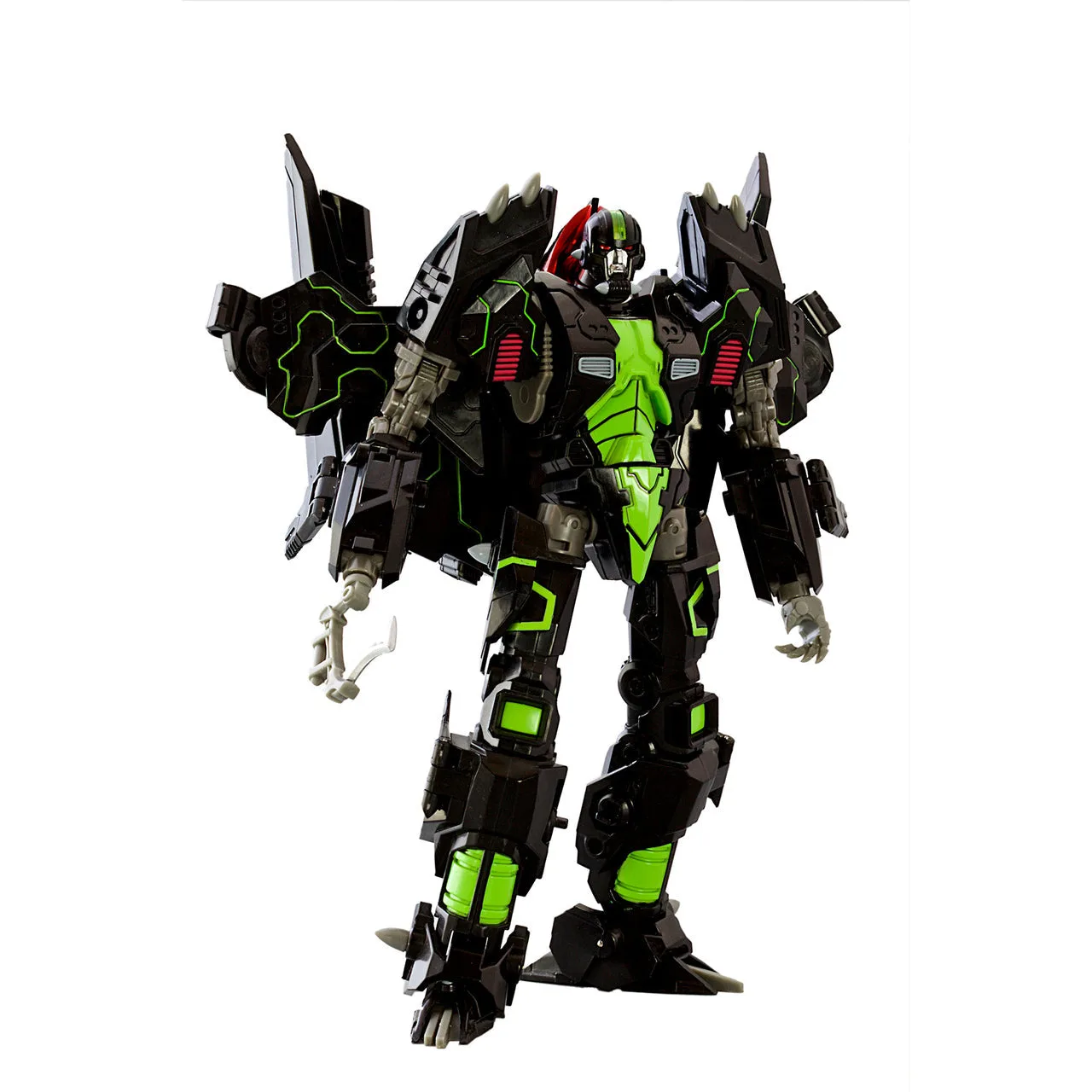
- Mastermind Creations Ocular Max - Perfection Series - PS-24A Incertus (Alternative): The Incertus Alternative Version features a new color scheme that pays homage to the vintage style, and the Ocular Max ALL BUILT IN series requires no additional parts for combination. Because every component is integrated, the joints and panels you handle during posing are also the parts that carry the figure in combined mode, so slow, supported movement protects both display and combination.
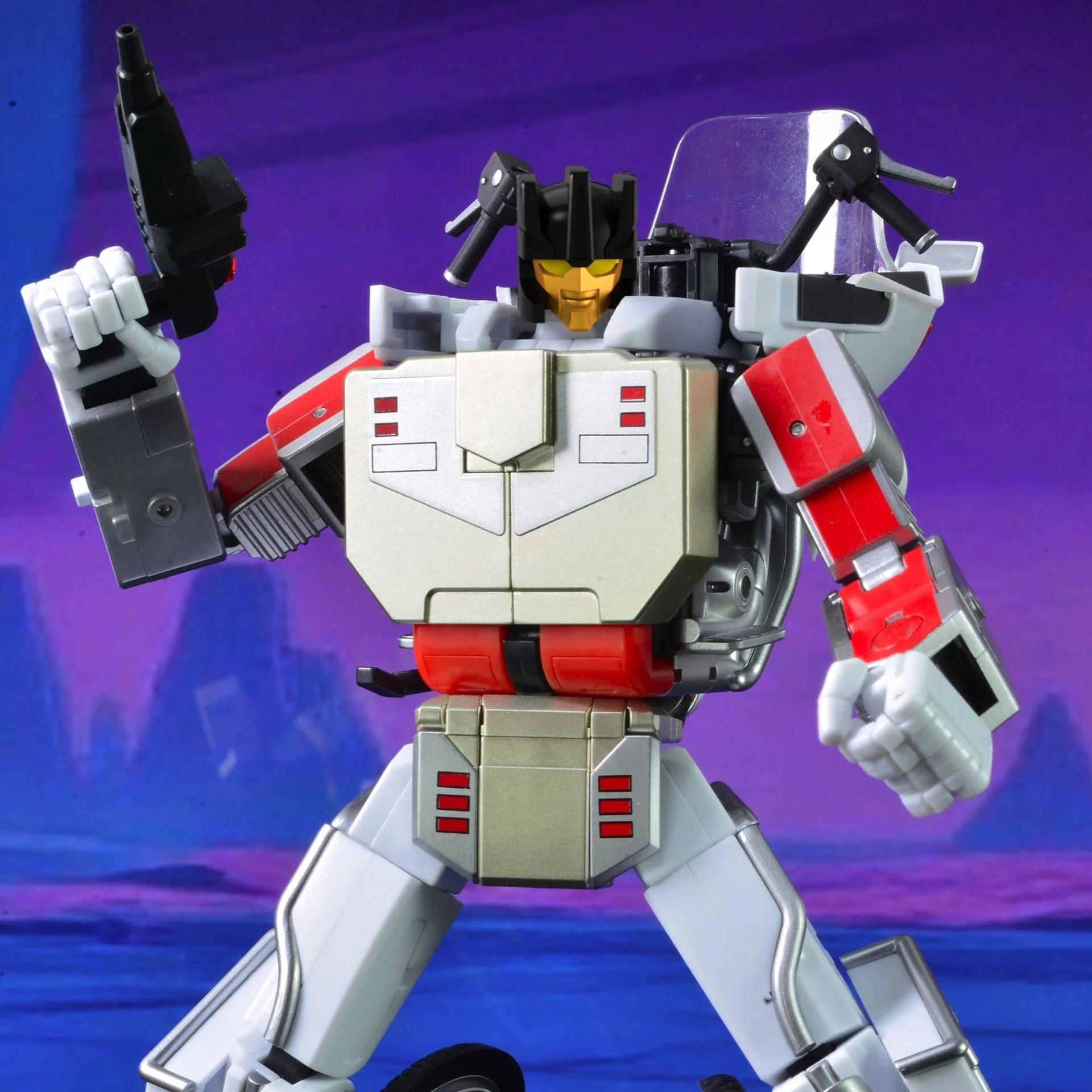
- Mastermind Creations Reformatted R-15 Jaegertron: Jaegertron includes a trophy case that can combine with Jaegertron's jet mode for a space cargo jet, and the LED backlights the weapons in showcase mode and acts as a thrusters' glow effect in cargo mode. If you display Jaegertron with the trophy case, plan your shelf space for both modes and route the LED so the case can be repositioned without unplugging or stressing the figure.