Quick answer
To replace ear pads on Audeze Maxwell headphones, gently peel off the old pad from the mounting ring, align the new Dekoni pad's groove with the ring, and press firmly until it snaps into place. No tools required.
Why upgrade the ear pads on your Audeze Maxwell?
The stock ear pads on the Audeze Maxwell are functional but may not suit everyone's comfort or sound preferences. Swapping to Dekoni replacement pads lets you choose between materials like sheepskin for a plush, noise-isolating seal or velour for a breathable, softer feel. This can change the bass response and treble clarity slightly, so pick based on your listening environment and taste.
What you need to know before starting
The Audeze Maxwell uses a twist-and-pull attachment system similar to other planar magnetic headphones. The pads are held by a plastic ring that snaps onto the earcup. No adhesive or tools are required, but patience is key to avoid tearing the pad material or damaging the ring. Work on a clean, flat surface with good lighting.
Step-by-step ear pad replacement
- Step 1: Remove the old ear pad: Grip the edge of the stock pad near the earcup and gently pull it away from the mounting ring. Work your way around until the pad detaches completely. Do not yank; the ring is plastic and can crack if forced. If the pad resists, use a plastic spudger or your fingernail to lift the edge rather than pulling harder.
- Step 2: Clean the mounting ring: Wipe the exposed plastic ring with a dry microfiber cloth to remove dust, oils, or debris. This ensures the new pad seats evenly and stays secure. Avoid using liquids or alcohol, which can weaken the ring over time.
- Step 3: Align the new Dekoni pad: Hold the replacement pad so the groove on its back side faces the mounting ring. Orient any cutouts or notches to match the shape of the ring. The pad should sit flush without twisting. Check the pad's orientation before pressing—once snapped in, it is difficult to remove without damage.
- Step 4: Snap the pad into place: Press the pad firmly onto the ring starting at one edge, then work your way around. You will hear a series of clicks as the pad locks into the groove. Ensure the entire perimeter is seated evenly. If a section does not click, lift the pad slightly and reposition it. Forcing it can tear the material.
- Step 5: Test the fit: Put the headphones on and check for gaps, uneven pressure, or loose spots. Gently rotate the pad to confirm it stays in place. Repeat the process for the other earcup. If the pad feels loose, remove it and re-snap it, making sure each clip engages fully.
Recommended replacement pads
-
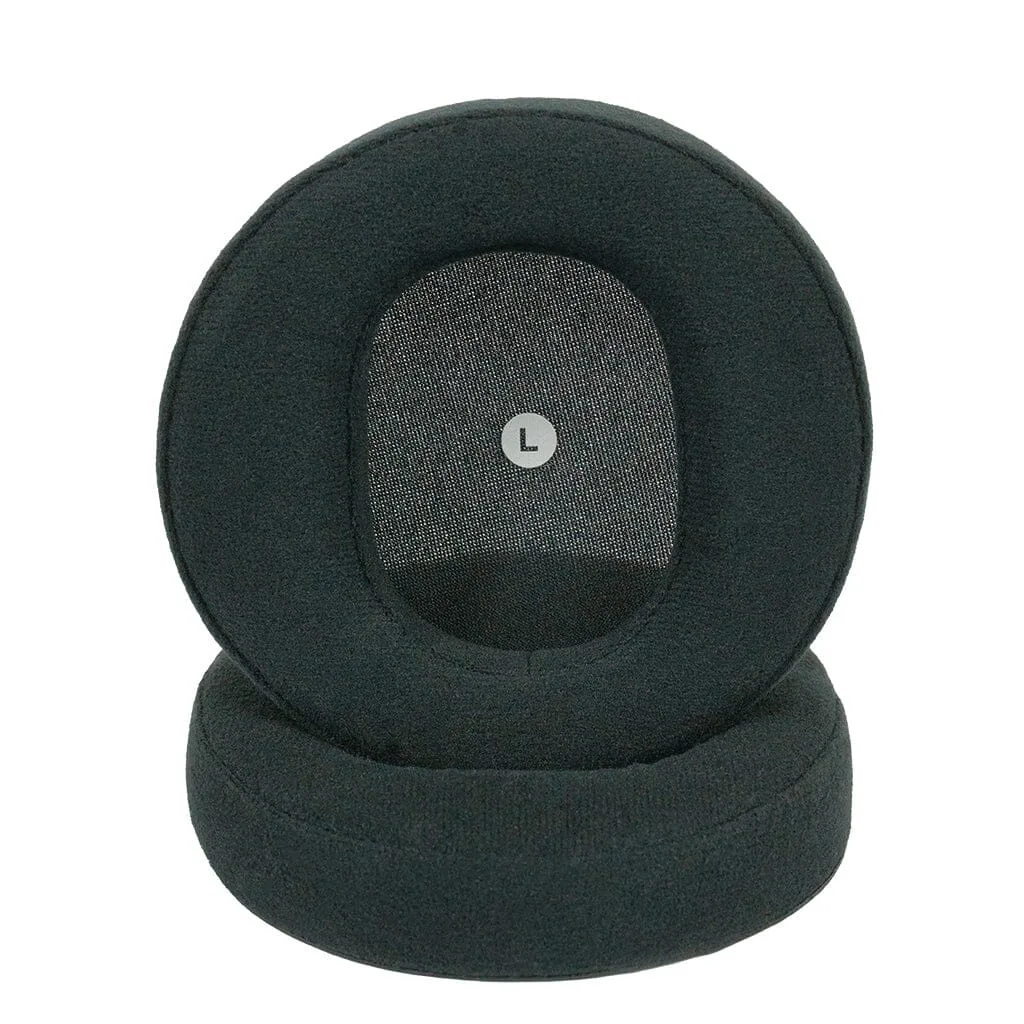
Dekoni Audio Replacement Ear Pads for Audeze Maxwell Headphones: Dekoni Audio Elite Sheepskin Ear Pads and Elite Velour Ear Pads are tailor-made for the Audeze Maxwell headphones, offering lambskin leather or velour options. Sheepskin provides a tighter seal and deeper bass, while velour is more breathable and comfortable for long sessions—choose based on your priority.
Dekoni Audio Replacement Ear Pads for Audeze Maxwell Headphones